FabCon is coming to Atlanta
Join us at FabCon Atlanta from March 16 - 20, 2026, for the ultimate Fabric, Power BI, AI and SQL community-led event. Save $200 with code FABCOMM.
Register now!- Power BI forums
- Get Help with Power BI
- Desktop
- Service
- Report Server
- Power Query
- Mobile Apps
- Developer
- DAX Commands and Tips
- Custom Visuals Development Discussion
- Health and Life Sciences
- Power BI Spanish forums
- Translated Spanish Desktop
- Training and Consulting
- Instructor Led Training
- Dashboard in a Day for Women, by Women
- Galleries
- Data Stories Gallery
- Themes Gallery
- Contests Gallery
- QuickViz Gallery
- Quick Measures Gallery
- Visual Calculations Gallery
- Notebook Gallery
- Translytical Task Flow Gallery
- TMDL Gallery
- R Script Showcase
- Webinars and Video Gallery
- Ideas
- Custom Visuals Ideas (read-only)
- Issues
- Issues
- Events
- Upcoming Events
The Power BI Data Visualization World Championships is back! Get ahead of the game and start preparing now! Learn more
- Power BI forums
- Forums
- Get Help with Power BI
- Desktop
- Re: Switch x-axis starting point
- Subscribe to RSS Feed
- Mark Topic as New
- Mark Topic as Read
- Float this Topic for Current User
- Bookmark
- Subscribe
- Printer Friendly Page

- Mark as New
- Bookmark
- Subscribe
- Mute
- Subscribe to RSS Feed
- Permalink
- Report Inappropriate Content
Switch x-axis starting point
Hello all,
I want to switch the starting point of the x-axis in a scatter chart. Instead of it going left to right as the numbers get larger I want the smallest number to start on the right and the largest number to be at the left end. I've looked at te formats and I can only change the position of the y-axis. Is there any possibility of doing this?
Thanks.
Solved! Go to Solution.


- Mark as New
- Bookmark
- Subscribe
- Mute
- Subscribe to RSS Feed
- Permalink
- Report Inappropriate Content
Hi @Anonymous,
Baesd on my test, you could format the [Behavior] as text and sort the value descending.
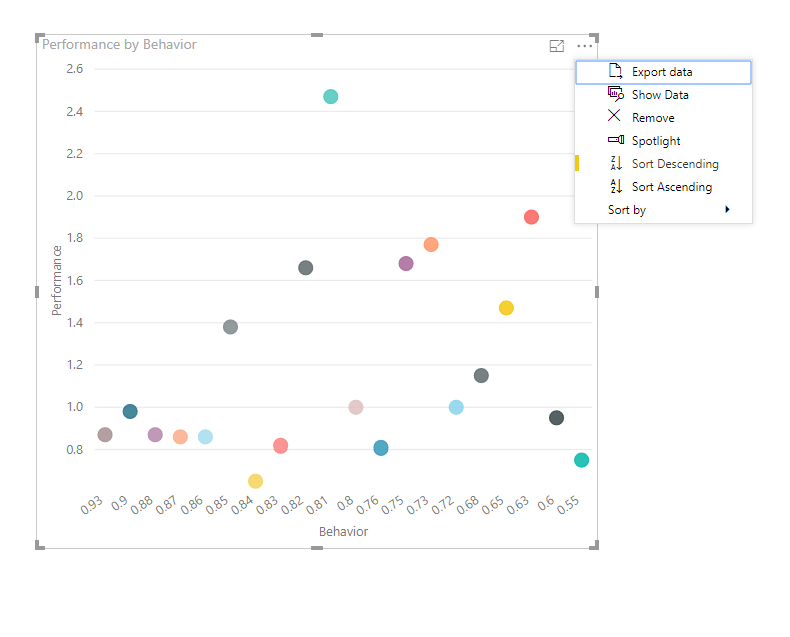
You could also download the pbix file to have a view.
Regards,
Daniel He
If this post helps, then please consider Accept it as the solution to help the other members find it more quickly.
- Mark as New
- Bookmark
- Subscribe
- Mute
- Subscribe to RSS Feed
- Permalink
- Report Inappropriate Content
Hi @Anonymous,
Could you have tried to use the Sort Decending function with your visual?

Result:
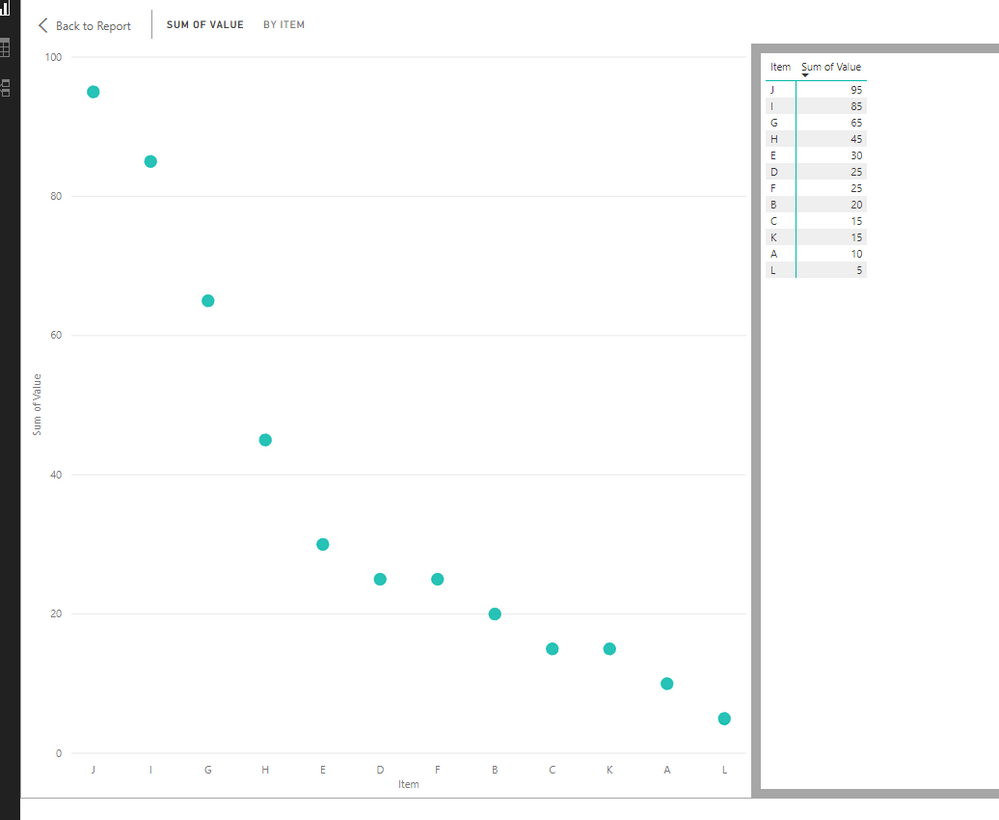
Regards,
Daniel He
If this post helps, then please consider Accept it as the solution to help the other members find it more quickly.
- Mark as New
- Bookmark
- Subscribe
- Mute
- Subscribe to RSS Feed
- Permalink
- Report Inappropriate Content
Hello @v-danhe-msft,
I checked and I do not have that as an option
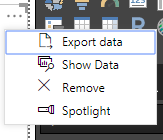
I have that option for other charts but for the scatter plot I do not
Thanks
- Mark as New
- Bookmark
- Subscribe
- Mute
- Subscribe to RSS Feed
- Permalink
- Report Inappropriate Content
Hi @Anonymous,
Could you please offer me some simple data that I could have a test?
Regards,
Daniel He
If this post helps, then please consider Accept it as the solution to help the other members find it more quickly.
- Mark as New
- Bookmark
- Subscribe
- Mute
- Subscribe to RSS Feed
- Permalink
- Report Inappropriate Content
Hello @v-danhe-msft,
Here is some sample data. I had Behaviour as the x-axis and Performance as the y-axis.
| First Name | Last Name | Position | Department | Behavior | Performance |
| Joe | Dirt | Accounting Manager | Finance | 55% | 75% |
| Cameron | Diaz | Engineer | Engineering | 75% | 85% |
| Mel | Gibson | Accounting Supervisor | Finance | 65% | 65% |
| Diana | McLean | Accounting Clerk | Finance | 68% | 55% |
| Stephen | Avery | HR Clerk | HR | 81% | 80% |
| Virginia | Rees | Executive Assistant | Finance | 82% | 81% |
| Jennifer | Reid | Controller | Finance | 83% | 82% |
| Robert | Scott | Director of Finance | Finance | 85% | 83% |
| Joseph | Black | Desktop Support | IT | 87% | 86% |
| Joshua | Young | Business Analyst | IT | 93% | 87% |
| Ian | Brown | Application Support | IT | 63% | 98% |
| Neil | Payne | IT Manager | IT | 80% | 100% |
| Rose | Peake | HR Representative | HR | 63% | 92% |
| Ruth | Gray | HR Manager | HR | 60% | 95% |
| Ryan | Gill | Developer | IT | 73% | 97% |
| Abigail | Bell | Accounting Manager | Finance | 68% | 60% |
| Carl | Ellison | Engineer | Engineering | 81% | 75% |
| Adam | Abraham | Accounting Supervisor | Finance | 82% | 85% |
| Melanie | Welch | Accounting Clerk | Finance | 84% | 65% |
| Warren | Berry | HR Clerk | HR | 85% | 55% |
| Gavin | Gibson | Executive Assistant | Finance | 73% | 80% |
| Maria | Young | Controller | Finance | 76% | 81% |
| Natalie | Sutherland | Director of Finance | Finance | 65% | 82% |
| Pippa | McGrath | Desktop Support | IT | 75% | 83% |
| Fiona | Gill | Business Analyst | IT | 86% | 86% |
| Rachel | Hamilton | Application Support | IT | 88% | 87% |
| Sonia | Arnold | IT Manager | IT | 90% | 98% |
| Edward | Rutherford | HR Representative | HR | 72% | 100% |
| Trevor | Langdon | HR Manager | HR | 81% | 92% |
- Mark as New
- Bookmark
- Subscribe
- Mute
- Subscribe to RSS Feed
- Permalink
- Report Inappropriate Content
Hi @Anonymous,
Baesd on my test, you could format the [Behavior] as text and sort the value descending.
You could also download the pbix file to have a view.
Regards,
Daniel He
If this post helps, then please consider Accept it as the solution to help the other members find it more quickly.
- Mark as New
- Bookmark
- Subscribe
- Mute
- Subscribe to RSS Feed
- Permalink
- Report Inappropriate Content
Hello @v-danhe-msft,
It worked. When I downloaded your pbix file it told me I could not open it because I have an old version. So I updated Power BI and it is all good.
Thank you.
Helpful resources

Power BI Dataviz World Championships
The Power BI Data Visualization World Championships is back! Get ahead of the game and start preparing now!

Power BI Monthly Update - December 2025
Check out the December 2025 Power BI Holiday Recap!

FabCon Atlanta 2026
Join us at FabCon Atlanta, March 16-20, for the ultimate Fabric, Power BI, AI and SQL community-led event. Save $200 with code FABCOMM.

| User | Count |
|---|---|
| 41 | |
| 38 | |
| 36 | |
| 30 | |
| 28 |


| User | Count |
|---|---|
| 129 | |
| 88 | |
| 79 | |
| 68 | |
| 63 |


