cancel
Showing results for 
Search instead for 
Did you mean: 

The Power BI Data Visualization World Championships is back! Get ahead of the game and start preparing now! Learn more

Reply
CMoppet
Helper IV
Helper IV

Struggling with Matrix Layout

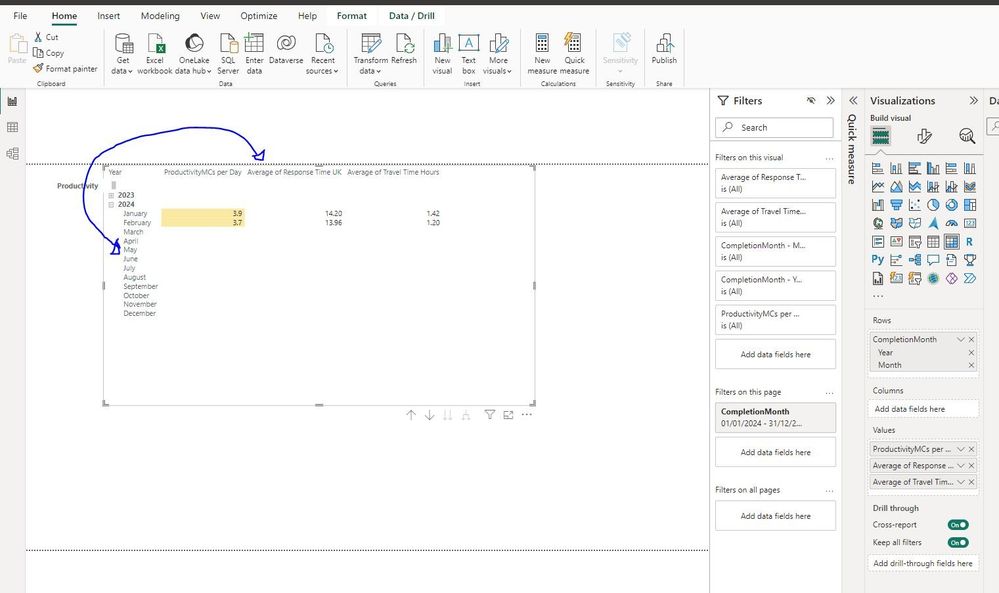
Hello.  I feel like I'm missing something simple here, but how can I create a visual like the one below, but where the month headers run along the top as columns, and the various metrics titles run down the side as rows?   Whilst the table below does work, I'd rather it was oriented the other way around as I have 40 different metrics to list, and only 12 months (obviously!).  


testgrab.JPG


If I simply move the 'Completion Month' to the Columns box instead, it doesn't display what I need, as all the different items in the 'Values' section end up as columns too.  

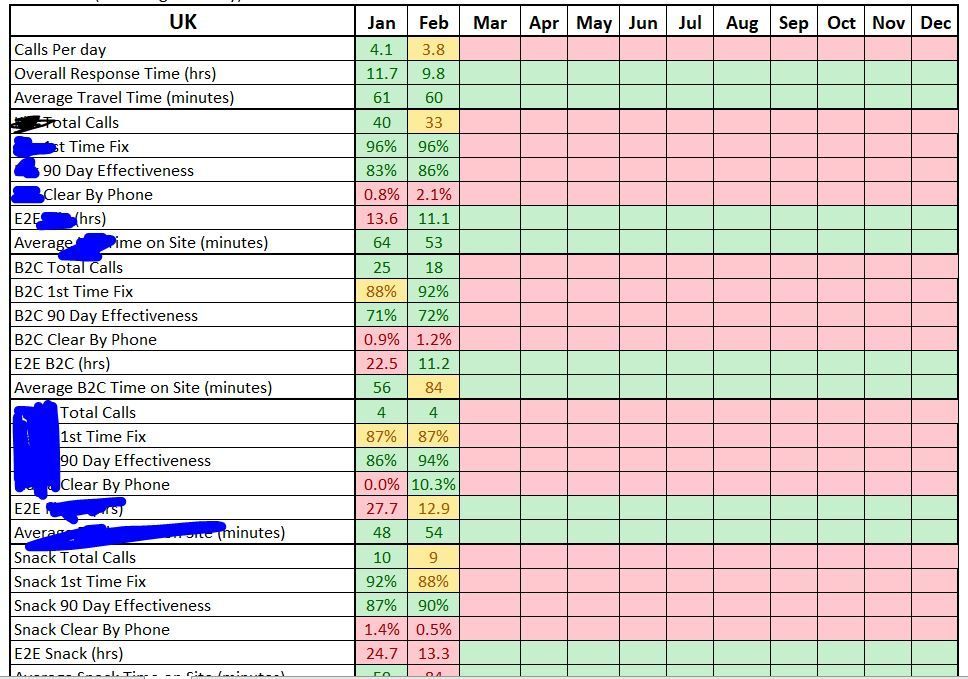
Can anyone help, please?  Essentially, I want it to be laid out like this Excel file.  

sads.JPG

Many Thanks

1 ACCEPTED SOLUTION
Syk
Super User
Super User

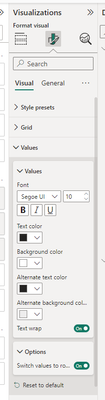
Under formatting options > Values > Options > turn "Switch values to rows" to on.

Syk_0-1711456922214.png

and put your dates in columns

View solution in original post

2 REPLIES 2
Syk
Super User
Super User

Under formatting options > Values > Options > turn "Switch values to rows" to on.

Syk_0-1711456922214.png

and put your dates in columns

I knew it would be possible somehow!  Thanks so much 🙂

Helpful resources

Announcements
Power BI DataViz World Championships

Power BI Dataviz World Championships

The Power BI Data Visualization World Championships is back! Get ahead of the game and start preparing now!

December 2025 Power BI Update Carousel

Power BI Monthly Update - December 2025

Check out the December 2025 Power BI Holiday Recap!

FabCon Atlanta 2026 carousel

FabCon Atlanta 2026

Join us at FabCon Atlanta, March 16-20, for the ultimate Fabric, Power BI, AI and SQL community-led event. Save $200 with code FABCOMM.