Join us at FabCon Atlanta from March 16 - 20, 2026, for the ultimate Fabric, Power BI, AI and SQL community-led event. Save $200 with code FABCOMM.
Register now!The Power BI Data Visualization World Championships is back! It's time to submit your entry. Live now!
Dear
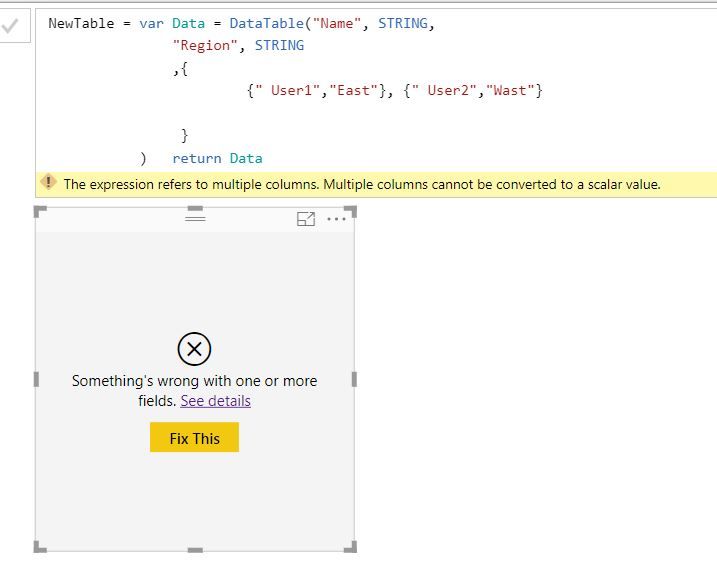
i tried to create a static table in measure and show it in dashboard but below error apeared,
Remark : cannot create table in table because we are getting the source from analysis servise .
Basic idea is to create table using measure and use it after for calculation, Thanks for your Help in Advance
Dear @AbbaNacer ,
A measure must produce a single value. Most frequent way to do this is by using aggregation functions like SUM, MAX, COUNT etc. A measure cannot produce a table.
In your use-case you have to create a calculated table in the data model with your formula. Then you can show the columns in a table visual on the report page.
BR
Martin
| User | Count |
|---|---|
| 53 | |
| 40 | |
| 35 | |
| 24 | |
| 22 |
| User | Count |
|---|---|
| 134 | |
| 107 | |
| 57 | |
| 43 | |
| 38 |