Join us at FabCon Atlanta from March 16 - 20, 2026, for the ultimate Fabric, Power BI, AI and SQL community-led event. Save $200 with code FABCOMM.
Register now!Vote for your favorite vizzies from the Power BI Dataviz World Championship submissions. Vote now!
Hi All,
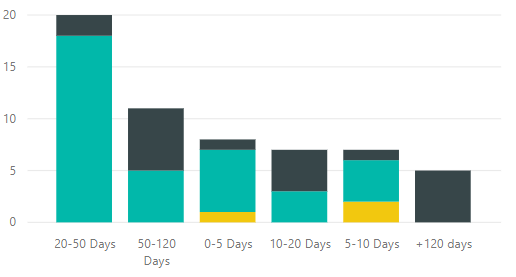
I want to sort the below chart in different order then it is done by Power BI. It sorts from the biggest group and I want to start from 0-5 days, 5-10 days etc...
How can I do it?
Solved! Go to Solution.
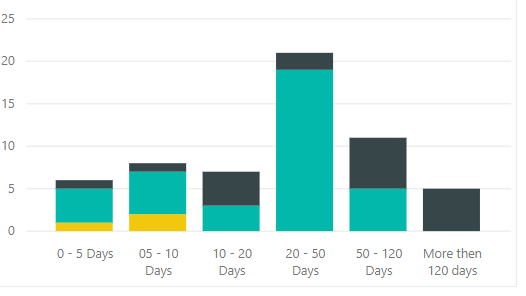
Found the solution. I changed + 120 Days to More then 120 days and sorted by Bins using three dots.
Are there not three dots at the top right of the visual that you can click on and get a sort option?
You may also need to have some logic to correctly sort by your groupings if you don't have that already
Found the solution. I changed + 120 Days to More then 120 days and sorted by Bins using three dots.
Vote for your favorite vizzies from the Power BI World Championship submissions!
If you love stickers, then you will definitely want to check out our Community Sticker Challenge!
Check out the January 2026 Power BI update to learn about new features.
| User | Count |
|---|---|
| 65 | |
| 49 | |
| 42 | |
| 25 | |
| 22 |
| User | Count |
|---|---|
| 143 | |
| 118 | |
| 56 | |
| 37 | |
| 31 |