This time we’re going bigger than ever. Fabric, Power BI, SQL, AI and more. We're covering it all. You won't want to miss it.
Learn moreDid you hear? There's a new SQL AI Developer certification (DP-800). Start preparing now and be one of the first to get certified. Register now
Hello Power BI team,
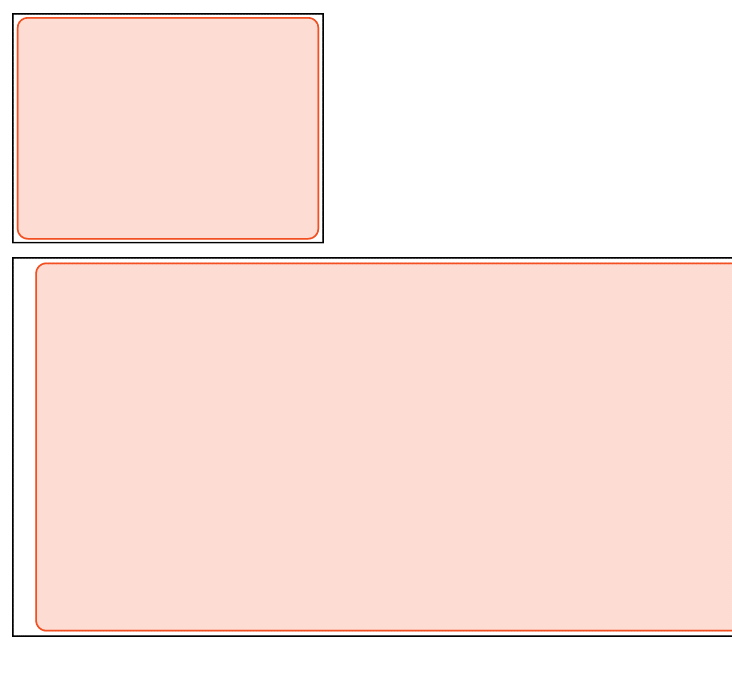
I'm having an issue with shapes. Specifically, if you add a rectangle, and turn on the line feature, the position of the line varies based on the size of the shape causing alignment problems with other shapes.
I've attached a png that shows the issue. The top rectangle is aligned with the bottom rectangle which you can verify by looking at the border (in black).
The line feature (in red) should also be aligned, but it is not. When you align different sized rectangles, the line and the fill are pulled away from the edge of the larger shape which makes it impossible to align differently sized shapes.
Hi @dabutler,
Could you please mark the proper answer as solution or share the solution if it's convenient for you? That will be a big help to the others.
Best Regards!
Dale
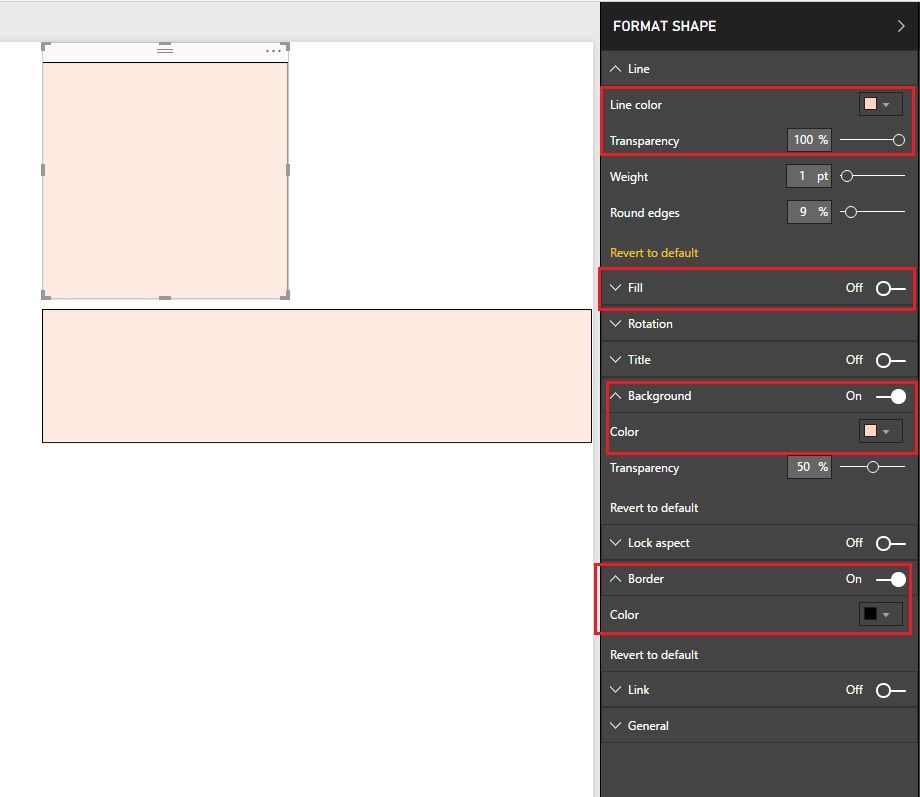
Hey @dabutler all you have to do is not use the fill or line, just use the background for the square with whatever color you want and transparency set to what you need. Background fills a shape completely edge to edge - fill leaves slight gaps.
Hi @dabutler,
One possible workaround is using border instead. Please create an idea as @Anonymous suggested.
Best Regards!
Dale
Hi @dabutler,
I am affraid this a problem with the sizing and shaping of Power BI. The same problem also occurs with images even when you set them to fit.
I dont think a simmilar idea for this to be fixed has posted about this subject. you can add one here:
https://ideas.powerbi.com/forums/265200-power-bi?WT.mc_id=Community
Regards,
L.Meijdam
Check out the April 2026 Power BI update to learn about new features.
Sign up to receive a private message when registration opens and key events begin.
If you have recently started exploring Fabric, we'd love to hear how it's going. Your feedback can help with product improvements.
| User | Count |
|---|---|
| 36 | |
| 33 | |
| 31 | |
| 21 | |
| 16 |
| User | Count |
|---|---|
| 66 | |
| 55 | |
| 31 | |
| 26 | |
| 23 |