Join us at FabCon Atlanta from March 16 - 20, 2026, for the ultimate Fabric, Power BI, AI and SQL community-led event. Save $200 with code FABCOMM.
Register now!Get Fabric Certified for FREE during Fabric Data Days. Don't miss your chance! Request now
Good day,
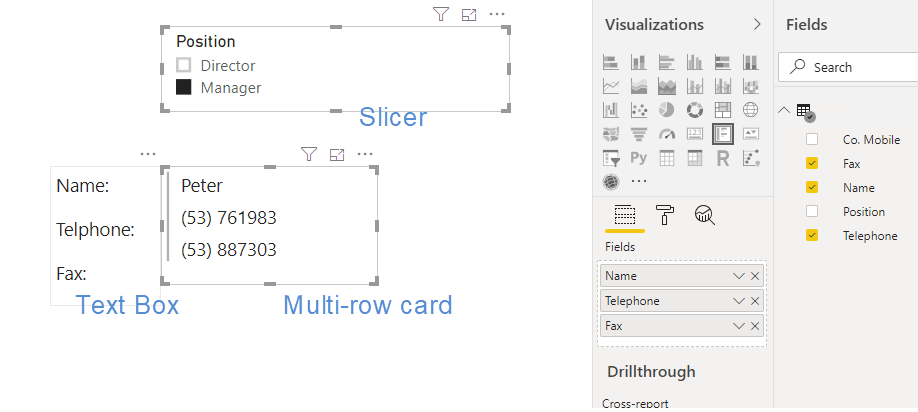
Data below and I want to display them in multiple rows, so choose to use Multi-row card.
| Name | Position | Telephone | Co. Mobile | Fax |
| Peter | Manager | (53) 761983 | (53) 682492 | (53) 887303 |
| Kate | Director | (37) 737089 | (37) 881156 | (37) 603165 |
I put a text box on the left for the headers, and hoping the contents in Multi-row card can be aligned horizontally.
It seems there's no way I can adjust the spacing between the lines in either the text-box nor Multi-row card.
What's the best way to align them nicely? Thank you.
Solved! Go to Solution.
Hi @JohnDahis ,
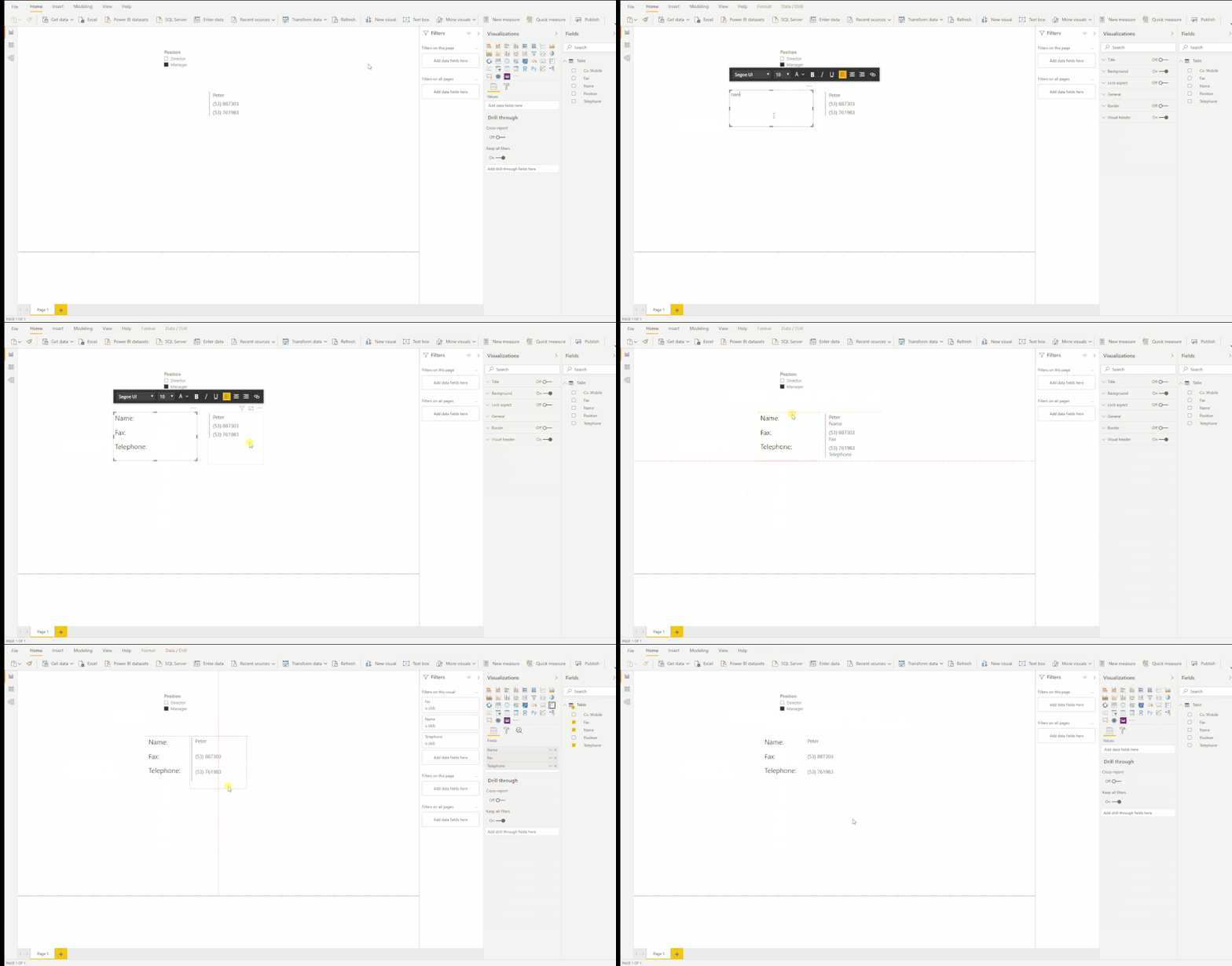
Can this help?
Best Regards,
Xue Ding
If this post helps, then please consider Accept it as the solution to help the other members find it more quickly.
Hi, @amitchandak ! thanks for the reply. Because I want to display them in multiple rows. 🙂
Hi @JohnDahis ,
Can this help?
Best Regards,
Xue Ding
If this post helps, then please consider Accept it as the solution to help the other members find it more quickly.
thank you! it's helpful.
and, actually can use multiple Cards (one for each) for easy alignment as well. 🙂
Check out the November 2025 Power BI update to learn about new features.
Advance your Data & AI career with 50 days of live learning, contests, hands-on challenges, study groups & certifications and more!