cancel
Showing results for 
Search instead for 
Did you mean: 

July 7 - July 17 | Round 2 of the Power BI Dataviz World Championships. Don't miss your chance! Learn more

Reply
CWitts
Frequent Visitor

Sorting multiple columns

I have a direct query from Oracle database which is correctly sorted on import.  When I go to transform data, I can set the sort I want (four different column) and the result is correct.  However, when I create a table the sort is being completely ignored, so the end user is not going to see the information as I need them to. 

Does anyone have any ideas on why this is and how I can resolve it?

4 REPLIES 4
Ttaylor9870
Helper III
Helper III

Hi @CWitts,


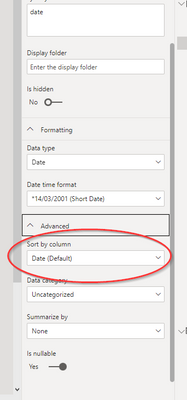
You could maybe make a calculated column using SWITCH to assign e.g ABC = 1 then sort whatever column you want based on the results of that swtich statement. You can sort your column by clicking on model view then finding the column you'd like sorted and and assign the newly created SWTITCH statment in this field...


Ttaylor9870_0-1677169754853.png

Many Thanks,


Taylor 😎


Ttaylor9870
Helper III
Helper III

What are the 4 columns and what order do you want them ordered? I have solved a similar issue before

I want to sort the following:  Customer number, Item, numerical number of type of item (1, 2, 3) and sequence number

CWitts
Frequent Visitor

Further clarification:  I have a large data set and for each "customer" there are multiple items that are listed and against each item, sub groups. EG

Row number Customer  Item        Numerical number of type    seq
001 ABC       Fruit      1                           001
002 ABC       Fruit      1                           002
003 ABC       Veg        1                           001
004 ABC       Veg        2                           001
005 XYZ       Fruit      3                           001   
006 XYZ       Fruit      1                           001
007 XYZ       Fruit      1                           002


I need to sort this so all ABC rows are together with Fruit above Veg, type 1 above type 2, etc.  So the above would resort wo row number 005 would appear at the bottom.


Hope that helps.


Helpful resources

Announcements
FabCon and SQLCon Barcelona 2026

FabCon & SQLCon – Barcelona 2026

Join us in Barcelona for FabCon and SQLCon, the Fabric, Power BI, SQL, and AI community event. Save €200 with code FABCMTY200.

July Power BI Update Carousel

Power BI Monthly Update - July 2026

Check out the July 2026 Power BI update to learn about new features.

60 days of Data Days Carousel

Data Days 2026

Join Data Days 2026: 60 days of free live/on-demand sessions, challenges, study groups, and certification opportunities.

Power BI DataViz World Championships carousel

Power BI DataViz World Championships - June 2026

A new Power BI DataViz World Championship is coming this June! Don't miss out on submitting your entry.

Top Solution Authors