Learn from the best! Meet the four finalists headed to the FINALS of the Power BI Dataviz World Championships! Register now
Hi,
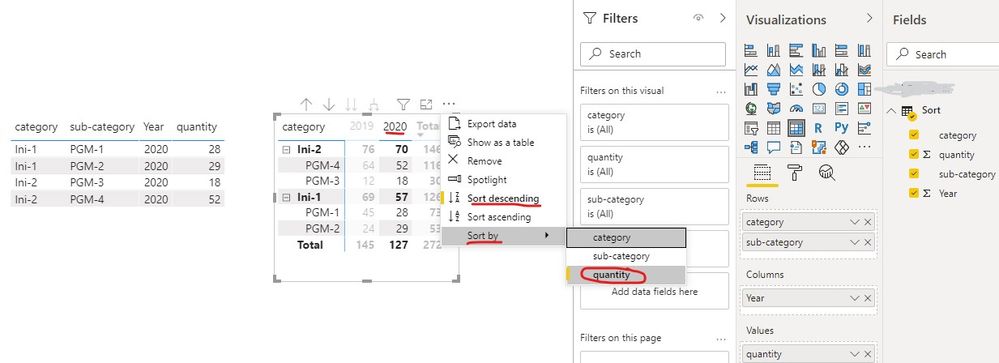
I am using Power Bi Desktop. I created matrix table. However, I couldn't sort specific column values ( descending order) in matrix table. In rows I have category and sub-category. While I put years to columns and quantity to values field. Do you know any solution for this.
Thanks in advance
@Umidjon , Suppose I have Year on column (pivot)
Then create column like these
Year 1= [year]
year sort = rankx(All(Table), Table[Year],,desc,dense)
now sort year 1 on year sort and use Year 1 in visual (Year will circular dependencies, that is why year 1)
https://docs.microsoft.com/en-us/power-bi/desktop-sort-by-column
In case it is in row, there is option on three dots to sort descending
Hi,
it is not working. I want to sort values in year 2020. How it can be done? Please help. It is important.
Thanks in advance
A new Power BI DataViz World Championship is coming this June! Don't miss out on submitting your entry.
Share feedback directly with Fabric product managers, participate in targeted research studies and influence the Fabric roadmap.
| User | Count |
|---|---|
| 46 | |
| 32 | |
| 29 | |
| 15 | |
| 15 |
| User | Count |
|---|---|
| 60 | |
| 57 | |
| 38 | |
| 23 | |
| 21 |