Learn from the best! Meet the four finalists headed to the FINALS of the Power BI Dataviz World Championships! Register now
Hello,
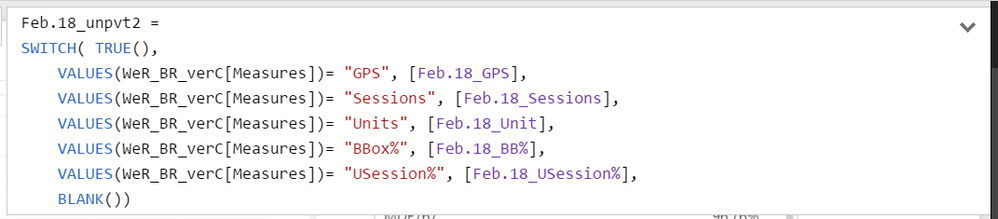
I created a measure slicer with reference here:
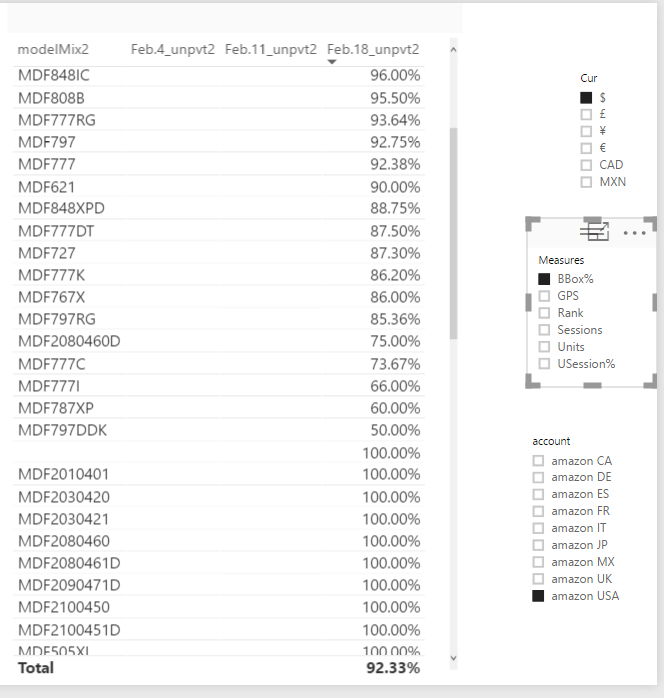
The issue I encountered here is formatting.
Sinse the report format of my measures incluede both percentage and whole number,
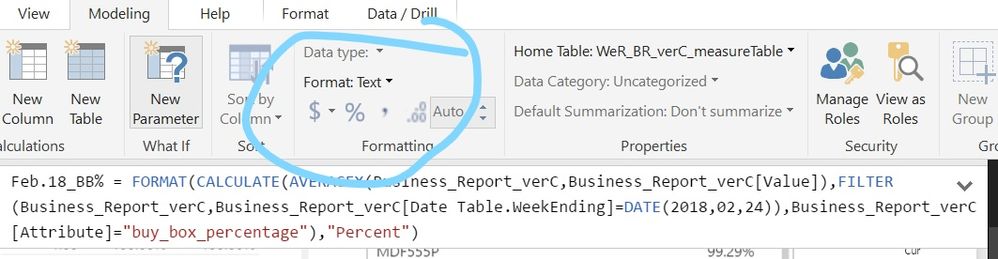
I tried to set by FORMAT in DAX to percent or whole number accordingly, but it will then be turned into text format, which cause sorting problems.
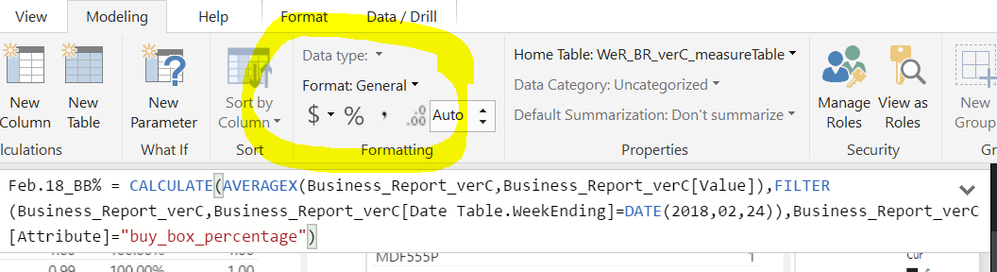
the measure table
you can set the format of of measure before using DAX FORMAT:
the format is fixed to text after using FORMAT, which causes sorting problem:
I tried to use FORMAT in measure table but didn't work either.
The solution I coming up with is to seperate them into two "measure table",
ex: Feb.18_percentage and Feb.18_wholeNumber
Any ideas to avoid the sorting issue ?
Thanks~
Solved! Go to Solution.
From my understand you have reached the current limitation. I don't believe there is presently any way to set up a dynamic formatting for the Measure without changing your measure to Text and making use of the FORMAT function to convert the result into a string of text that you are happy with.
Got it, thanks man !
A new Power BI DataViz World Championship is coming this June! Don't miss out on submitting your entry.
Share feedback directly with Fabric product managers, participate in targeted research studies and influence the Fabric roadmap.
| User | Count |
|---|---|
| 45 | |
| 34 | |
| 27 | |
| 15 | |
| 15 |
| User | Count |
|---|---|
| 58 | |
| 56 | |
| 38 | |
| 22 | |
| 20 |