Join us at FabCon Atlanta from March 16 - 20, 2026, for the ultimate Fabric, Power BI, AI and SQL community-led event. Save $200 with code FABCOMM.
Register now!The Power BI Data Visualization World Championships is back! Get ahead of the game and start preparing now! Learn more
Dear Power BI Gods and Goddesses,
Please bestow your wisdom. I've looked far and wide to find no peace, so I turn to you.
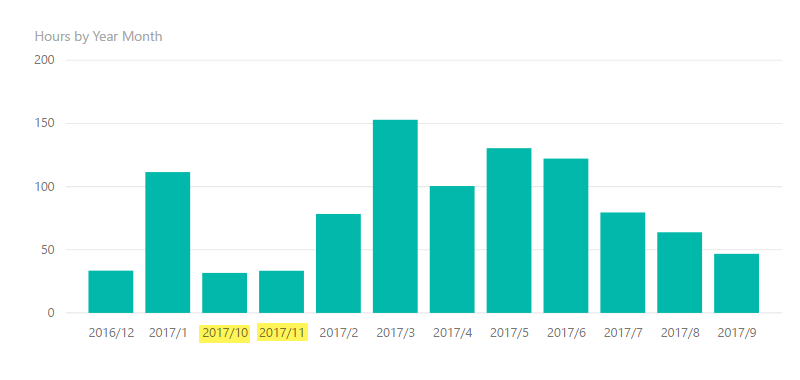
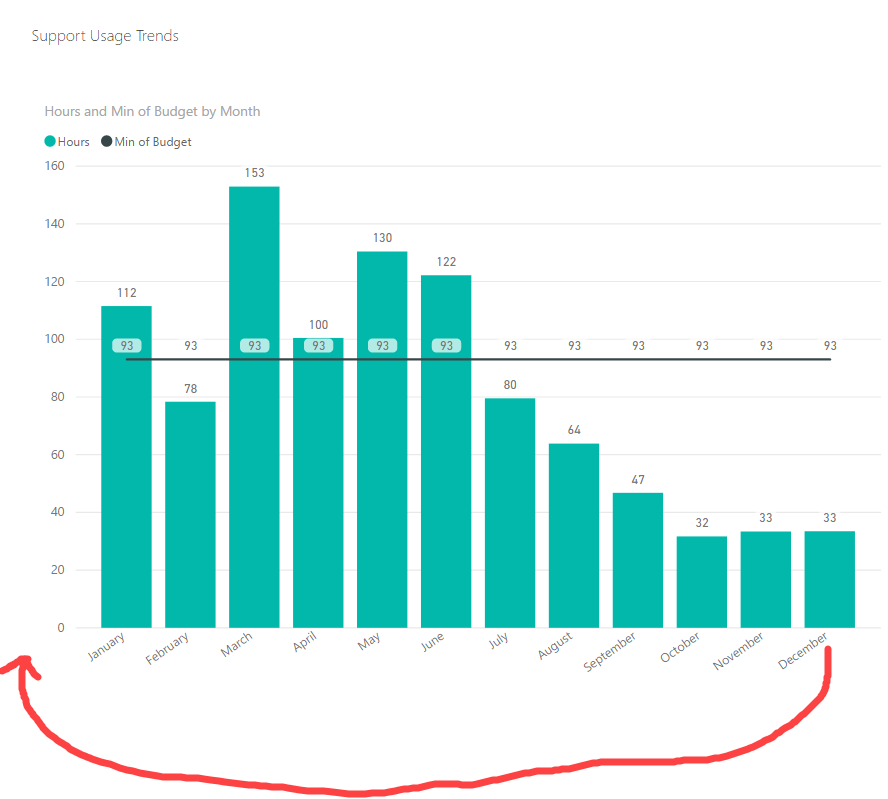
I would like to sort my months chronologically in a custom order - December 2016 to March 2018. Images will explain my predicament better, so have a look.
This solution takes it far too literally - first 2 columns works great, then it reads 2017/10, then 2017/11, then 2017/2
Thi solution puts December 2016 after my November 2017. As a workaround, I've excluded December 2016 from report but not ideal. My data needs to be displayed from December 2016 to date.
Thanking you in advance for trying 🙂
Solved! Go to Solution.
Hi @Yaso,
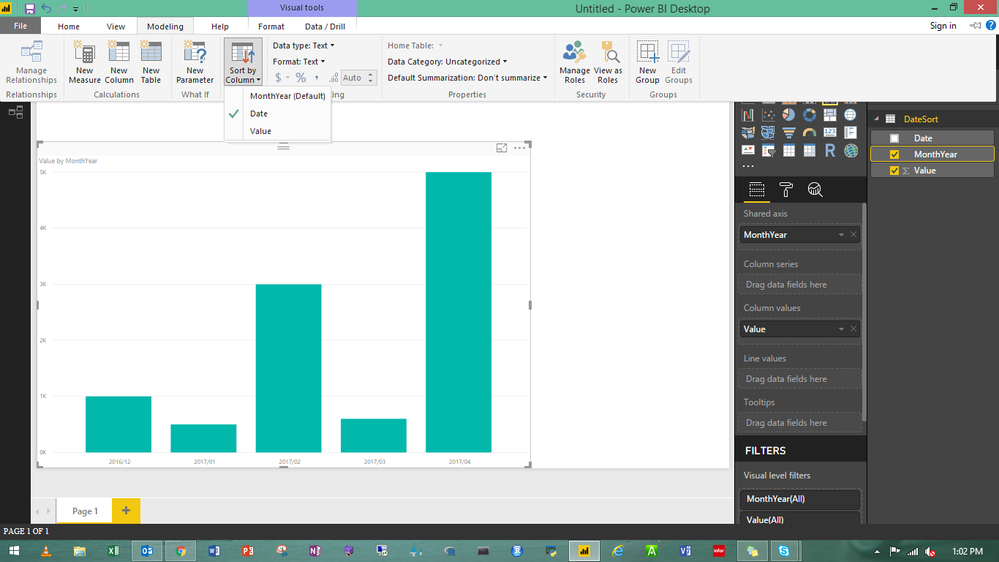
Please try the solution @dilumd posted, more details, please review this article: Sort by column in Power BI Desktop. Please respond me if you have other issue, and I appreciate you to mark the useful reply as answer if you have resolved your problem.
Best Regards,
Angelia
The Power BI Data Visualization World Championships is back! Get ahead of the game and start preparing now!
| User | Count |
|---|---|
| 39 | |
| 38 | |
| 38 | |
| 28 | |
| 27 |
| User | Count |
|---|---|
| 124 | |
| 88 | |
| 73 | |
| 66 | |
| 65 |