Join us at FabCon Atlanta from March 16 - 20, 2026, for the ultimate Fabric, Power BI, AI and SQL community-led event. Save $200 with code FABCOMM.
Register now!The Power BI Data Visualization World Championships is back! It's time to submit your entry. Live now!
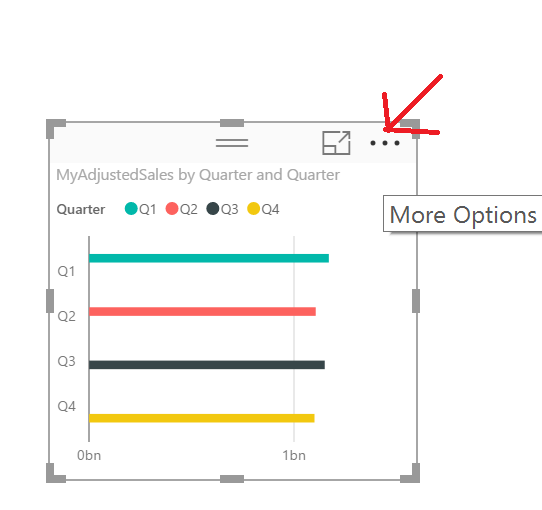
I am not able to change the data in my bar charts according to the legend. It is sorted alphabetical but that is confusing for the viewers as it is exactly the other way around than the data in the bar charts.
Solved! Go to Solution.
If your Axis and your Legend are the same in a bar/column chart you should be able to click the ellipses and sort by that column and your legend and axis should change correspondingly. I'm on the August update.
Hi,
thanks for the answer. Unfortunately I cannot find an ellipses.
Thank you very much! Updated and sorted!
The Power BI Data Visualization World Championships is back! It's time to submit your entry.
Check out the January 2026 Power BI update to learn about new features.
| User | Count |
|---|---|
| 60 | |
| 41 | |
| 27 | |
| 25 | |
| 23 |
| User | Count |
|---|---|
| 127 | |
| 109 | |
| 55 | |
| 39 | |
| 33 |