Share feedback directly with Fabric product managers, participate in targeted research studies and influence the Fabric roadmap.
Sign up nowGet Fabric certified for FREE! Don't miss your chance! Learn more
Hi
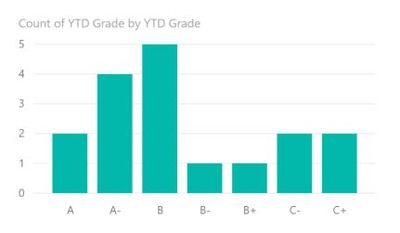
I am in the education sector and trying to produce a chart which is sorted by a 15 point scale (A+ A A- .... E+ E E-) with the alphabetical descriptors and not numerical ones.
The chart will sort alphabetically fine but goes A A- A+ etc instead of A+ A A-.
Any ideas on how this can be done?
Thank you
Solved! Go to Solution.
Hi @Anonymous
Try to sort Grade column manually by following way-
Grade Sort = SWITCH(Table1[Grade_Base],"A+",1,"A",2,"A-",3,"B+",4,"B",5,"B-",6,"C+",7,"C",8,"C-",9,10)
2. Sort Grade Column by Grade sort(created column) under the modeling tab in ribon pallet.
For more details see the pbix file.
Regards,
Angad
Hi @Anonymous
Try to sort Grade column manually by following way-
Grade Sort = SWITCH(Table1[Grade_Base],"A+",1,"A",2,"A-",3,"B+",4,"B",5,"B-",6,"C+",7,"C",8,"C-",9,10)
2. Sort Grade Column by Grade sort(created column) under the modeling tab in ribon pallet.
For more details see the pbix file.
Regards,
Angad
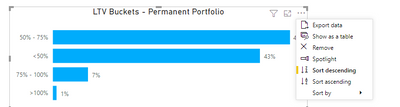
how do you disable the auto sort feature on the visuals ?
If you love stickers, then you will definitely want to check out our Community Sticker Challenge!
Check out the January 2026 Power BI update to learn about new features.
| User | Count |
|---|---|
| 62 | |
| 61 | |
| 41 | |
| 21 | |
| 18 |
| User | Count |
|---|---|
| 122 | |
| 117 | |
| 37 | |
| 34 | |
| 30 |