

Join us at FabCon Atlanta from March 16 - 20, 2026, for the ultimate Fabric, Power BI, AI and SQL community-led event. Save $200 with code FABCOMM.
Register now!The Power BI Data Visualization World Championships is back! Get ahead of the game and start preparing now! Learn more
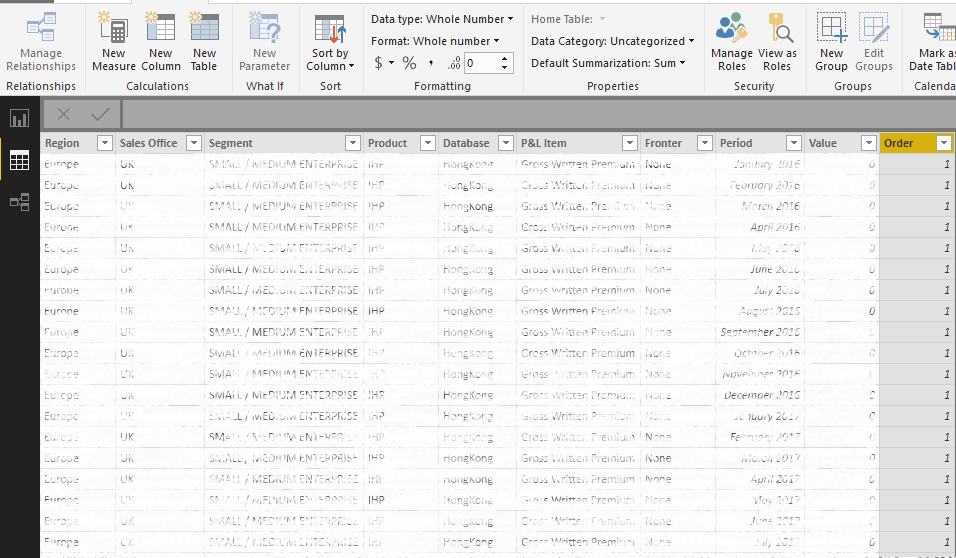
I created a column in Query Editor called 'Order' and i've used an IF statement to define the order as 01, 02, 03 etc. I ensured the column is a Whole Number.
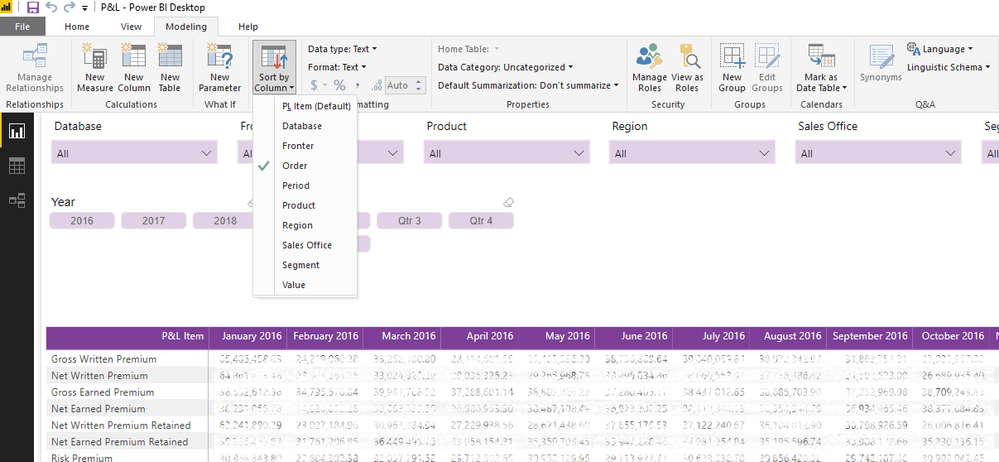
I've then sorted my Row item by the Order column in the Modelling tab, and it's made no difference to the order whatsoever!
Below are some screenshots, have I missed something obvious?
In Query Editor, the Order column is 'whole number'
The M Query formula used to create the 'Order' column
The Row item is sorted by 'Order'
Solved! Go to Solution.
Wow do I feel stoopid. It had not occured to me to check WHAT order it was using. When I did, I realised it WAS using the right order. I must have had my Matrix sorted by something else, when I clicked on my Row Item to sort by that, it works!
Sorry for all the fuss!
I'm missing something, all of your Order's are 1?
That's just a bad preview - if the P&L item is Gross Written Premium (which all of the first rows are) then the order number is 1.
I have checked the full dataset and there are numbers 1-19 in there I promise.
Wow do I feel stoopid. It had not occured to me to check WHAT order it was using. When I did, I realised it WAS using the right order. I must have had my Matrix sorted by something else, when I clicked on my Row Item to sort by that, it works!
Sorry for all the fuss!
OK, so what order are you seeing?
1
11
12
13
14
15
16
17
18
19
2
3
...
Or something else?
The Power BI Data Visualization World Championships is back! Get ahead of the game and start preparing now!
| User | Count |
|---|---|
| 37 | |
| 36 | |
| 33 | |
| 33 | |
| 29 |
| User | Count |
|---|---|
| 132 | |
| 86 | |
| 85 | |
| 68 | |
| 64 |