Forum Discussion

Sort by column not working
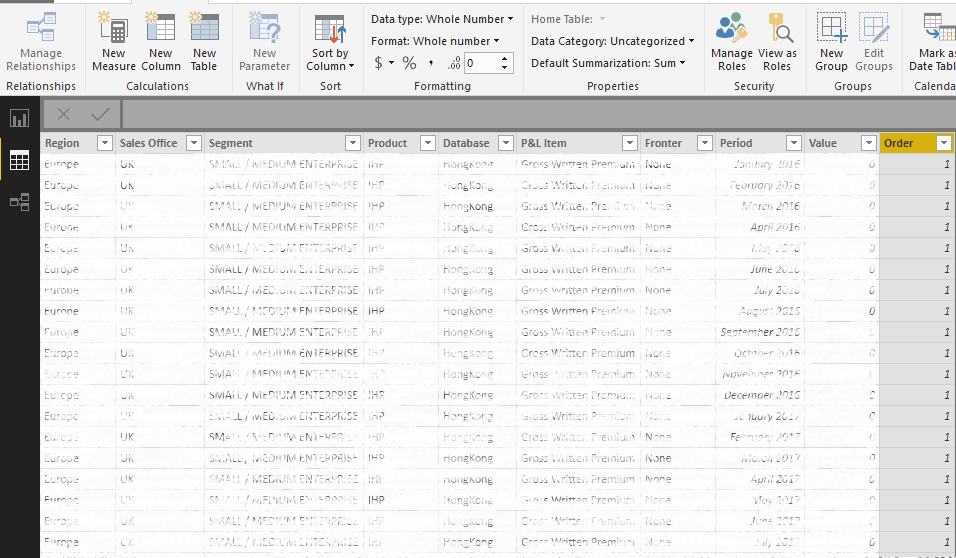
I created a column in Query Editor called 'Order' and i've used an IF statement to define the order as 01, 02, 03 etc. I ensured the column is a Whole Number.
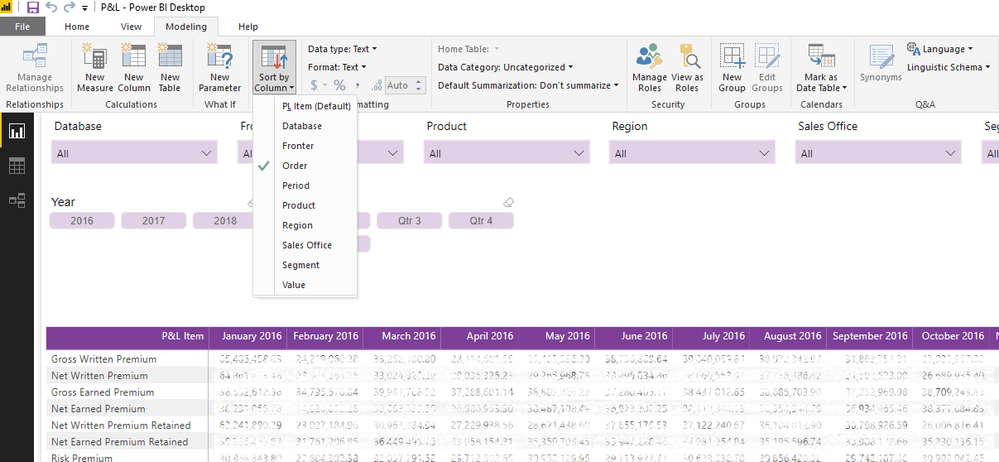
I've then sorted my Row item by the Order column in the Modelling tab, and it's made no difference to the order whatsoever!
Below are some screenshots, have I missed something obvious?


- Anonymous7 years ago
Wow do I feel stoopid. It had not occured to me to check WHAT order it was using. When I did, I realised it WAS using the right order. I must have had my Matrix sorted by something else, when I clicked on my Row Item to sort by that, it works!
Sorry for all the fuss!
4 Replies
- Greg_DecklerCommunity Champion
I'm missing something, all of your Order's are 1?
- AnonymousNot applicable
That's just a bad preview - if the P&L item is Gross Written Premium (which all of the first rows are) then the order number is 1.
I have checked the full dataset and there are numbers 1-19 in there I promise.
- AnonymousNot applicable
Wow do I feel stoopid. It had not occured to me to check WHAT order it was using. When I did, I realised it WAS using the right order. I must have had my Matrix sorted by something else, when I clicked on my Row Item to sort by that, it works!
Sorry for all the fuss!
