Hi @Miskondukt,
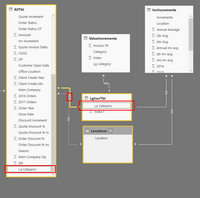
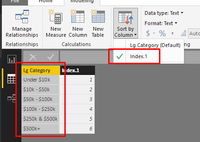
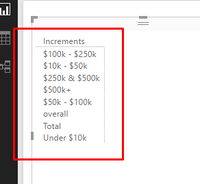
From your screenshots, I noticed that you added columnn [Increments] from table 'InvIncrements' into visual, then, you atempted to sort this column by another column [Index.1] from a linked table 'LgIncrTbl'. Unfortunately, it is not available to sort by other column which is stored in other table, even though there existing a relationship between these tables. In your scenario, you have to add a custom column [Index] in table 'InvIncrements' in Query Edit mode (A DAX calculated column is not supported). The same as what you did for 'LgIncrTbl'[Lg Category], please sort 'LgIncrTbl'[InvIncrements] by its own index column.
Best regards,
Yuliana Gu
Community Support Team _ Yuliana Gu
If this post helps, then please consider Accept it as the solution to help the other members find it more quickly.