
cancel
Showing results for 
Search instead for 
Did you mean: 

The Power BI Data Visualization World Championships is back! Get ahead of the game and start preparing now! Learn more

Reply
jjr333
Advocate I
Advocate I

Sort alphanumeric column by an numeric column

Hi,

I have a datatable with air pollution readings.

8-4-2019 17-35-40.png

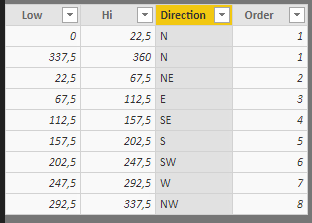
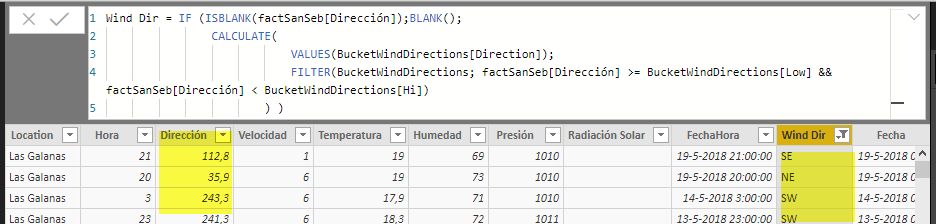
"Wind Dir" is derived from the column "Dirección" (which contains the direction in degrees) by using a "bucket table" / lookup table.

Wind Dir = IF (ISBLANK(factSanSeb[Dirección]);BLANK();
                CALCULATE(  
                            VALUES(WindDirection[Direction]); 
                            FILTER(WindDirection; factSanSeb[Dirección] >= WindDirection[Low] && factSanSeb[Dirección] < WindDirection[Hi])
                        ) )


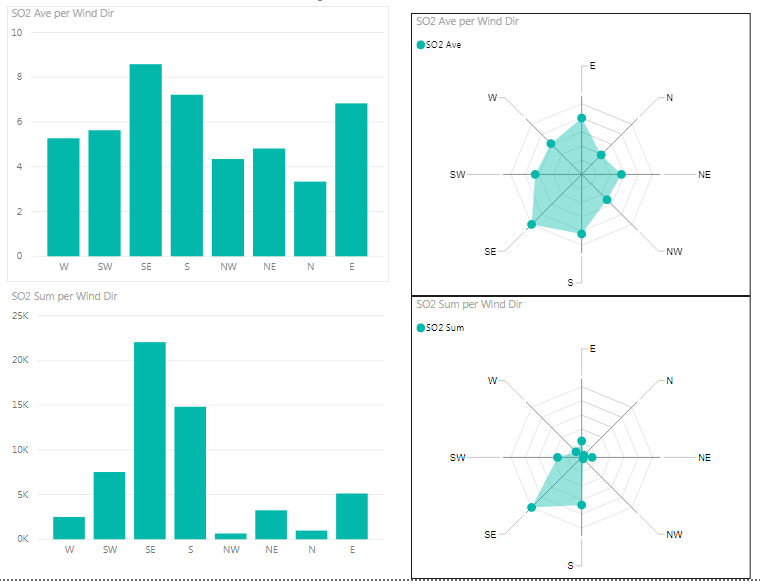
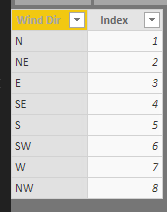
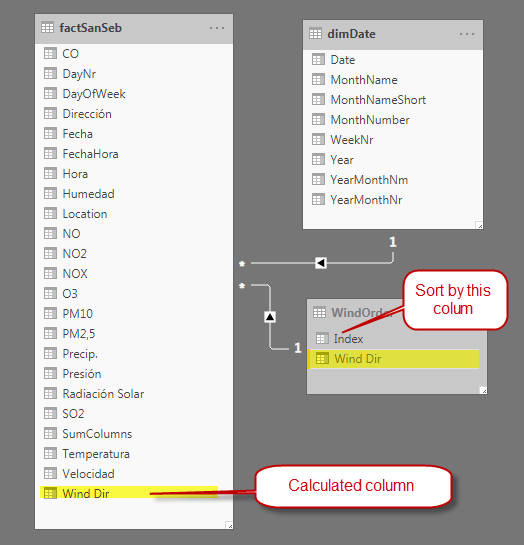
I have added "WindDirOrder" column (N = 1, NE = 2, E = 3, etc using an unrelated lookup table) to be able to sort column "Wind Dir", which does not seem to work in the bar charts and radar chart.

8-4-2019 17-57-58.png


Any suggestions? Cheers, Julian


8-4-2019 18-00-49.png


1 ACCEPTED SOLUTION

Hi @Anonymous ,

Finally got it to work.

My problem was the added Calculated column X (with the sort order) depended on another Calculated column Y which I wanted to sort by X.

Cheers, Julian

View solution in original post

6 REPLIES 6
TomMartens
Super User
Super User

Hey,


I guess this is what you are looking for: https://docs.microsoft.com/en-us/power-bi/desktop-sort-by-column#sort-using-the-sort-by-column-butto...


Please be have a look for the section "Sort using the Sort by Column button" on the above mentioned site. You have to order the columns in the table that you are using in your visuals.


Regards,

Tom


Did I answer your question? Mark my post as a solution, this will help others!

Proud to be a Super User!
I accept Kudos 😉
Hamburg, Germany

Guten Abend Tom,

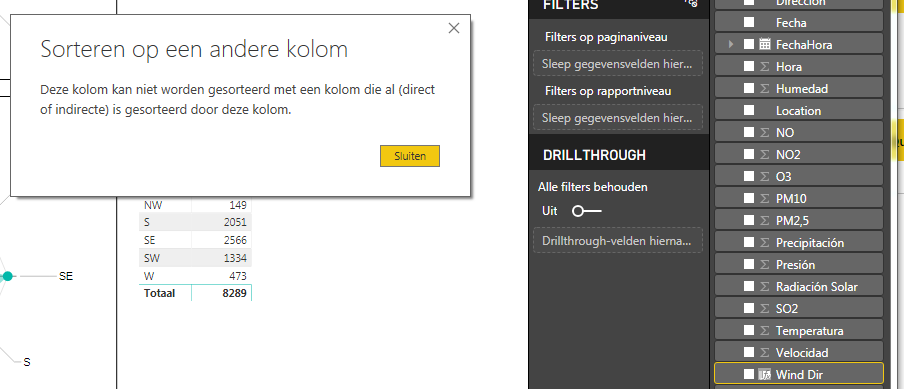
I keep getting a message "Sorting on a different column: This column cannot be sorted by a column which has already (direct or indirect) been sorted by this column."

My sort by column is a calculated column. Not sure if this is important.

Cheers, Julian


8-4-2019 19-41-04.png

Anonymous
Not applicable

HI @jjr333 ,

You can create a calculate table to achieve this, please refer to following blog to know more about this:

Custom Sorting in Power BI

Please understand that this link is provided with no warranties or guarantees of content changes, and confers no rights.

Regards,

Xiaoxin Sheng

Hi  


Anonymous
Not applicable

HI @jjr333 ,

You need to extract category value from fact table and add index field, then configure 'sort by column' feature on new table category fields and create relationship.
After these steps, You can use custom sort table fields to replace original table column fields.

BTW, I don't think it is possible to custom direction axis for radar chart.

Regards,

Xiaoxin Sheng

Hi @Anonymous ,

Finally got it to work.

My problem was the added Calculated column X (with the sort order) depended on another Calculated column Y which I wanted to sort by X.

Cheers, Julian

Helpful resources

Announcements
November Power BI Update Carousel

Power BI Monthly Update - November 2025

Check out the November 2025 Power BI update to learn about new features.

Fabric Data Days Carousel

Fabric Data Days

Advance your Data & AI career with 50 days of live learning, contests, hands-on challenges, study groups & certifications and more!

FabCon Atlanta 2026 carousel

FabCon Atlanta 2026

Join us at FabCon Atlanta, March 16-20, for the ultimate Fabric, Power BI, AI and SQL community-led event. Save $200 with code FABCOMM.