This time we’re going bigger than ever. Fabric, Power BI, SQL, AI and more. We're covering it all. You won't want to miss it.
Learn moreDid you hear? There's a new SQL AI Developer certification (DP-800). Start preparing now and be one of the first to get certified. Register now
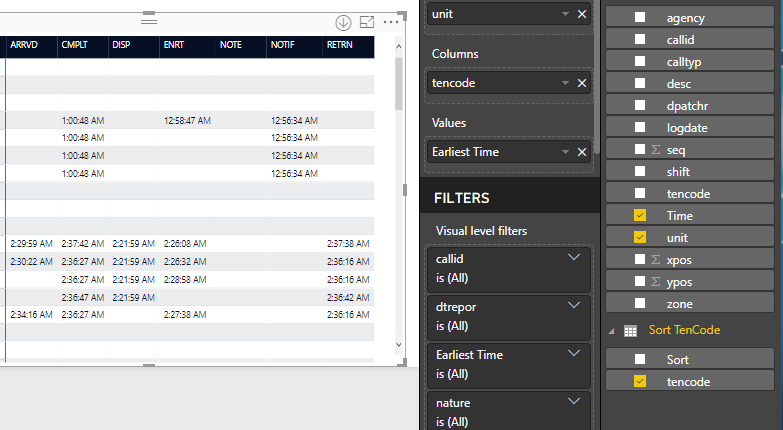
I have a matrix table , and I would like to reaarange the values based on typical flow
Correct Order would be DISP,ENRT,ARRVD,RETRN, and CMPLT
Would I need to create another table with my header value and a number value ? how do i then sort by that table ?
Thanks
Solved! Go to Solution.
Hi @bcampbell,
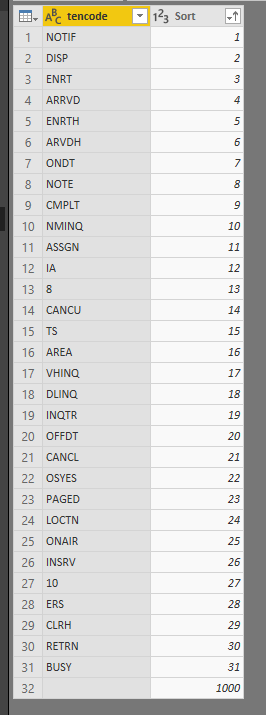
I'm assuming that the headers on the table are a category on your data table, based on that for making a custom sort the best option is to create a new table with the following format:
Cat ID
| DISP | 1 |
| ENRT | 2 |
| ARRVD | 3 |
| RETRN | 4 |
| CMPLT | 5 |
Sort the column CAT by the column ID and then make a relationship to the first table.
Lastly use the value on the table above for your matrix and the values should be in order.
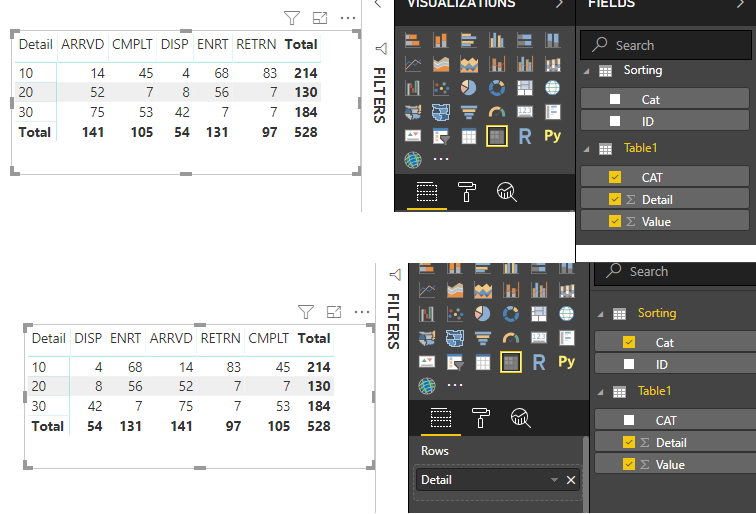
As you can see on below the first table uses columns from a single table and the order is alphabetic, on the second one using the sorting table it's on the order you need.
Regards,
MFelix
Regards
Miguel Félix
Proud to be a Super User!
Check out my blog: Power BI em PortuguêsHi @bcampbell,
I'm assuming that the headers on the table are a category on your data table, based on that for making a custom sort the best option is to create a new table with the following format:
Cat ID
| DISP | 1 |
| ENRT | 2 |
| ARRVD | 3 |
| RETRN | 4 |
| CMPLT | 5 |
Sort the column CAT by the column ID and then make a relationship to the first table.
Lastly use the value on the table above for your matrix and the values should be in order.
As you can see on below the first table uses columns from a single table and the order is alphabetic, on the second one using the sorting table it's on the order you need.
Regards,
MFelix
Regards
Miguel Félix
Proud to be a Super User!
Check out my blog: Power BI em PortuguêsWell,
I thought I did it correct
Matrix still doesnt want to sort correctly
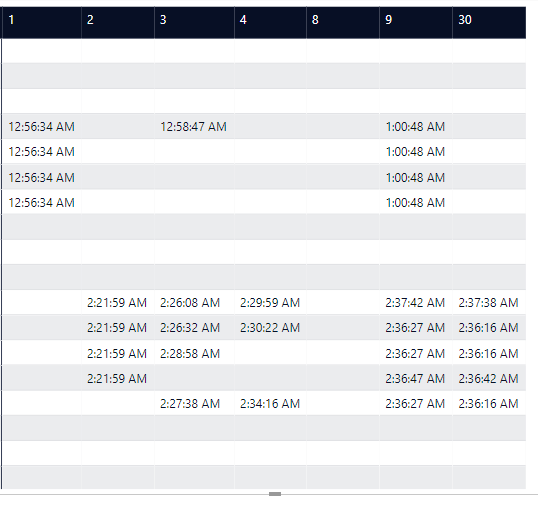
When I replace the column with the sort column it shows that in order
Hi @bcampbell,
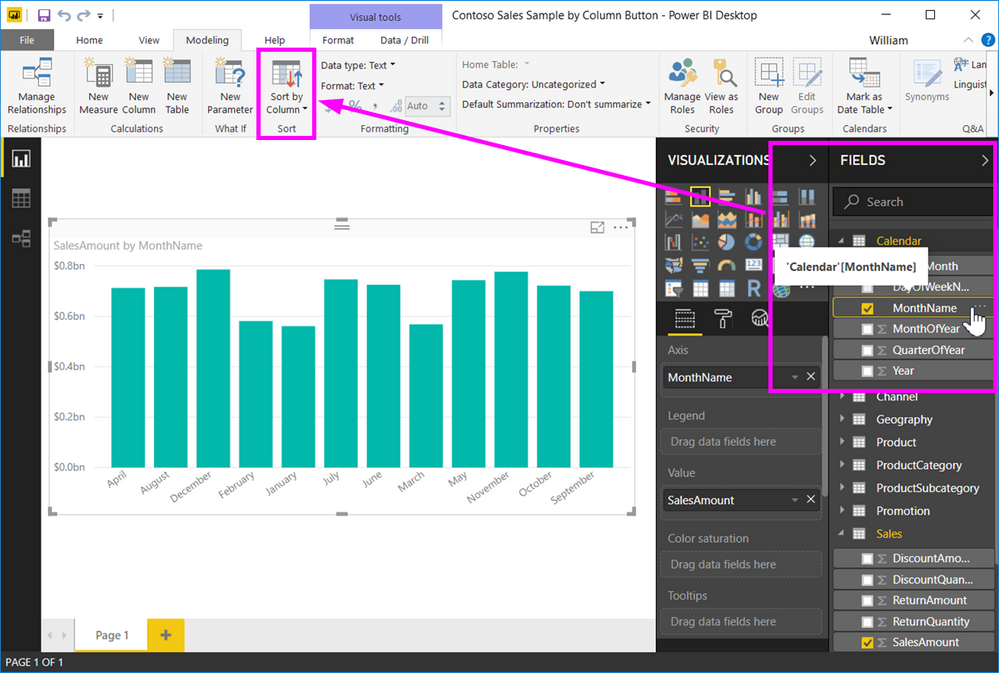
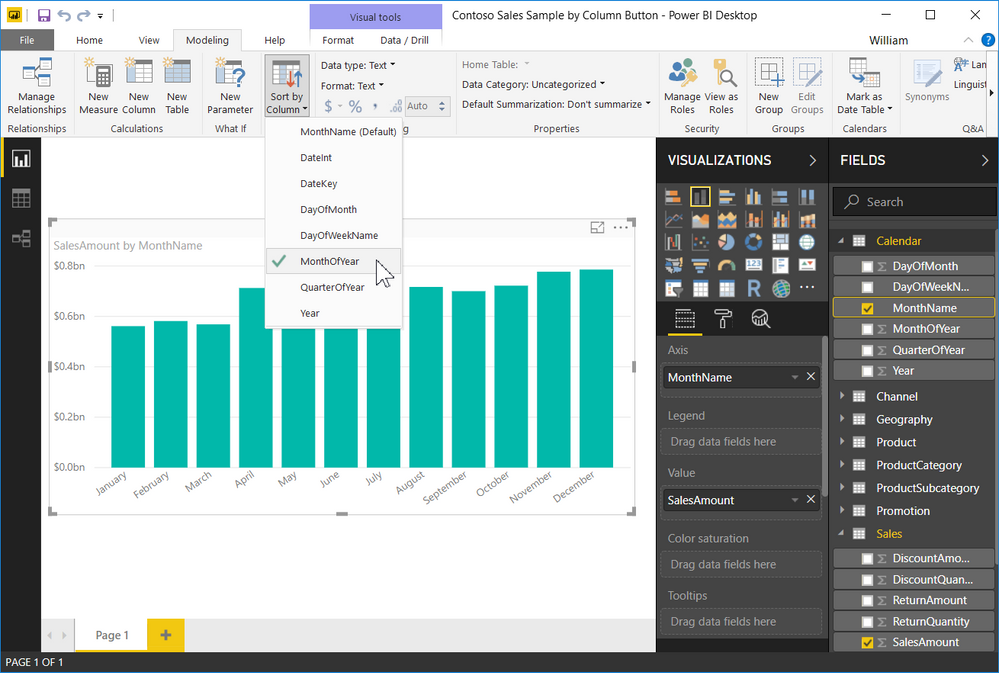
When I refer to sorting the category by the Sort column is not on the table view but on the Sort by column button.
Check the images below:
Images taken from https://docs.microsoft.com/en-us/power-bi/desktop-sort-by-column.
Regards,
MFelix
Regards
Miguel Félix
Proud to be a Super User!
Check out my blog: Power BI em Portuguêsoh , i apologize
Thanks for the help.. worked out good
Check out the April 2026 Power BI update to learn about new features.
Sign up to receive a private message when registration opens and key events begin.
If you have recently started exploring Fabric, we'd love to hear how it's going. Your feedback can help with product improvements.
| User | Count |
|---|---|
| 34 | |
| 31 | |
| 30 | |
| 21 | |
| 16 |
| User | Count |
|---|---|
| 61 | |
| 50 | |
| 30 | |
| 23 | |
| 23 |