cancel
Showing results for 
Search instead for 
Did you mean: 

The Power BI Data Visualization World Championships is back! Get ahead of the game and start preparing now! Learn more

Reply
AndyMan
New Member

Slicer with time

kuva1.pngkuva4.pngKuva2.pngkuva3.JPG


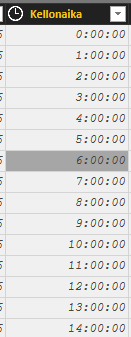
Photo1

data has start of hour listed after each datapoint


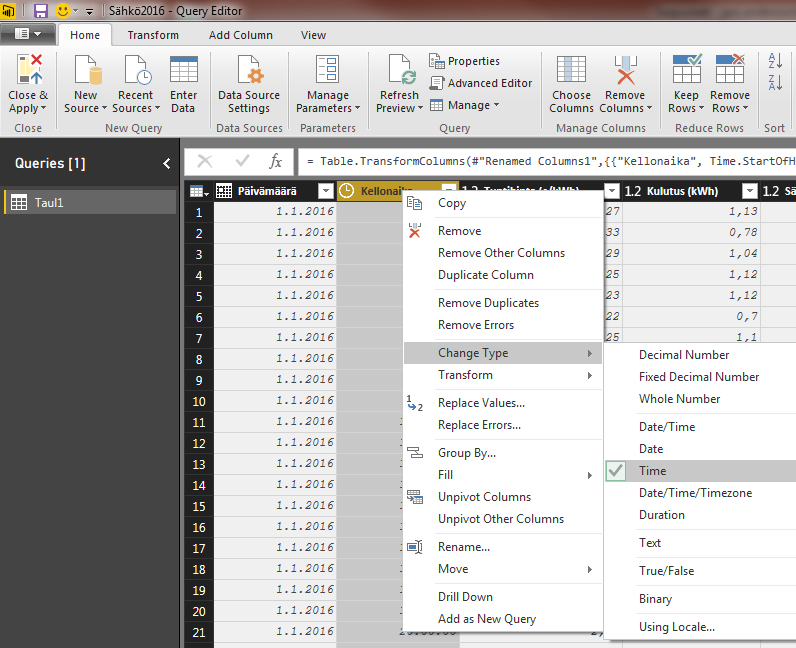
Photo2

I've selected Time and Transform -> Hour -> Start of hour


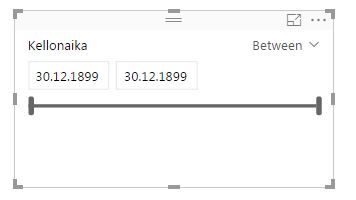
Photo3

Selected slicer and correct data


Photo4

Slicer Gives me some dates (which don't really affect anyway), but I not (Hours of 0:00:00-23:00:00 )Times...


On the top I've tried to explain the problem. I can use the filter settings on page/report level, but for some reason this Slicer is not so intuative as you could hope when it comes to time. Altough the date slicer is great!


Thank you for excellent software! Its awesome!

1 ACCEPTED SOLUTION
v-ljerr-msft
Microsoft Employee
Microsoft Employee

Hi @AndyMan,


Currently, the Slicer does't support Time Slicer at time-level. Here is a similar idea shared on Power BI Ideas. You can vote it up and add your comments there to make this feature coming sooner.Smiley Happy


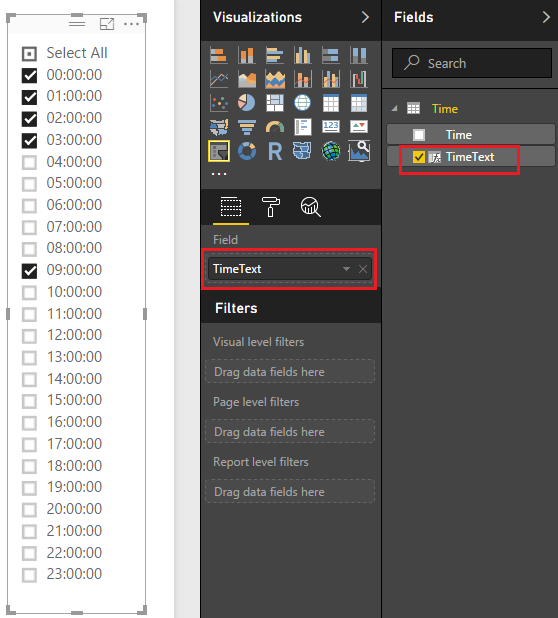
In addition, if you only want to use Hours of 0:00:00-23:00:00 as Slicer on your report, you should be able to use the formula below to create new calculate column in your Time table, then show it as a Slicer.Smiley Happy

TimeText = FORMAT ( 'Time'[Time], "hh:mm:ss" )

cc1.PNGr1.PNG


Regards

View solution in original post

1 REPLY 1
v-ljerr-msft
Microsoft Employee
Microsoft Employee

Hi @AndyMan,


Currently, the Slicer does't support Time Slicer at time-level. Here is a similar idea shared on Power BI Ideas. You can vote it up and add your comments there to make this feature coming sooner.Smiley Happy


In addition, if you only want to use Hours of 0:00:00-23:00:00 as Slicer on your report, you should be able to use the formula below to create new calculate column in your Time table, then show it as a Slicer.Smiley Happy

TimeText = FORMAT ( 'Time'[Time], "hh:mm:ss" )

cc1.PNGr1.PNG


Regards

Helpful resources

Announcements
Power BI DataViz World Championships

Power BI Dataviz World Championships

The Power BI Data Visualization World Championships is back! Get ahead of the game and start preparing now!

December 2025 Power BI Update Carousel

Power BI Monthly Update - December 2025

Check out the December 2025 Power BI Holiday Recap!

FabCon Atlanta 2026 carousel

FabCon Atlanta 2026

Join us at FabCon Atlanta, March 16-20, for the ultimate Fabric, Power BI, AI and SQL community-led event. Save $200 with code FABCOMM.