We've captured the moments from FabCon & SQLCon that everyone is talking about, and we are bringing them to the community, live and on-demand. Starts on April 14th. Register now
Hi,
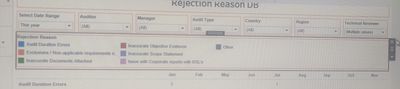
I wanted to add a box like this, same as in the tableau,.. based upon the selection inside the rejection reason box, the whole report has been changed.
Can you please help me to do that visual in power bi.?
If this looks like something you can manage:
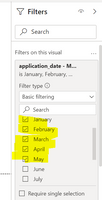
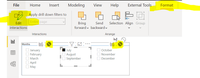
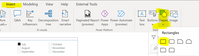
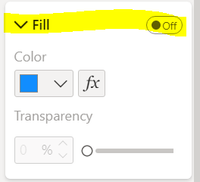
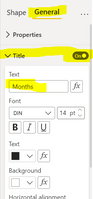
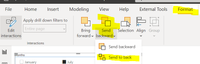
What I think you can do as a work around is to an extent is:
If this workaround works for you, kindly mark as a solution to allow others who may have similar challenges find it easily.
You can achieve this in Power BI.
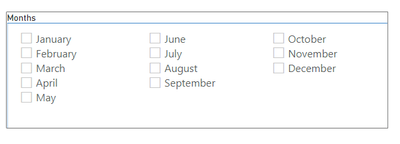
When you create the slicer, check the tiny little drop down towards the top right of your slicer that shows (change the type of slicer..), select Drop Down.
You can use the formatting options include outlines on the slicer like you have in the image. When you create one of those like you want, just copy and pase that multiple times to save time in creating and formatting the others. You will only change the field for the newly pasted ones accordingly.
If this solution works for you, please mark it as solution to allow other searching members easily find solutions.
I have already created the slicer, but now want to create the rejection reason box.
If you have recently started exploring Fabric, we'd love to hear how it's going. Your feedback can help with product improvements.
A new Power BI DataViz World Championship is coming this June! Don't miss out on submitting your entry.
Share feedback directly with Fabric product managers, participate in targeted research studies and influence the Fabric roadmap.
| User | Count |
|---|---|
| 53 | |
| 38 | |
| 33 | |
| 17 | |
| 17 |
| User | Count |
|---|---|
| 67 | |
| 62 | |
| 38 | |
| 34 | |
| 22 |