This is best Fabric, Power BI, SQL and AI community event. How do we know? The last event sold out! Save €200 with code FABCMTY200.
Register nowA new Data Days event is coming soon! This time we’re going bigger than ever. Fabric, Power BI, SQL, AI and more. Don't miss out.
Hello dear experts,
I have a litle problem with multiple selection on a slicer and I can't solve it, there's something I'm missing out.
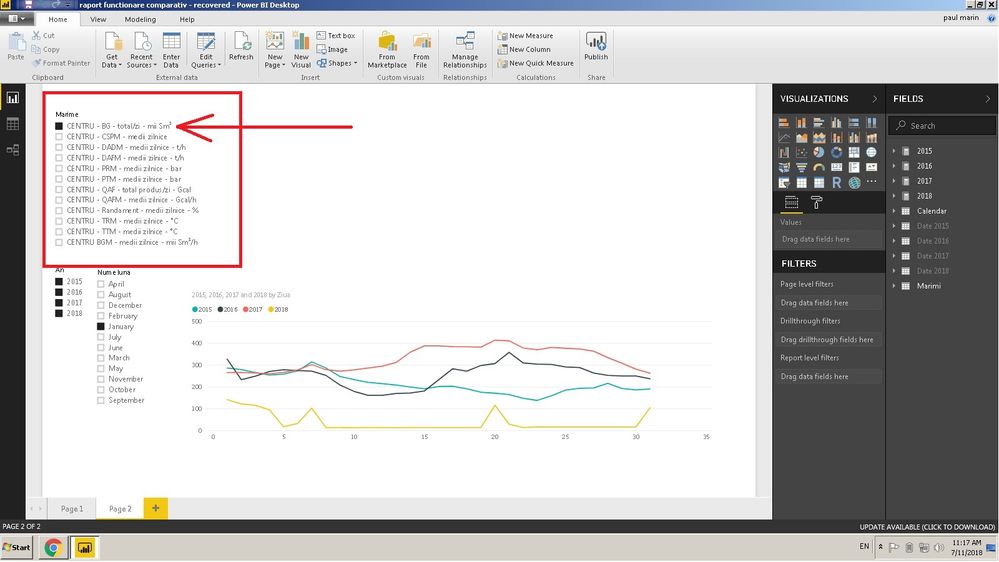
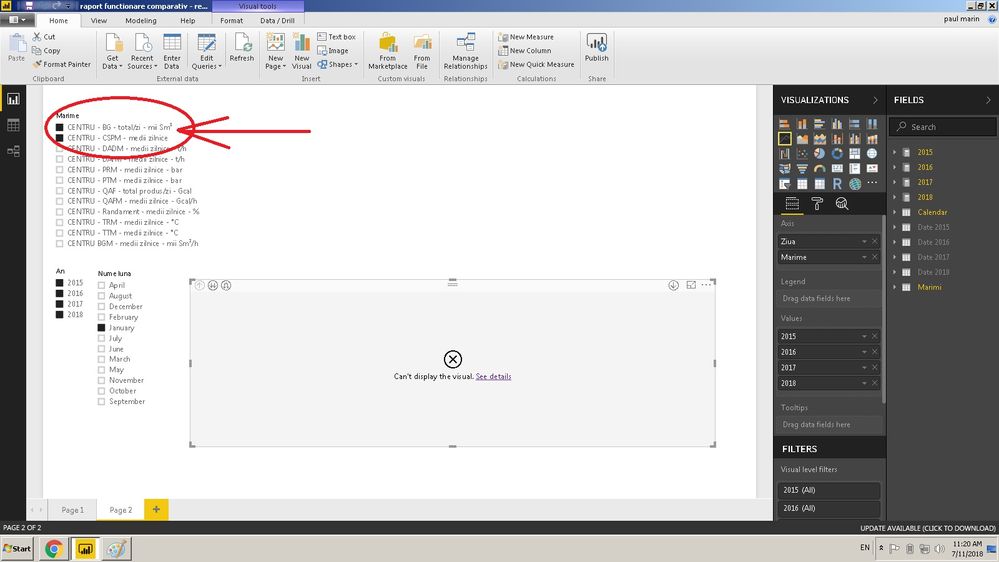
When I try to make multiple selection on the slicer you cand see in the picture below, I get an error on the graph with message "a table of multiple values was supplied when a single value was expected".
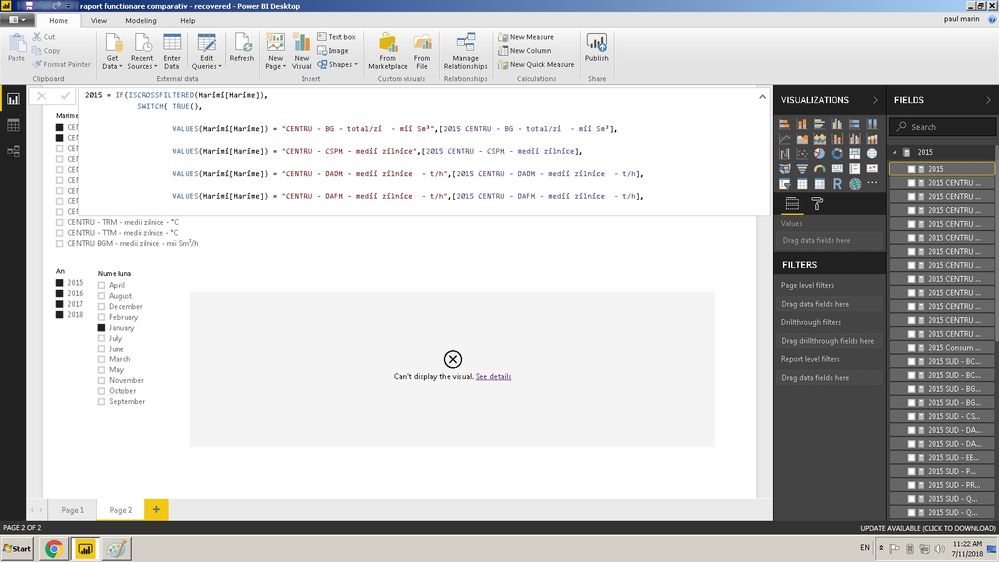
On the graph I'm using 4 measures which includes sum or average calculations. The 4 measures represents 4 years of data, 2015, 2016, 2017 and 2018 and I used SWICH TRUE function with an IF to display on the graphic the selected name from the slicer.
If i select one name and let's say all the years, on the graph I see 4 lines. Perfect. The problem is when I select with CTRL button a second name and I want to see simultaneously on the graph both of them for the 4 years, so 8 lines.
I hope to be understabdable the explanations above.
Solved! Go to Solution.
The reason for the issue is the measure always expect and return a single value. But here measure receives multiple values when you do multi-select. So, please do change your logic accordingly.
I have a similar issue as the original poster. But I have over 50 possible selections, how would I go about adjusting my DAX formula to allow for multiple selections? I can supply my original DAX code if you need.
Best,
Alex B.
Hello. I'm having a similar problem as the original poster where I have a Switch(True) function that inputs different values on a time series line graph based on a slicer selection. I would like to multiple select and display various selections at the same time on the graph, however I need help adjusting my DAX. Can you please show me how I should adjust for multiple selections when I have roughly 50 possible selections?
Best,
AB
OK, thank's for the help!
The reason for the issue is the measure always expect and return a single value. But here measure receives multiple values when you do multi-select. So, please do change your logic accordingly.
Check out the May 2026 Power BI update to learn about new features.
Sign up to receive a private message when registration opens and key events begin.
If you have recently started exploring Fabric, we'd love to hear how it's going. Your feedback can help with product improvements.
| User | Count |
|---|---|
| 32 | |
| 26 | |
| 23 | |
| 22 | |
| 15 |
| User | Count |
|---|---|
| 63 | |
| 45 | |
| 28 | |
| 24 | |
| 22 |