Join us at FabCon Atlanta from March 16 - 20, 2026, for the ultimate Fabric, Power BI, AI and SQL community-led event. Save $200 with code FABCOMM.
Register now!The Power BI Data Visualization World Championships is back! Get ahead of the game and start preparing now! Learn more
Good Morning,
I have a large table with about 50 columns. Each record is Daily data for 3 Facilities.
Am working with a Direct Query model in Visual Studio so unable to do anything in Power Query
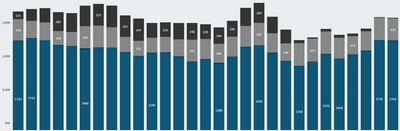
4 columns are used to display a stacked column chart. The chart is simply a sum of A, sum of B, sum of C, sum of D for each Day.
The User has requested the ability to slice the visual by Category.
Looking for advice on how best to do this? Do I need to Unpivot the table and create a Slicer using the new Category column or is there another way to do this?
Thanks and regards,
Solved! Go to Solution.
Hi @rsbin ,
As you mentioned in your previous post, the Direct Query connection mode has some limitations and does not support the unpivot feature. You can follow the steps below to implement your requirements:
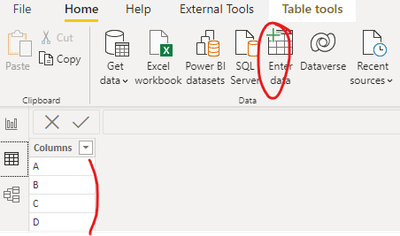
1. Create a column dimension table using enter data as follows
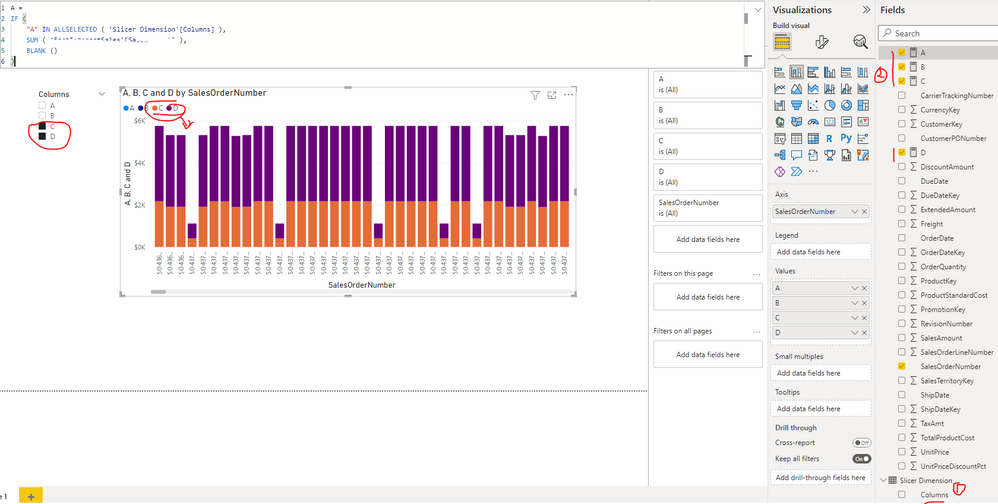
2. Update the measures to calculate the summary values of columns A, B, C and D respectively as follows:
Your measure =
IF (
"A" IN ALLSELECTED ( 'Slicer Dimension'[Columns] ),
SUM ( 'Table'[A] ),
BLANK ()
)
Best Regards
Hi @rsbin ,
As you mentioned in your previous post, the Direct Query connection mode has some limitations and does not support the unpivot feature. You can follow the steps below to implement your requirements:
1. Create a column dimension table using enter data as follows
2. Update the measures to calculate the summary values of columns A, B, C and D respectively as follows:
Your measure =
IF (
"A" IN ALLSELECTED ( 'Slicer Dimension'[Columns] ),
SUM ( 'Table'[A] ),
BLANK ()
)
Best Regards
@Anonymous,
Thank you for your suggested solution.
I will keep this one handy for next time - or maybe replace my current solution with this one.
Thanks again and Kind Regards,
Can you please elaborate on this part "Am working with a Direct Query model in Visual Studio so unable to do anything in Power Query" - how are you doing that? Are you connecting to the XMLA endpoint?
Good Morning @lbendlin ,
Thanks for the reply, but I have gone ahead and created a Calculated Table with the Category I needed. Was simpler than I thought it would be.
As for your question, no I am not doing anything with XMLA endpoints. Perhaps I phrased that first sentence incorrectly. I am simply working with a direct connection to Azure and using a tabular model in Visual Studio. Hope this clarifies.
Thanks again for taking the time to reply!
Check out the November 2025 Power BI update to learn about new features.
Advance your Data & AI career with 50 days of live learning, contests, hands-on challenges, study groups & certifications and more!
| User | Count |
|---|---|
| 56 | |
| 42 | |
| 41 | |
| 20 | |
| 19 |