Join us at FabCon Atlanta from March 16 - 20, 2026, for the ultimate Fabric, Power BI, AI and SQL community-led event. Save $200 with code FABCOMM.
Register now!The Power BI Data Visualization World Championships is back! Get ahead of the game and start preparing now! Learn more
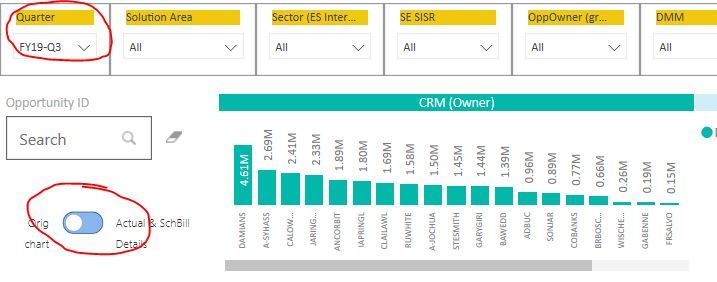
background: I have a visual which I default to Quarter "FY19-Q3"... Image1..
After clicking on the bookmark, you will see that the Quarter = "FY19-Q2" Image2
I dont want the slicer to change. Kindly help
Solved! Go to Solution.
Regards
Miguel Félix
Proud to be a Super User!
Check out my blog: Power BI em PortuguêsHi @malcolmwunwl,
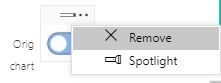
On the bookmark select the 3 dots and deactivate the Data option.
If you have a bookmark with Data activate it will always return to the option when you created the bookmark.
Regards,
MFelix
Regards
Miguel Félix
Proud to be a Super User!
Check out my blog: Power BI em PortuguêsMFelix, can you screen shot the location of the 3dots.. I am not sure where to find it...
Regards
Miguel Félix
Proud to be a Super User!
Check out my blog: Power BI em PortuguêsThe Power BI Data Visualization World Championships is back! Get ahead of the game and start preparing now!
Check out the November 2025 Power BI update to learn about new features.
| User | Count |
|---|---|
| 66 | |
| 47 | |
| 43 | |
| 26 | |
| 19 |
| User | Count |
|---|---|
| 196 | |
| 127 | |
| 102 | |
| 67 | |
| 49 |