

Join us at FabCon Atlanta from March 16 - 20, 2026, for the ultimate Fabric, Power BI, AI and SQL community-led event. Save $200 with code FABCOMM.
Register now!The Power BI Data Visualization World Championships is back! Get ahead of the game and start preparing now! Learn more
Hi,
I am trying to set a slicer to horizontal, but couldn't see the orientation setting. Any suggestion?
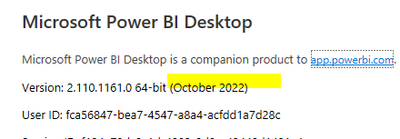
My version is
Thanks
Solved! Go to Solution.
I believe the Slicer Type must be set to List. (down-arrow in the top-right corner of the slicer)
Hi, I was facing the same issue. Turns out new version doesnt have it. Anyway I have found one way where you can get horizontal orientation in slicer.
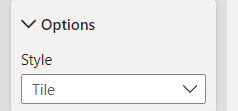
1. Select Slicer Style : Tile
2. Now vertically shorten the slicer a little bit until you get a horizontal list automatically. (you can also try increasing value fonts)
Hope this helps. Kindly mark it as solution. Thanks
Yes. thank you for the quick reply
I believe the Slicer Type must be set to List. (down-arrow in the top-right corner of the slicer)
The Power BI Data Visualization World Championships is back! Get ahead of the game and start preparing now!
| User | Count |
|---|---|
| 39 | |
| 38 | |
| 38 | |
| 28 | |
| 27 |
| User | Count |
|---|---|
| 124 | |
| 88 | |
| 73 | |
| 66 | |
| 65 |