cancel
Showing results for 
Search instead for 
Did you mean: 

Learn from the best! Meet the four finalists headed to the FINALS of the Power BI Dataviz World Championships! Register now

Reply
Anonymous
Not applicable

Simple formula

Hello,
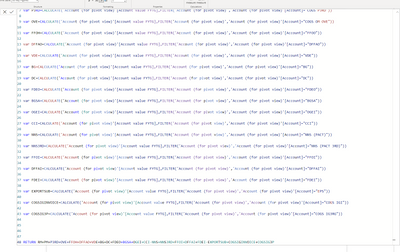
I created this formula but the formula is to heavy and takes 5 min to load the value into a table.

akerrout_0-1679325666263.png

The principle is simple: it takes the YTG value filtered to each account i need.
there is a measure [YTG Values] and another one [Account].

Is there a simpliest way to compute it ? 


Best regards.
A.K

3 REPLIES 3
lbendlin
Super User
Super User

Read about SUMMARIZE - much easier and much faster.

Anonymous
Not applicable

I am not trying to create a new table, thanks for your help

  You can use table variables during the computation of your measure. You will need to return a scalar value at the end but that can be achieved with a SUMX over the table variable created by SUMMARIZE.

Helpful resources

Announcements
Power BI DataViz World Championships carousel

Power BI DataViz World Championships - June 2026

A new Power BI DataViz World Championship is coming this June! Don't miss out on submitting your entry.

Join our Fabric User Panel

Join our Fabric User Panel

Share feedback directly with Fabric product managers, participate in targeted research studies and influence the Fabric roadmap.

March Power BI Update Carousel

Power BI Community Update - March 2026

Check out the March 2026 Power BI update to learn about new features.