FabCon is coming to Atlanta
Join us at FabCon Atlanta from March 16 - 20, 2026, for the ultimate Fabric, Power BI, AI and SQL community-led event. Save $200 with code FABCOMM.
Register now!- Power BI forums
- Get Help with Power BI
- Desktop
- Service
- Report Server
- Power Query
- Mobile Apps
- Developer
- DAX Commands and Tips
- Custom Visuals Development Discussion
- Health and Life Sciences
- Power BI Spanish forums
- Translated Spanish Desktop
- Training and Consulting
- Instructor Led Training
- Dashboard in a Day for Women, by Women
- Galleries
- Data Stories Gallery
- Themes Gallery
- Contests Gallery
- QuickViz Gallery
- Quick Measures Gallery
- Visual Calculations Gallery
- Notebook Gallery
- Translytical Task Flow Gallery
- TMDL Gallery
- R Script Showcase
- Webinars and Video Gallery
- Ideas
- Custom Visuals Ideas (read-only)
- Issues
- Issues
- Events
- Upcoming Events
The Power BI Data Visualization World Championships is back! Get ahead of the game and start preparing now! Learn more
- Power BI forums
- Forums
- Get Help with Power BI
- Desktop
- Re: Showing only the last 3 hours.
- Subscribe to RSS Feed
- Mark Topic as New
- Mark Topic as Read
- Float this Topic for Current User
- Bookmark
- Subscribe
- Printer Friendly Page

- Mark as New
- Bookmark
- Subscribe
- Mute
- Subscribe to RSS Feed
- Permalink
- Report Inappropriate Content
Showing only the last 3 hours.
I'm using: direct query
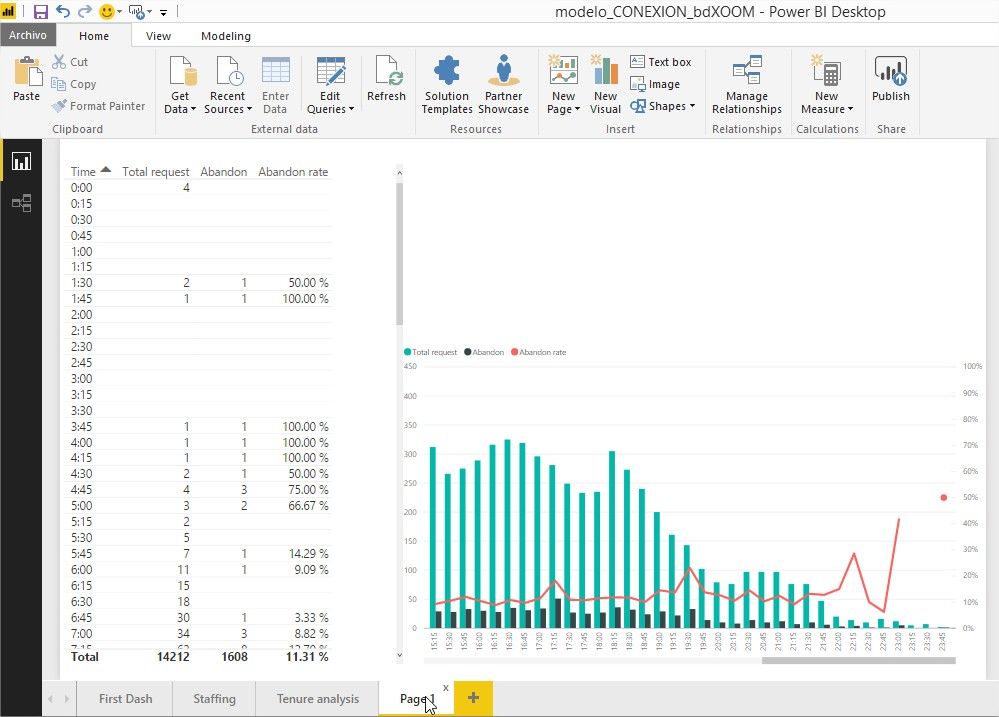
I need to make a filter that shows me in graph and a table the records of the last 3 hours with respect to the current time.
Is it possible to do this.?
¡¡¡¡¡¡¡HELP!!!!!!!!!
Solved! Go to Solution.


- Mark as New
- Bookmark
- Subscribe
- Mute
- Subscribe to RSS Feed
- Permalink
- Report Inappropriate Content
Hi @jorgeaguirre,
There are a way and a workaround. Please try it out.
1. Use "Top N" in visual level filter if your data is always up to now.
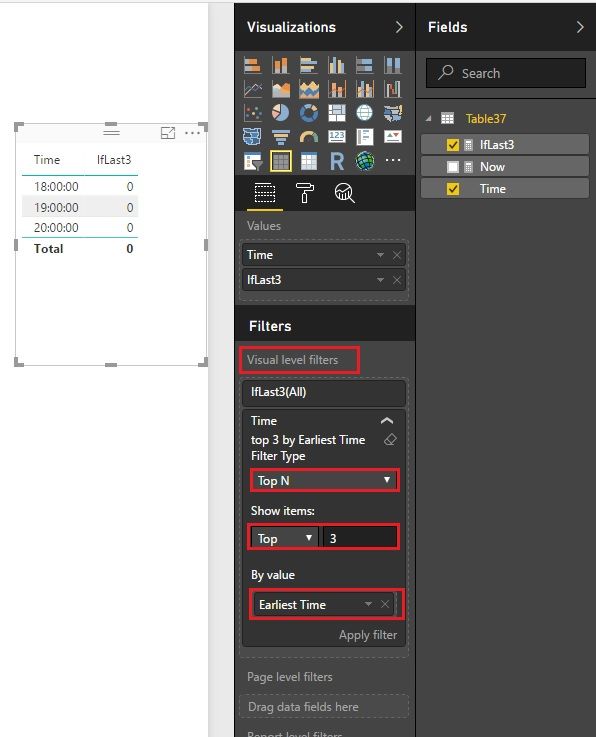
2. Create a measure, then filter the targets. (Refresh is needed to get the latest time)
IfLast3 =
VAR HourDiff =
    HOUR ( NOW () ) - HOUR ( MIN ( 'Table37'[Time] ) )
RETURN
    IF ( HourDiff >= 0 && HourDiff <= 3, 1, 0 )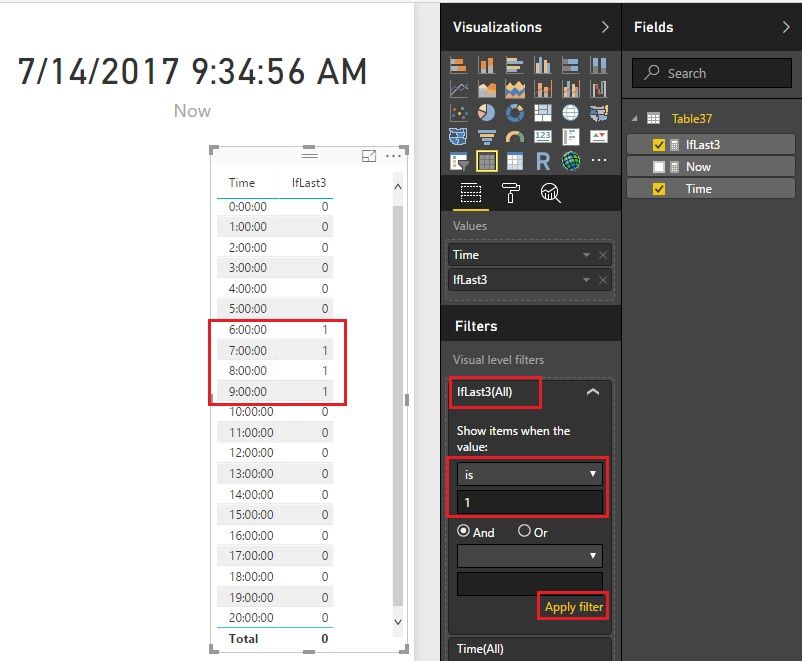
Best Regards!
Dale
If this post helps, then please consider Accept it as the solution to help the other members find it more quickly.
- Mark as New
- Bookmark
- Subscribe
- Mute
- Subscribe to RSS Feed
- Permalink
- Report Inappropriate Content
Hi @jorgeaguirre,
There are a way and a workaround. Please try it out.
1. Use "Top N" in visual level filter if your data is always up to now.
2. Create a measure, then filter the targets. (Refresh is needed to get the latest time)
IfLast3 =
VAR HourDiff =
    HOUR ( NOW () ) - HOUR ( MIN ( 'Table37'[Time] ) )
RETURN
    IF ( HourDiff >= 0 && HourDiff <= 3, 1, 0 )
Best Regards!
Dale
If this post helps, then please consider Accept it as the solution to help the other members find it more quickly.
- Mark as New
- Bookmark
- Subscribe
- Mute
- Subscribe to RSS Feed
- Permalink
- Report Inappropriate Content
Dale!
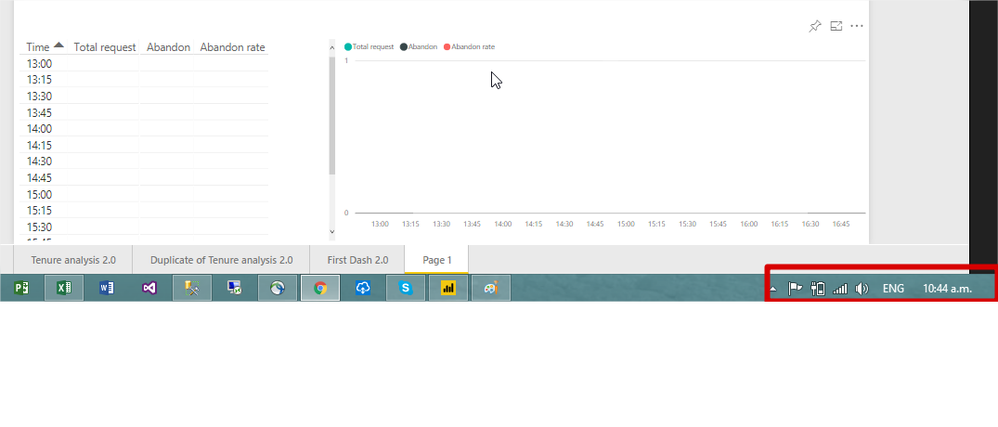
Thank you! I work well locally, but when I publish it I get different values.
local
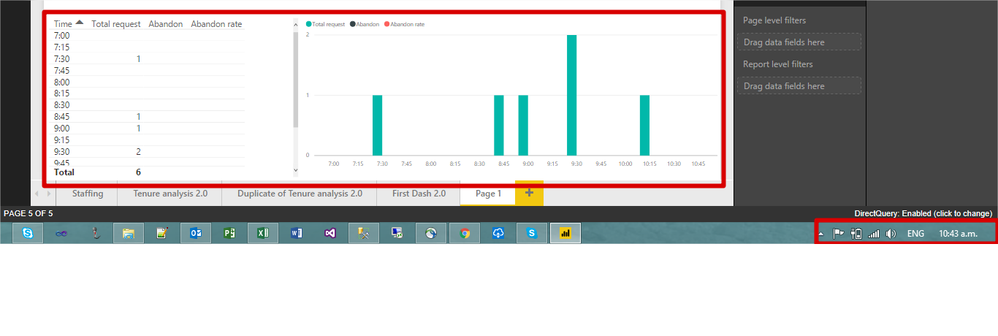
published
- Mark as New
- Bookmark
- Subscribe
- Mute
- Subscribe to RSS Feed
- Permalink
- Report Inappropriate Content
Hi @jorgeaguirre,
How about now? It seems the dates are different from the two pictures.
Best Regards!
Dale
If this post helps, then please consider Accept it as the solution to help the other members find it more quickly.


- Mark as New
- Bookmark
- Subscribe
- Mute
- Subscribe to RSS Feed
- Permalink
- Report Inappropriate Content
Your Office tenant probably has its time zone set differently from wherever your data is being stored, so the apparent time difference is different from what you expect. You'll have to find out what that time difference is and correct for it in your filter calculation.
Did I answer your question? Mark my post as a solution!
Proud to be a Super User!
- Mark as New
- Bookmark
- Subscribe
- Mute
- Subscribe to RSS Feed
- Permalink
- Report Inappropriate Content
If you can't get into your company's Office admin panel, the quickest way would be to write a measure to check it and publish that.
Time Now = NOW()
Put that on a card visual and publish the report, see what it says and compare it to the local time on your data source.
Did I answer your question? Mark my post as a solution!
Proud to be a Super User!
- Mark as New
- Bookmark
- Subscribe
- Mute
- Subscribe to RSS Feed
- Permalink
- Report Inappropriate Content
True. The report is being used in a different region from which the data is stored in the service. The local time is 6 hours behind the server.
- Mark as New
- Bookmark
- Subscribe
- Mute
- Subscribe to RSS Feed
- Permalink
- Report Inappropriate Content
So you can still use the HourDiff suggestion from @v-jiascu-msft; you'll just have to subtract 6 hours from it.
Did I answer your question? Mark my post as a solution!
Proud to be a Super User!

Helpful resources

Power BI Dataviz World Championships
The Power BI Data Visualization World Championships is back! Get ahead of the game and start preparing now!

Power BI Monthly Update - December 2025
Check out the December 2025 Power BI Holiday Recap!

FabCon Atlanta 2026
Join us at FabCon Atlanta, March 16-20, for the ultimate Fabric, Power BI, AI and SQL community-led event. Save $200 with code FABCOMM.

| User | Count |
|---|---|
| 38 | |
| 36 | |
| 33 | |
| 30 | |
| 28 |


| User | Count |
|---|---|
| 128 | |
| 88 | |
| 79 | |
| 67 | |
| 62 |


