Join us at FabCon Atlanta from March 16 - 20, 2026, for the ultimate Fabric, Power BI, AI and SQL community-led event. Save $200 with code FABCOMM.
Register now!The Power BI Data Visualization World Championships is back! Get ahead of the game and start preparing now! Learn more
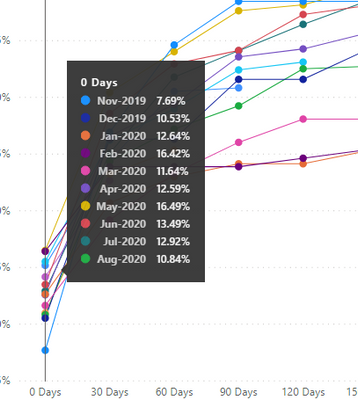
I have a chart with a large amount of data points. How do I get the pop up window to display all of the values? The pop up only displays 10 values so September 2020 through January 2021 are not showing.
Hi @RobX
Currently it is not supported to change this default tooltip behavior. There is a similar idea about this feature you can vote for: Microsoft Idea · Scroll in Tool Tip (powerbi.com)
At present, the custom tooltip page is a workaround for this goal. Or you can add a slicer to filter the line chart and see details for selected items in it?
Regards,
Community Support Team _ Jing Zhang
I'm able to set this up using the customer tooltips, but there isn't another way to just force it to show all? It seems like such an unnecessary workaround.
The Power BI Data Visualization World Championships is back! Get ahead of the game and start preparing now!
| User | Count |
|---|---|
| 39 | |
| 37 | |
| 33 | |
| 32 | |
| 29 |
| User | Count |
|---|---|
| 132 | |
| 88 | |
| 82 | |
| 68 | |
| 64 |