Join us at FabCon Atlanta from March 16 - 20, 2026, for the ultimate Fabric, Power BI, AI and SQL community-led event. Save $200 with code FABCOMM.
Register now!The Power BI Data Visualization World Championships is back! Get ahead of the game and start preparing now! Learn more
Hi Experts,
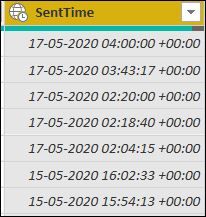
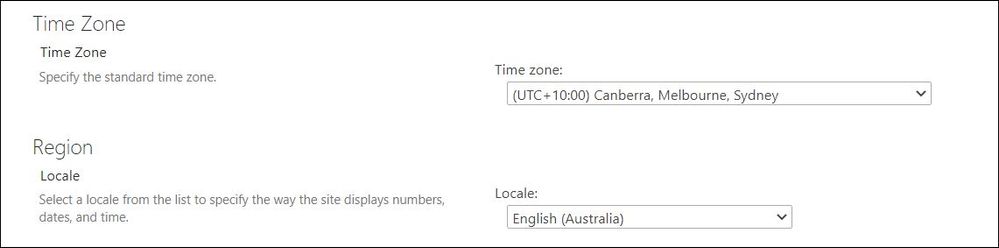
I have datasource from Sharepoint online list where the timezone is in UTC +10, after i imported the data i shows the date field in the table is showing as UTC +0, i have to report the data in UTC +10 timezone only, is there any easy way to convert the timezone or fix the timezone in Power bi,
Solved! Go to Solution.
Hi @nagoor ,
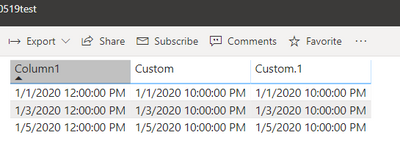
You could try the following codes in query editor:
[DateTime] + #duration(0,10,0,0)
There two methods worked on my side.
Hi @nagoor ,
You could edit the timezone manually.
1. DAX:
Column =
'Table'[Your timezone data]+ 10/24
2. Power query
DateTimeZone.SwitchZone([Your timezone data],10,0)
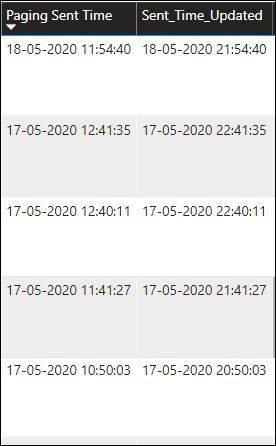
Thanks it worked in Power Query, but its working fine when its in Desktop if i piblished the same, i'm still getting the UTC +0 time only 😞 anything would help me on this
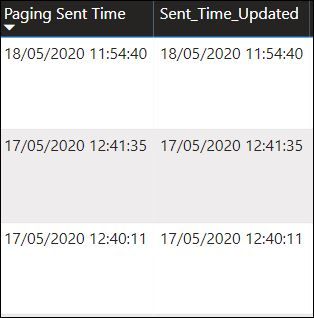
Desktop - Time zone changed
Web - Time Zone Not changed
Hi @nagoor ,
You could try the following codes in query editor:
[DateTime] + #duration(0,10,0,0)
There two methods worked on my side.
The Power BI Data Visualization World Championships is back! Get ahead of the game and start preparing now!
| User | Count |
|---|---|
| 41 | |
| 39 | |
| 37 | |
| 29 | |
| 24 |
| User | Count |
|---|---|
| 122 | |
| 111 | |
| 83 | |
| 69 | |
| 68 |