
Join us at FabCon Atlanta from March 16 - 20, 2026, for the ultimate Fabric, Power BI, AI and SQL community-led event. Save $200 with code FABCOMM.
Register now!The Power BI Data Visualization World Championships is back! Get ahead of the game and start preparing now! Learn more
Hi All,
I have two slicers , one slicer is region which is from Region master table
Another slicer which is from Test table and has same region field which has table level relation to Region master table
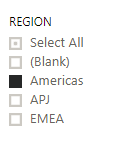
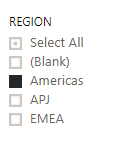
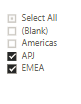
And lists as below.
If i select Region in master slicer( say Americas), then same(Americas) should automatically set in Region slicer which is from Test table .
Is this possible in slicer level. Kindly do needful.
Thanks
Hi @Dharini,
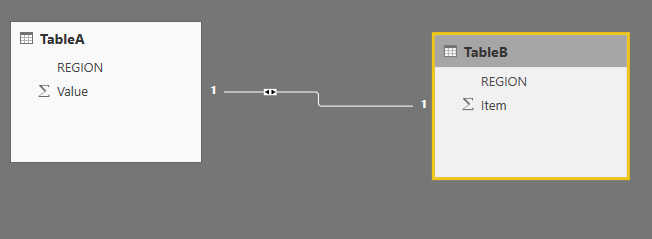
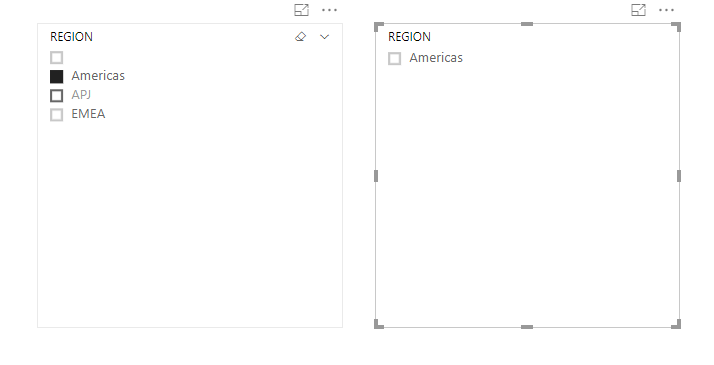
Based on my test, if your two tables have relationship, it will automaticly filter to the select one:
Relationship:
Slicers:
Regards,
Daniel He
@v-danhe-msft Thanks for your reply.
I have requirement where selection in first slicer( from master table), should automically be selected in second slicer too(from test table).
For example ,if i select in first slicer(master) say first EMEA is selected and APJ is selected secondly as given below
Here i have used chicklet slicer (with forced selection option) for second visual, so the first one EMEA selected in first slicer gets selected automatically (in green), but not the second one(in yellow). I want all the values to be selected in second slicer depending on first slicer selection.
Based on second visual values selected other visuals in report will change the data.
Is there any other slicers for enabling multiple options for above scenario.
Kinldy help me.
Good sir your method of chicklet slicer was a major solution to my problem
I thank you alot.
Great work and i really do hope u achieve what you are after.
Great regards sir.
Hi @Dharini,
Based on my test, I am afraid you could not achieve this feature currently, I suggest you submit an idea in ideas forum:
https://ideas.powerbi.com/forums/265200-power-bi-ideas
Regards,
Daniel He
The Power BI Data Visualization World Championships is back! Get ahead of the game and start preparing now!
| User | Count |
|---|---|
| 61 | |
| 46 | |
| 40 | |
| 38 | |
| 22 |
| User | Count |
|---|---|
| 176 | |
| 131 | |
| 118 | |
| 82 | |
| 54 |