This time we’re going bigger than ever. Fabric, Power BI, SQL, AI and more. We're covering it all. You won't want to miss it.
Learn moreLevel up your Power BI skills this month - build one visual each week and tell better stories with data! Get started
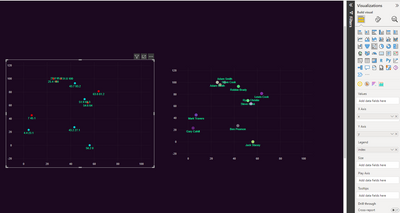
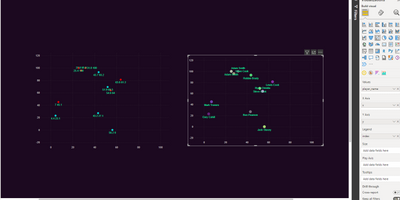
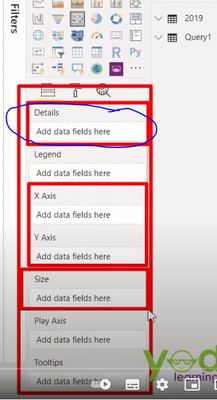
I have Power BI desktop and i am trying to give custom labels to my data points. All the posts talk about a details option where you add the data to be used as labels. But I dont have that option under visualisation. I only have Values, x axis, y axis, legend, size, play axis and tooltips. I that only availalbe for the online option?
Solved! Go to Solution.
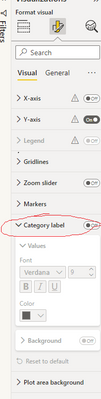
@klippie Try inserting the data to here. I am guessing the second picture is what you looking for.
Depending on the data , might worth creating a index column.
Thanks, but I have found that. But need to change the actual label. It is using my xy coords and I want names for the points. I see that I must add it to details but I dont have that option. So that is what I am looking for.
@klippie Try inserting the data to here. I am guessing the second picture is what you looking for.
Depending on the data , might worth creating a index column.
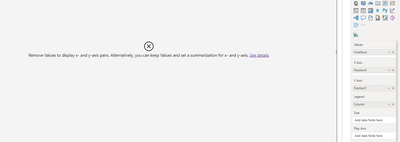
I see this is exactly what I want. I tried making an index column and then do I use the column I want to use for the labels? It still gives me the same error. the column is the index column that I added and holeNum the "name" i want to use.
the error is regarding the sum.
Try switching to sum or unsumarrise on X and Y value .
So the "format" of the data I want to use needs to be changed. Will try that quickly. Thanks
Check out the April 2026 Power BI update to learn about new features.
Sign up to receive a private message when registration opens and key events begin.
If you have recently started exploring Fabric, we'd love to hear how it's going. Your feedback can help with product improvements.
| User | Count |
|---|---|
| 34 | |
| 29 | |
| 29 | |
| 21 | |
| 18 |
| User | Count |
|---|---|
| 69 | |
| 48 | |
| 33 | |
| 24 | |
| 24 |