cancel
Showing results for 
Search instead for 
Did you mean: 

Learn from the best! Meet the four finalists headed to the FINALS of the Power BI Dataviz World Championships! Register now

Reply
Anonymous
Not applicable

Salesforce source change

Hello,


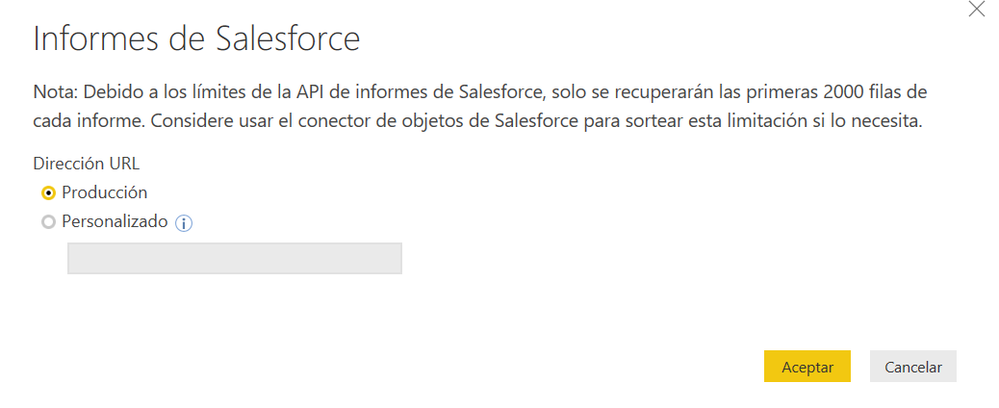
I have a query which source is linked to a salesforce report (I don't have the credentials), and I would like to change its source to a local excel file on my local drive. However, when I try to change the source, the pop-up that I get only show the folowing options (is translated from spanish, so it may vary a little bit):

Capture.PNG


Capture.PNG

Is   there a possibility to change this source directly to an excel file in my drive? The query has several steps and I have plenty of graphs in my reports, so would like to avoid creating a new query, replicating all the steps and then changing all the variables in my report graphs.


Thank you very much,


1 REPLY 1
Anonymous
Not applicable

I was able to change the source by changing the advance editor, however, I have a problem in the following step.


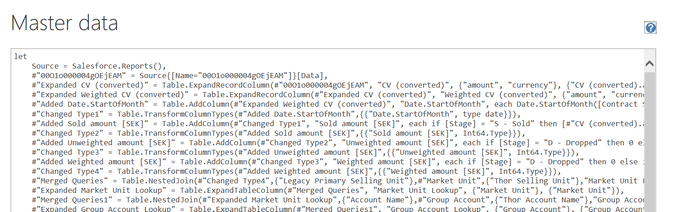
This is the original text code I had:


Capture.PNG                                                     

Initial code:


Let

Source = Salesforce.Reports(),
#"00O1o000004gOEjEAM" = Source{[Name="00O1o000004gOEjEAM"]}[Data],
#"Expanded CV (converted)" = Table.ExpandRecordColumn(#"00O1o000004gOEjEAM", "CV (converted)", {"amount", "currency"}, {"CV (converted).amount", "CV (converted).currency"}),
#"Expanded Weighted CV (converted)" = Table.ExpandRecordColumn(#"Expanded CV (converted)", "Weighted CV (converted)", {"amount", "currency"}, {"Weighted CV (converted).amount", "Weighted CV (converted).currency"}),
#"Added Date.StartOfMonth" = Table.AddColumn(#"Expanded Weighted CV (converted)", "Date.StartOfMonth", each Date.StartOfMonth([Contract Sign Date])),

Helpful resources

Announcements
Join our Fabric User Panel

Join our Fabric User Panel

Share feedback directly with Fabric product managers, participate in targeted research studies and influence the Fabric roadmap.

February Power BI Update Carousel

Power BI Monthly Update - February 2026

Check out the February 2026 Power BI update to learn about new features.

FabCon Atlanta 2026 carousel

FabCon Atlanta 2026

Join us at FabCon Atlanta, March 16-20, for the ultimate Fabric, Power BI, AI and SQL community-led event. Save $200 with code FABCOMM.