cancel
Showing results for 
Search instead for 
Did you mean: 

The Power BI Data Visualization World Championships is back! Get ahead of the game and start preparing now! Learn more

Reply
kaarel
Resolver I
Resolver I

SSAS Multidimensional dimension attribute Calculated Members not showing up

Hi!


I've not been able to get calculated members working for any other attribute, but a key attribute in a dimension. I've got a sample cube (live connection) with 1 dimension and 1 measure group. Both have default processing settings activated, no unknown member etc. If only key attribute is available in the dimension, calculated member shows up in Power BI Desktop. If I add another attribute to the dimension and change the containing attribute hierachy from the key to the new added attribute hierachy, calculated member doesn't show up anymore.


I've read this article and it should work.


https://powerbi.microsoft.com/en-us/documentation/powerbi-desktop-ssas-multidimensional/


In Excel all works fine.


Am I only suppose to use Calculated Members in Power BI Desktop for a single attribute dimensions?


Thanks,
Kaarel.


4 REPLIES 4
Anonymous
Not applicable

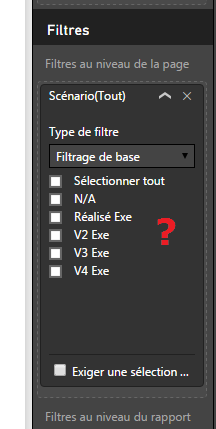
I have the same problem. Calculated members are not visible in PowerBI. Measures calculated yes but not members.

In my exemple the member "Réalisé Exe M-1" of Scenario attribute, is not available in PowerBI. My version is SQL Server 2014.

Image 1.pngImage 2.png


So I recreated this problem using Adventureworks. I need to filter data based on customers who have had sales in last month, but not in 11 months before the last month. Calculated Member is defined as this:


REATE MEMBER CURRENTCUBE.[Customer].[Customer].[All Customers].[test]
AS IIF
(
[Date].[Month Name].CurrentMember IS [Date].[Month Name].[All Periods]
,null
,Aggregate
(
Except
(
NonEmpty
(
[Customer].[Customer].[Customer]
,(
[Date].[Month Name].CurrentMember
,[Measures].[Internet Sales Amount]
)
)
,NonEmpty
(
[Customer].[Customer].[Customer]
,
{
[Date].[Month Name].CurrentMember.Lag(12)
:
[Date].[Month Name].CurrentMember.Lag(1)
}
*
[Measures].[Internet Sales Amount]
)
)
,[Measures].CurrentMember*1000
)
),
VISIBLE = 1 ;


In Excel in is visible, in PowerBI it is not visible. If I delete all other attributes from the Customer dimension and leave only "customer" key attribute in place, calculated member then shows up in PowerBI. A bug?


CaptureExcel.PNGCapturePowerBi.PNG

Anonymous
Not applicable

@v-sihou-msft an idea?

v-sihou-msft
Microsoft Employee
Microsoft Employee

@kaarel


I don't not quite understand your question. What do you mean "the calculated members appear when only key attribute is available in dimension"?


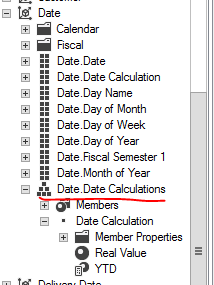
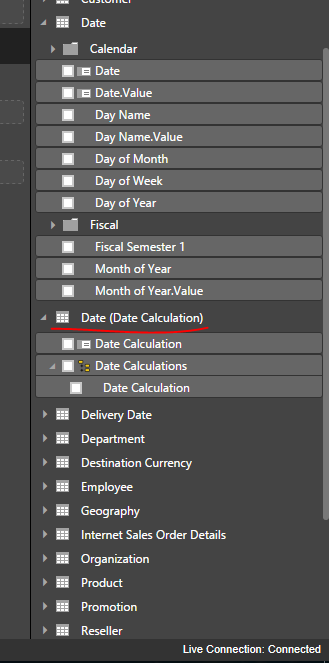
As I tested, the calculated member can be loaded into Power BI properly.


777.PNG


888.PNG


9999.PNG


Regards,


Helpful resources

Announcements
Power BI DataViz World Championships

Power BI Dataviz World Championships

The Power BI Data Visualization World Championships is back! Get ahead of the game and start preparing now!

December 2025 Power BI Update Carousel

Power BI Monthly Update - December 2025

Check out the December 2025 Power BI Holiday Recap!

FabCon Atlanta 2026 carousel

FabCon Atlanta 2026

Join us at FabCon Atlanta, March 16-20, for the ultimate Fabric, Power BI, AI and SQL community-led event. Save $200 with code FABCOMM.