
cancel
Showing results for 
Search instead for 
Did you mean: 

July 7 - July 17 | Round 2 of the Power BI Dataviz World Championships. Don't miss your chance! Learn more

Reply
Datalover22
Frequent Visitor

Running total

Hi to the best community ,

Can someone help me with creating a measure or calculated column to get the sum of the running total of the assets per month ? 
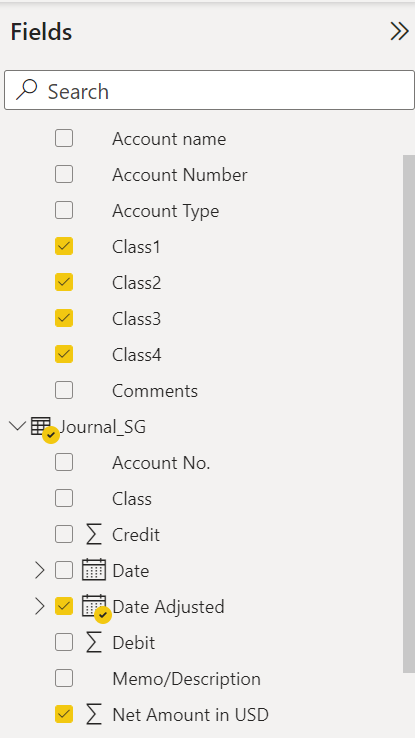
I attached 2 screenshots

Thank you !!s1.PNGs2.PNG

1 ACCEPTED SOLUTION
Anonymous
Not applicable

Hi @Datalover22 ,


Which visual do you want to put this Measure in and is there any other external filter?

Please try this measure.

Total =
CALCULATE (
    SUM ( 'Table'[Net Amount in USD] ),
    'Calendar'[Date] <= EOMONTH ( TODAY (), 0 )
)

vcgaomsft_0-1661329216908.png

Please check the pbix file.


Best Regards,
Gao

Community Support Team


If there is any post helps, then please consider Accept it as the solution to help the other members find it more quickly. If I misunderstand your needs or you still have problems on it, please feel free to let us know. Thanks a lot!

How to get your questions answered quickly -- How to provide sample data

View solution in original post

6 REPLIES 6
mh2587
Super User
Super User

Assets YTD :=
CALCULATE (
    SUM(TableName[Assets]),
    DATESYTD( 'Date'[Date] )
)

✔ Answered? Mark as solution

Muhammad Hasnain | Super User • Fabric • Power BI • Data Engineering

Let's connect on LinkedIn

Thank you! But Its not working

Assets RT :=
VAR MaxDate = MAX ( 'Date'[Date] ) 
RETURN
    CALCULATE (
        SUM(TableName[Assets]),          
        'Date'[Date] <= MaxDate,  
        ALL ( Date )              
    )

✔ Answered? Mark as solution

Muhammad Hasnain | Super User • Fabric • Power BI • Data Engineering

Let's connect on LinkedIn

Hi
You want the running total for a single or for the 12 months ( Year)


✔ Answered? Mark as solution

Muhammad Hasnain | Super User • Fabric • Power BI • Data Engineering

Let's connect on LinkedIn

Hi , thanks for your help! I want the recurring total per month until the current month

Anonymous
Not applicable

Hi @Datalover22 ,


Which visual do you want to put this Measure in and is there any other external filter?

Please try this measure.

Total =
CALCULATE (
    SUM ( 'Table'[Net Amount in USD] ),
    'Calendar'[Date] <= EOMONTH ( TODAY (), 0 )
)

vcgaomsft_0-1661329216908.png

Please check the pbix file.


Best Regards,
Gao

Community Support Team


If there is any post helps, then please consider Accept it as the solution to help the other members find it more quickly. If I misunderstand your needs or you still have problems on it, please feel free to let us know. Thanks a lot!

How to get your questions answered quickly -- How to provide sample data

Helpful resources

Announcements
FabCon and SQLCon Barcelona 2026

FabCon & SQLCon – Barcelona 2026

Join us in Barcelona for FabCon and SQLCon, the Fabric, Power BI, SQL, and AI community event. Save €200 with code FABCMTY200.

60 days of Data Days Carousel

Data Days 2026

Join Fabric Data Days 2026: 60 days of free live/on-demand sessions, challenges, study groups, and certification opportunities.

Power BI DataViz World Championships carousel

Power BI DataViz World Championships - June 2026

A new Power BI DataViz World Championship is coming this June! Don't miss out on submitting your entry.