Join us at FabCon Atlanta from March 16 - 20, 2026, for the ultimate Fabric, Power BI, AI and SQL community-led event. Save $200 with code FABCOMM.
Register now!The Power BI Data Visualization World Championships is back! Get ahead of the game and start preparing now! Learn more
Hello,
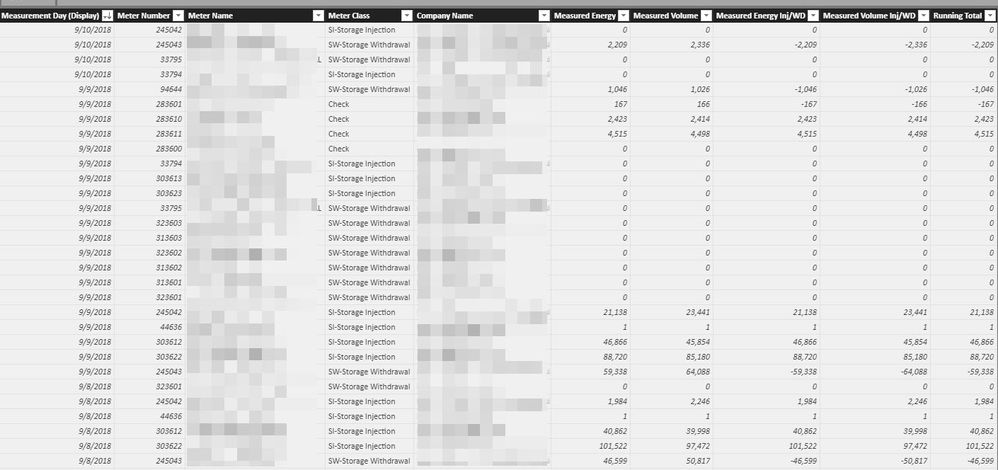
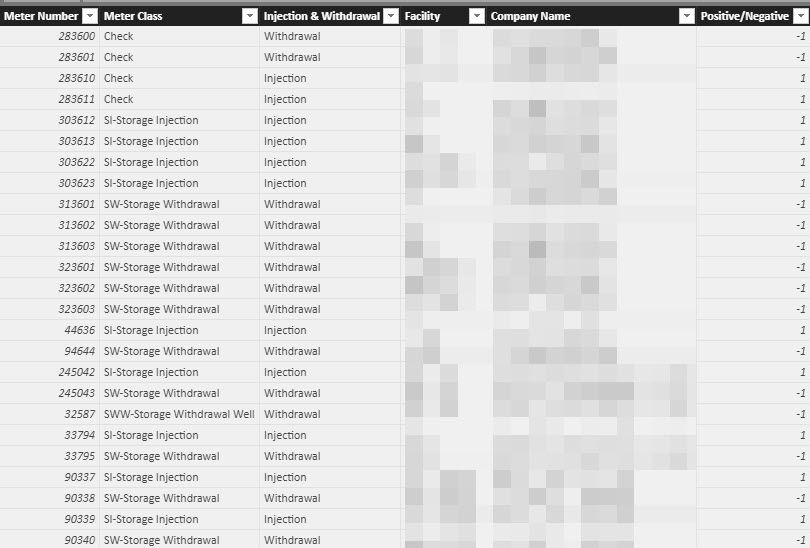
I am new here and have a small amount of experince with Power BI. I have read a few threads about creating a formula in DAX for a running sum, but it is not working for me. From the screenshot below I need the "Measured Energy Inj/WD" to have a running sum for "Measurment Day (Display)." Another trick I need is to have it key of the "Meter Number' field and the "Facility" which is in another table that I have a relationship with in Power BI. Hopefully my this my logic makes sense. Let me know if I need to explain it a little better. Any help would be greatly appreciated!
Can you post that text form that can be copied and pasted? Please see this post regarding How to Get Your Question Answered Quickly: https://community.powerbi.com/t5/Community-Blog/How-to-Get-Your-Question-Answered-Quickly/ba-p/38490
That being said, a running sum formula generally takes the form of:
Amount running total in Date =
CALCULATE(
SUM('Sample'[Amount]),
FILTER(
ALLSELECTED('Sample'[Date]),
ISONORAFTER('Sample'[Date], MAX('Sample'[Date]), DESC)
)
)
Hi Greg, I am not sure what you mean by "can you post that text form that can be copied and pasted?"
Hi @Pmoto,
It is not fully clear on which result do you want to achieve. Can you create a small prototype within Excel and paste it here as an image or text?
Regards,
Ruslan
The Power BI Data Visualization World Championships is back! Get ahead of the game and start preparing now!
| User | Count |
|---|---|
| 38 | |
| 38 | |
| 36 | |
| 28 | |
| 28 |
| User | Count |
|---|---|
| 124 | |
| 89 | |
| 73 | |
| 66 | |
| 65 |