Join us at FabCon Atlanta from March 16 - 20, 2026, for the ultimate Fabric, Power BI, AI and SQL community-led event. Save $200 with code FABCOMM.
Register now!Vote for your favorite vizzies from the Power BI Dataviz World Championship submissions. Vote now!
Hi,
I have huge daily incoming data in this format
| Manager | User Id | Column | 2021-19 |
| anukshag | brabhis | Actual TIM Time (hrs) | 47.99 |
| anukshag | brabhis | Actual overlap TIM Time (hrs) | 47.83 |
| anukshag | brabhis | Time Diff % | 0.33% |
| anukshag | btejashw | Actual TIM Time (hrs) | 21.41 |
| anukshag | btejashw | Actual overlap TIM Time (hrs) | 20.52 |
| anukshag | btejashw | Time Diff % | 4.18% |
| anukshag | chinthum | Actual TIM Time (hrs) | 46.8 |
| anukshag | chinthum | Actual overlap TIM Time (hrs) | 46.2 |
| anukshag | chinthum | Time Diff % | 1.28% |
| anukshag | hemag | Actual TIM Time (hrs) | 3.43 |
| anukshag | hemag | Actual overlap TIM Time (hrs) | 3.37 |
| anukshag | hemag | Time Diff % | 1.65% |
But i want to have this table like this
| Manager | User Id | Actual TIM Time (hrs) | Actual overlap TIM Time (hrs) | Time Diff % |
| anukshag | brabhis | 47.99 | 47.83 | 0.33% |
| anukshag | btejashw | 21.41 | 20.52 | 4.18% |
| anukshag | chinthum | 46.8 | 46.2 | 1.28% |
| anukshag | hemag | 3.43 | 3.37 | 1.65% |
What are the different ways to do this?
Solved! Go to Solution.
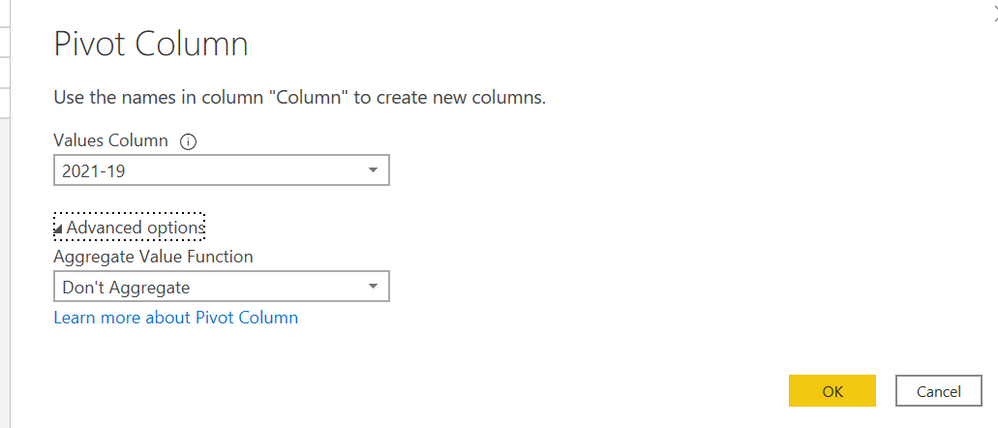
i think you can use pivot in the PQ
= Table.Pivot(#"Changed Type", List.Distinct(#"Changed Type"[Column]), "Column", "2021-19")
Proud to be a Super User!
i think you can use pivot in the PQ
= Table.Pivot(#"Changed Type", List.Distinct(#"Changed Type"[Column]), "Column", "2021-19")
Proud to be a Super User!
Using the Pivot operation in Power Query. (EDIT: Sorry, I first mistakenly wrote Unpivot.)
Vote for your favorite vizzies from the Power BI World Championship submissions!
If you love stickers, then you will definitely want to check out our Community Sticker Challenge!
Check out the January 2026 Power BI update to learn about new features.
| User | Count |
|---|---|
| 58 | |
| 53 | |
| 43 | |
| 17 | |
| 16 |
| User | Count |
|---|---|
| 122 | |
| 108 | |
| 44 | |
| 32 | |
| 24 |