Learn from the best! Meet the four finalists headed to the FINALS of the Power BI Dataviz World Championships! Register now
Hi ,
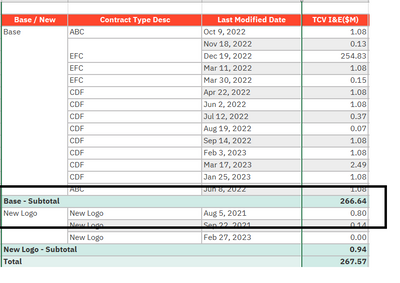
I need help to show row level total for particulr column for example as show below:
I just wanted to show total at row level only for first column that is BASE/NEW
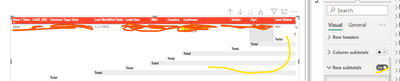
but when i am turning on row level total its showing me total at each column , that i dont need .
Let me know if there is any soluntion for thsi
Solved! Go to Solution.
@PowerBI_User23 I believe that under Row subtotals there is a toggle for Per row level that you can turn on and then select the row you want.
Hi @Greg_Deckler Thankyou for the reply .
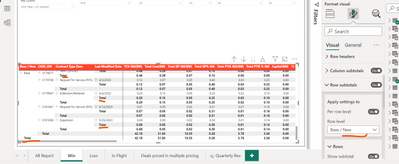
I have tried that option but its still showing the other total of the column , you can see in the below picture .
@PowerBI_User23 I believe that under Row subtotals there is a toggle for Per row level that you can turn on and then select the row you want.
Hi,
Did that work for you. I can see the toggle button but there is no action when we are trying to select different row levels
Thansk, Anusha
Hi @apuchakayala , No its working for me , it still showing me total level for each column
Yeah I was expecting it to show on only the column that I wanted , but it still showing on all columns.
If you have recently started exploring Fabric, we'd love to hear how it's going. Your feedback can help with product improvements.
A new Power BI DataViz World Championship is coming this June! Don't miss out on submitting your entry.
Share feedback directly with Fabric product managers, participate in targeted research studies and influence the Fabric roadmap.
| User | Count |
|---|---|
| 57 | |
| 33 | |
| 33 | |
| 18 | |
| 16 |
| User | Count |
|---|---|
| 68 | |
| 67 | |
| 45 | |
| 30 | |
| 28 |