Join us at FabCon Atlanta from March 16 - 20, 2026, for the ultimate Fabric, Power BI, AI and SQL community-led event. Save $200 with code FABCOMM.
Register now!The Power BI Data Visualization World Championships is back! Get ahead of the game and start preparing now! Learn more
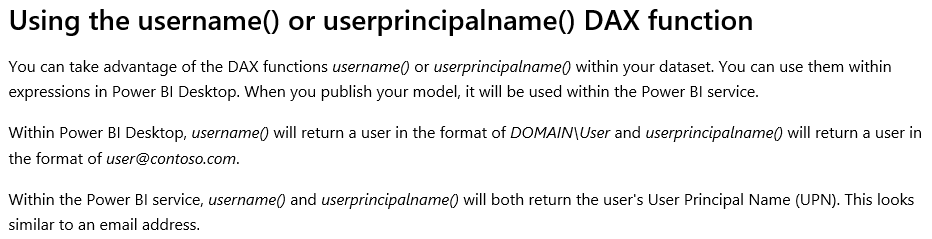
Hey! I had created Row Level Security in the power BI Desktop as : [Email] = username().
I had done this so that RLS is applied dynamically. I am a little confues with what the following sentence means.
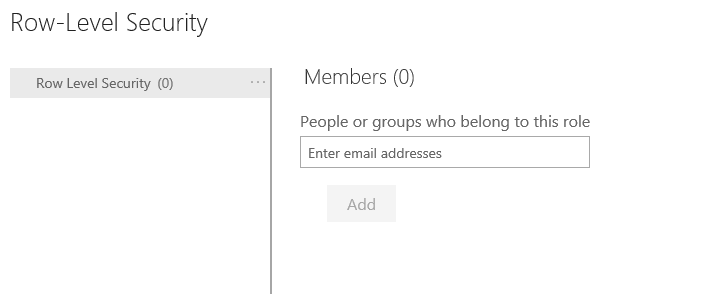
It says that when I publish it, it iwll be used within the Power BI Service. Does that mean I do not have to add any members unser Dataset -> Security -> Add members column in the Power BI Service?
Thank you in advance!
Solved! Go to Solution.
Hi @Anonymous
It is necessary to add any members under Dataset -> Security -> Add members column in the Power BI Service when you use "usename( )" or "userprincipalname( )" in power bi desktop.
It is a little misunderstanding for you about "usename( )" or "userprincipalname( )" in RLS.
I would suggest reading the blog, which just gives some explanations around when and how deploying it to the Power BI Service.
http://radacad.com/dynamic-row-level-security-with-power-bi-made-simple
Best Regards
Maggie
Hi @Anonymous
It is necessary to add any members under Dataset -> Security -> Add members column in the Power BI Service when you use "usename( )" or "userprincipalname( )" in power bi desktop.
It is a little misunderstanding for you about "usename( )" or "userprincipalname( )" in RLS.
I would suggest reading the blog, which just gives some explanations around when and how deploying it to the Power BI Service.
http://radacad.com/dynamic-row-level-security-with-power-bi-made-simple
Best Regards
Maggie
The Power BI Data Visualization World Championships is back! Get ahead of the game and start preparing now!
| User | Count |
|---|---|
| 40 | |
| 37 | |
| 35 | |
| 34 | |
| 28 |
| User | Count |
|---|---|
| 136 | |
| 99 | |
| 73 | |
| 66 | |
| 65 |