cancel
Showing results for 
Search instead for 
Did you mean: 

A new Data Days event is coming soon! This time we’re going bigger than ever. Fabric, Power BI, SQL, AI and more. Don't miss out.

Reply
sperry
Resolver I
Resolver I

Row Conditional formatting on text in a Matrix visual

I have a Business Plan report table that needs conditional formating on the Status and repeated values in the first column to be grouped. 

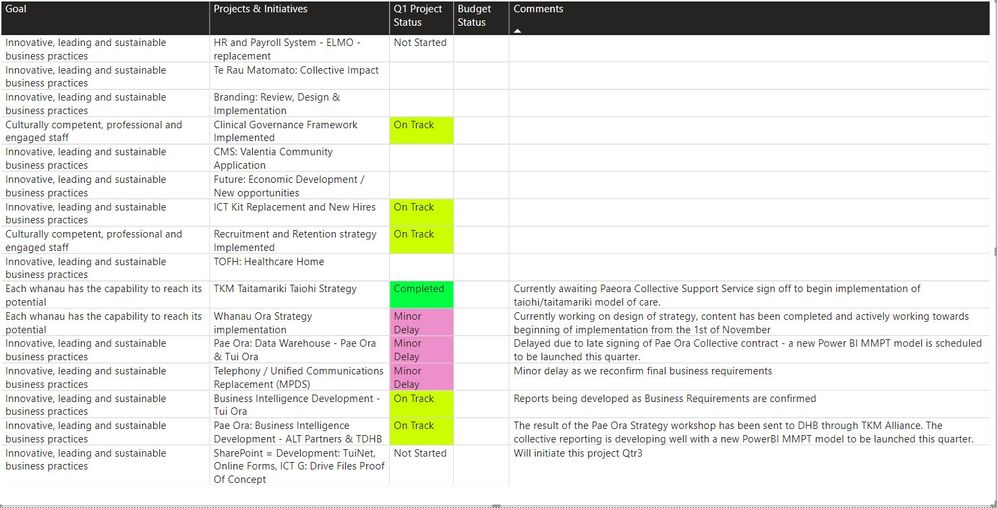
Table does not allowing grouping by row value so it looks like thisTable EG.jpg

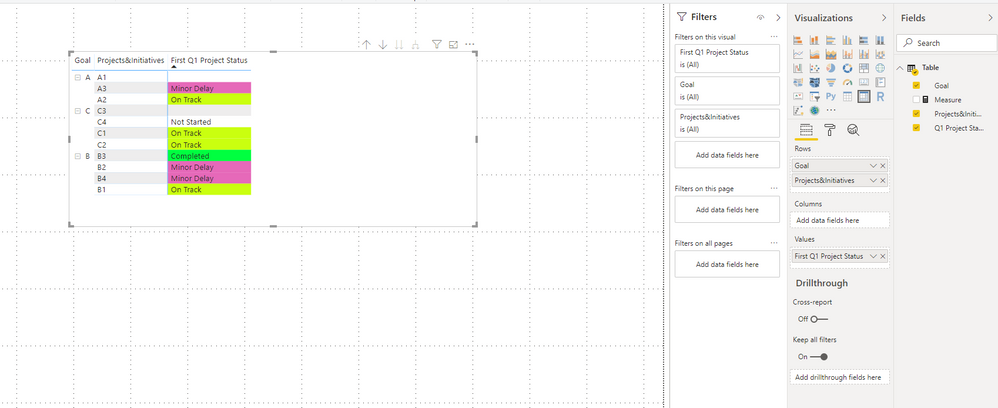
The Matrix visual looks like this - so grouping fine but no conditional formatting for status.

Matrix EG.jpg

Anyone come across and solved this??

1 ACCEPTED SOLUTION
v-joesh-msft
Solution Sage
Solution Sage

Hi @sperry ,

You can try to create the following measure:

Measure =
VAR __q =
    SELECTEDVALUE ( 'Table'[Q1 Project Status] )
RETURN
    SWITCH (
        TRUE (),
        __q = "Not Started", 1,
        __q = "On Track", 2,
        __q = "Minor Delay", 3,
        __q = "Completed", 4
    )

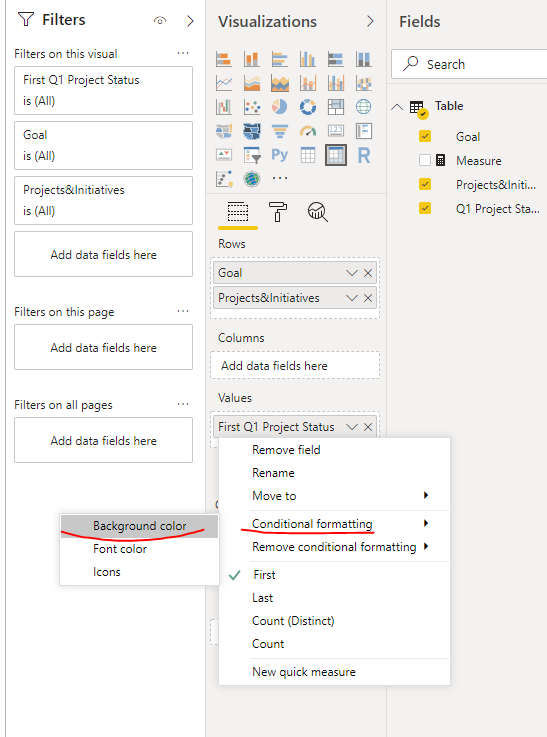
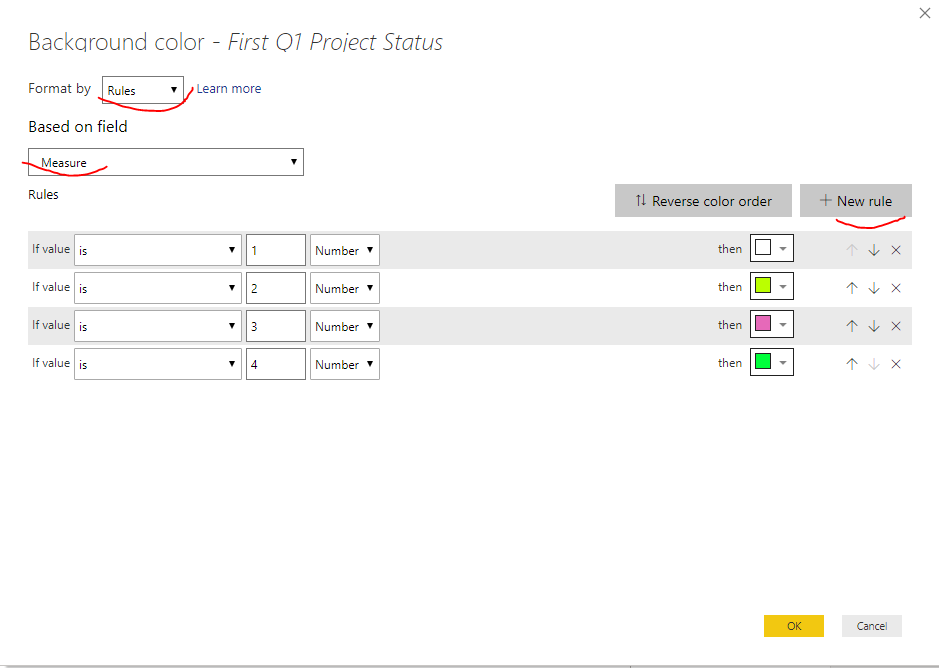
Right-click on the 'Values' field in Matrix - Conditional formatting - Background color - Format by Rules - Based on Measure, and then customize the format of the condition you want, as shown below:

1.PNG2.PNG3.PNG

Here is a demo, please try it

https://qiuyunus-my.sharepoint.com/:u:/g/personal/pbipro_qiuyunus_onmicrosoft_com/EVWcE3RDCftDvCqRMY...

Best Regards,

Community Support Team _ Joey
If this post helps, then please consider Accept it as the solution to help the other members find it more quickly.

View solution in original post

3 REPLIES 3
MyriamW
Frequent Visitor

I have nearly the same problem but I do not understand the solution.


I am still not able to choose conditional formatting for rows, only for values. In your example I would like to have different background colors for values in the column "projects&initiatives", but this is currently not possible in matrix visual, is it?

v-joesh-msft
Solution Sage
Solution Sage

Hi @sperry ,

You can try to create the following measure:

Measure =
VAR __q =
    SELECTEDVALUE ( 'Table'[Q1 Project Status] )
RETURN
    SWITCH (
        TRUE (),
        __q = "Not Started", 1,
        __q = "On Track", 2,
        __q = "Minor Delay", 3,
        __q = "Completed", 4
    )

Right-click on the 'Values' field in Matrix - Conditional formatting - Background color - Format by Rules - Based on Measure, and then customize the format of the condition you want, as shown below:

1.PNG2.PNG3.PNG

Here is a demo, please try it

https://qiuyunus-my.sharepoint.com/:u:/g/personal/pbipro_qiuyunus_onmicrosoft_com/EVWcE3RDCftDvCqRMY...

Best Regards,

Community Support Team _ Joey
If this post helps, then please consider Accept it as the solution to help the other members find it more quickly.

Worked like a charm..perfect..Thanks for your time..This forum is the bomb!

Helpful resources

Announcements
May Power BI Update Carousel

Power BI Monthly Update - May 2026

Check out the May 2026 Power BI update to learn about new features.

Fabric SQL PBI Data Days

Data Days 2026 coming soon!

Sign up to receive a private message when registration opens and key events begin.

New to Fabric survey Carousel

New to Fabric Survey

If you have recently started exploring Fabric, we'd love to hear how it's going. Your feedback can help with product improvements.

Power BI DataViz World Championships carousel

Power BI DataViz World Championships - June 2026

A new Power BI DataViz World Championship is coming this June! Don't miss out on submitting your entry.