Join us at FabCon Atlanta from March 16 - 20, 2026, for the ultimate Fabric, Power BI, AI and SQL community-led event. Save $200 with code FABCOMM.
Register now!Vote for your favorite vizzies from the Power BI Dataviz World Championship submissions. Vote now!
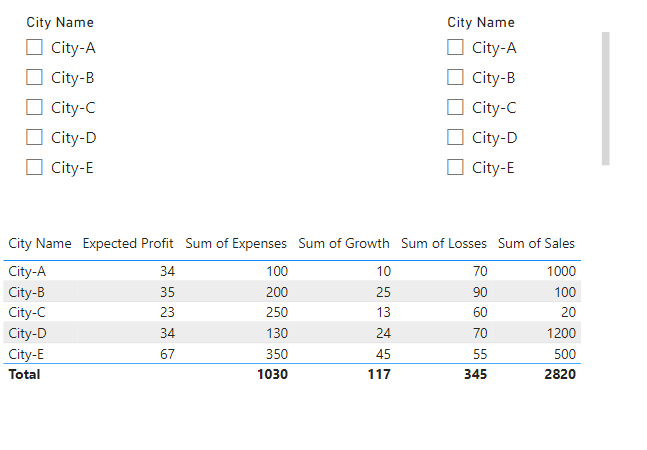
@NaeemShahzad123 Create 2 separate, disconnected tables for your slicers where you have one column and a row per city name. You can then construct a measure that is essentially a Complex Selector like this: The Complex Selector - Microsoft Power BI Community. Specifically in your case something along the lines of:
Selector Measure =
VAR __City1 = SELECTEDVALUE('Slicer1'[Column])
VAR __City2 = SELECTEDVALUE('Slicer2'[Column])
VAR __RowCity = MAX('Table'[City Name])
VAR __Result = IF( __RowCity IN { __City1, __City2 }, 1, 0
RETURN
__Result
Then filter your visualization using the Filters pane and this measure set to 1.
If you love stickers, then you will definitely want to check out our Community Sticker Challenge!
Check out the January 2026 Power BI update to learn about new features.
| User | Count |
|---|---|
| 58 | |
| 57 | |
| 42 | |
| 17 | |
| 17 |
| User | Count |
|---|---|
| 113 | |
| 108 | |
| 38 | |
| 35 | |
| 26 |