cancel
Showing results for 
Search instead for 
Did you mean: 

July 28 - August 9 | Final Round of the Power BI Dataviz World Championships. This is your chance. Learn more

Reply
vega
Resolver III
Resolver III

Retrieving Files from SharePoint

Hello,


I am trying to retrieve some files that my company has in SharePoint. I tried to retrieve the files using Get Data -> SharePoint Folder. This gives you every file that is contained in the root address (as expected), however, the files that I want do not appear. In fact, there are many files contained in subfolders that do not appear in the list. I believe that the SharePoint connector has some sort of limit of how many files it can retrieve. I believe that I am having the exact same issue as the problem posted here, but the solution posted here is more of a workaround. While my plan B was to implement the solution that was presented in that post, I wanted to see if anyone else has any suggestions. 


I'd appreciate any help.


Thank you.

3 REPLIES 3
v-sihou-msft
Microsoft Employee
Microsoft Employee

@vega


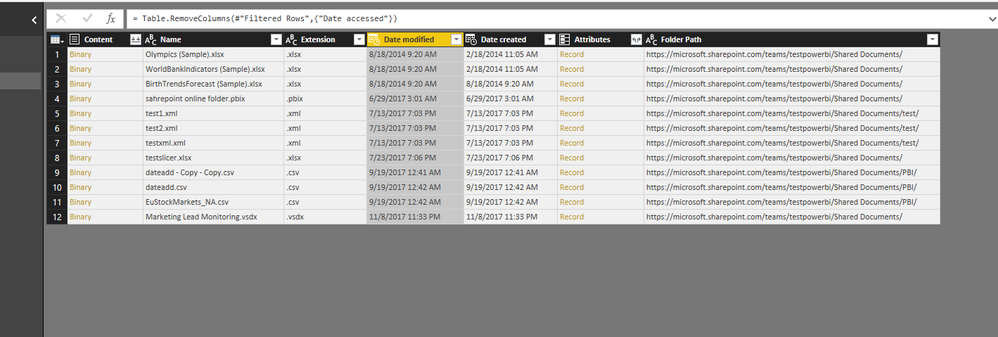
I can't reproduced your issue. It will show all files under sub folders when we input the root url. 


3906287.PNG


Regards,


Right, as I stated I believe it is a limit to the number of files it can retrieve. In your example, there are only 12 files. The SharePoint root address that I entered has over a thousand files. When I filter for a specific file, I get a blank table in return because Power BI is not retrieving all the files from the SharePoint folder, due to some sort of limit.

I'm facing similar problem. It may be linked with two facts:

- most likely your query connects to the whole Sharepoint library in the first place and you filter files down the stream in your query

- it may be linked with the fact that Sharepoint has limit of ~3000 files per view


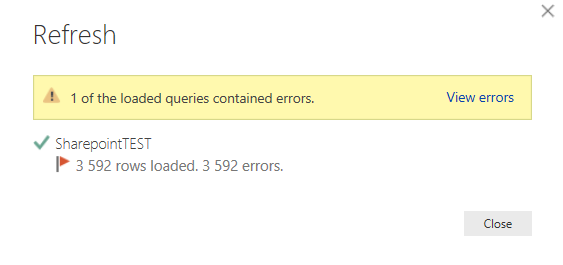
I made a test trying to retrieve files and I'm getting errors (3500 2018-02-19 09_55_46-.png


When I try to view errors I get this:

2018-02-19 10_16_12-BOT Log Summary_ - Query Editor.png

Helpful resources

Announcements
FabCon and SQLCon Barcelona 2026

FabCon & SQLCon – Barcelona 2026

Join us in Barcelona for FabCon and SQLCon, the Fabric, Power BI, SQL, and AI community event. Save €200 with code FABCMTY200.

Fabric Community Sticker Design Challenge Barcelona Carousel

Fabric Community Sticker Challenge - Barcelona 2026

If you love stickers, then you will definitely want to check out our community sticker challenge, Barcelona edition!

July Power BI Update Carousel

Power BI Monthly Update - July 2026

Check out the July 2026 Power BI update to learn about new features.

Power BI DataViz World Championships carousel

Power BI DataViz World Championships - June 2026

A new Power BI DataViz World Championship is coming this June! Don't miss out on submitting your entry.

Top Solution Authors