cancel
Showing results for 
Search instead for 
Did you mean: 

The FabCon + SQLCon recap series starts April 14th at 8am Pacific. If you’re tracking where AI is going inside Fabric, this first session is a can't miss. Register now

Reply
lcasey
Post Prodigy
Post Prodigy

Report Date

Does anyone know how to work with a report date? 


Every Other reporting package I have ever used includes the abiliy to choose a report date and then filter my data based on the report date.


With Power BI it seems there is no way to choose a report date, and then filter data based on that report date.

Is there some sort of DAX formula that would look at the slicers chosen report date and then filter based on that?


For Example, An End user chooses the date they want on the report and then records are filtered based on that date selected:


Report Date10/31/2016  


IDDateDesc 
110/1/2016No Data 
210/2/2016No Data 
310/3/2016No Data 
410/4/2016No Data 
510/5/2016No Data 
610/6/2016No Data 
710/7/2016No Data 
810/8/2016No Data 
910/9/2016No Data 
1010/10/2016No Data 
1110/11/2016No Data 
1210/12/2016No Data 
1310/13/2016No Data 
7 REPLIES 7
Greg_Deckler
Community Champion
Community Champion

You should be able to do this with a slicer and have your report date table related to your other tables. 


Follow on LinkedIn
@ me in replies or I'll lose your thread!!!
Instead of a Kudo, please vote for this idea
Become an expert!: Enterprise DNA
External Tools: MSHGQM
YouTube Channel!: Microsoft Hates Greg
Latest book!:
DAX For Humans

DAX is easy, CALCULATE makes DAX hard...

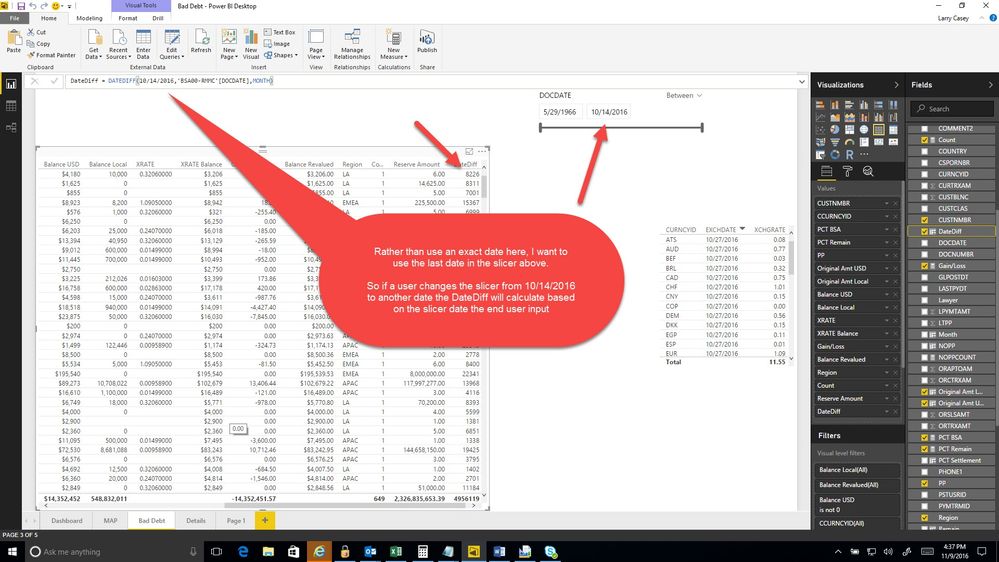
But I need a Column that calculates based on report date:


=DateDiff DOCDATE , REPORT DATE


But Report Date changes by the end user, I never Know what the user will choose

Report Date10/31/2016  


IDDateDescDateDif
110/1/2016No Data30
210/2/2016No Data29
310/3/2016No Data28
410/4/2016No Data27
510/5/2016No Data26
610/6/2016No Data25
710/7/2016No Data24
810/8/2016No Data23
910/9/2016No Data22
1010/10/2016No Data21
1110/11/2016No Data20
1210/12/2016No Data19
1310/13/2016No Data18

Can you provide some sample data, relationships and an example of what you are trying to achieve? I'm not understanding your scenario.


Follow on LinkedIn
@ me in replies or I'll lose your thread!!!
Instead of a Kudo, please vote for this idea
Become an expert!: Enterprise DNA
External Tools: MSHGQM
YouTube Channel!: Microsoft Hates Greg
Latest book!:
DAX For Humans

DAX is easy, CALCULATE makes DAX hard...

Sure, Sorry about that, here is a picture of what I am trying to do:


2016-11-09_16-37-47.jpg

Anonymous
Not applicable

Hi @lcasey,


You can simply use LASTDATE and ALLSELECTED function to get the value which you want.


Sample:


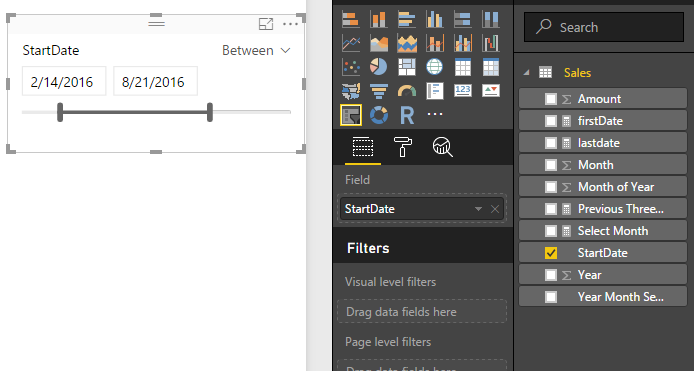
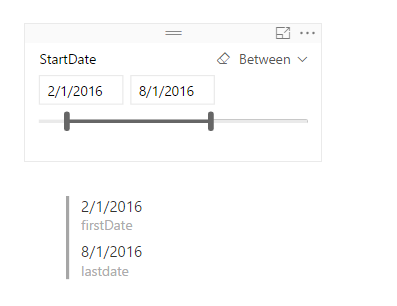
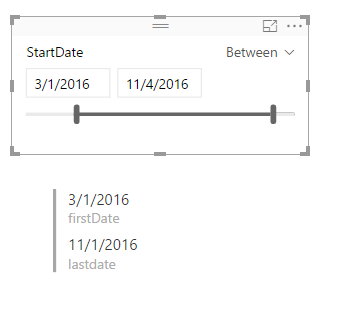
lastdate = LASTDATE(ALLSELECTED(Sales[StartDate]))

firstDate = FIRSTDATE(ALLSELECTED(Sales[StartDate]))


Visuals:


Capture.PNG


Capture2.PNG


Capture3.PNG


Capture4.PNG


Regards,

Xiaoxin Sheng

OK, create a measure like:


MaxDOCDATE = MAX([DOCDATE])

Use that in your formula. 


Follow on LinkedIn
@ me in replies or I'll lose your thread!!!
Instead of a Kudo, please vote for this idea
Become an expert!: Enterprise DNA
External Tools: MSHGQM
YouTube Channel!: Microsoft Hates Greg
Latest book!:
DAX For Humans

DAX is easy, CALCULATE makes DAX hard...

Helpful resources

Announcements
New to Fabric survey Carousel

New to Fabric Survey

If you have recently started exploring Fabric, we'd love to hear how it's going. Your feedback can help with product improvements.

Power BI DataViz World Championships carousel

Power BI DataViz World Championships - June 2026

A new Power BI DataViz World Championship is coming this June! Don't miss out on submitting your entry.

Join our Fabric User Panel

Join our Fabric User Panel

Share feedback directly with Fabric product managers, participate in targeted research studies and influence the Fabric roadmap.

March Power BI Update Carousel

Power BI Community Update - March 2026

Check out the March 2026 Power BI update to learn about new features.