This time we’re going bigger than ever. Fabric, Power BI, SQL, AI and more. We're covering it all. You won't want to miss it.
Learn moreLevel up your Power BI skills this month - build one visual each week and tell better stories with data! Get started
Hello,
I used to be able to rename a measure to <blank> in a table. This was useful for example when the measure was an image URL whereby showing a header saying "Image URL" was quite useless.
It seems not feasible anymore since a few updates. Could it be brought back?
I'm using a "_" (underscore) now to minimize what I display in column header. Just not great
Solved! Go to Solution.
Hi @Anonymous,
Maybe you can reinstall the old version to work around. Or you can come up a new idea about that and add your comments there to improve Power BI and make this feature coming sooner.
Regards,
Frank
Hi @Anonymous,
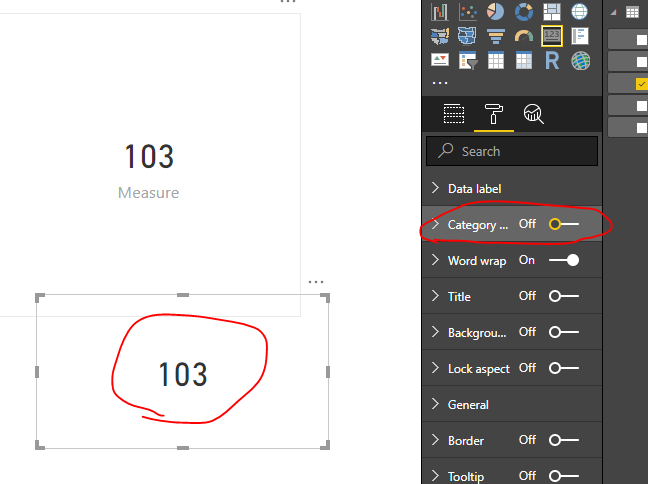
Based on my test, it is not possbile to change the measure name to blank. Is that possbile to turn the category name off to work around?
Regards,
Frank
Hi @v-frfei-msft, the need is to do it in a table or matrix, not in a card.
Since I have multiple column headers, some still need to show the measure or category name, while some needs to be blank.
It used to be feasible some versions ago.
Hi @Anonymous,
Maybe you can reinstall the old version to work around. Or you can come up a new idea about that and add your comments there to improve Power BI and make this feature coming sooner.
Regards,
Frank
Yes, i just did that.
https://ideas.powerbi.com/forums/265200-power-bi-ideas/suggestions/36023935-allow-renaming-a-measure...
Thanks anyway
Hi @Anonymous,
I have vote the idea. could you please mark my answer as a solution to close the case. Thanks in advance.
Regards,
Frank
Check out the April 2026 Power BI update to learn about new features.
Sign up to receive a private message when registration opens and key events begin.
If you have recently started exploring Fabric, we'd love to hear how it's going. Your feedback can help with product improvements.
| User | Count |
|---|---|
| 31 | |
| 25 | |
| 21 | |
| 18 | |
| 17 |
| User | Count |
|---|---|
| 61 | |
| 35 | |
| 33 | |
| 23 | |
| 23 |