Join us at FabCon Atlanta from March 16 - 20, 2026, for the ultimate Fabric, Power BI, AI and SQL community-led event. Save $200 with code FABCOMM.
Register now!Get Fabric certified for FREE! Don't miss your chance! Learn more
I have 2 equal tables, the second has the same data as the first and also some new records. How can I delete the duplicate data that appears in both tables?
I created an append relationship because every week I will be adding new files with new data but sometimes that data can be repeated, how can I remove this duplicate data?
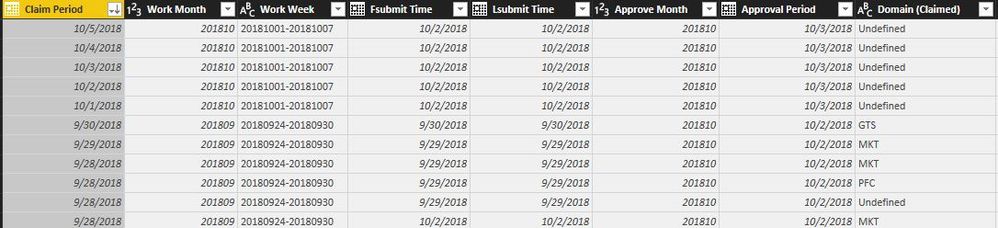
For example, this is my table 2 which contains new values:
Table 2
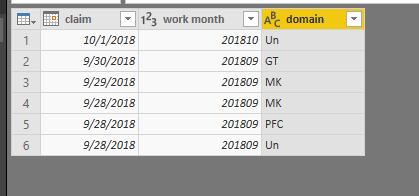
This is my table 1 which contains these data, the same data exists in the table 2, when I created the append relationship, my report show duplicate information, how can remove the duplicate data (from the table 2)?:
table 1
Thanks.
Solved! Go to Solution.
Hi @odalistt
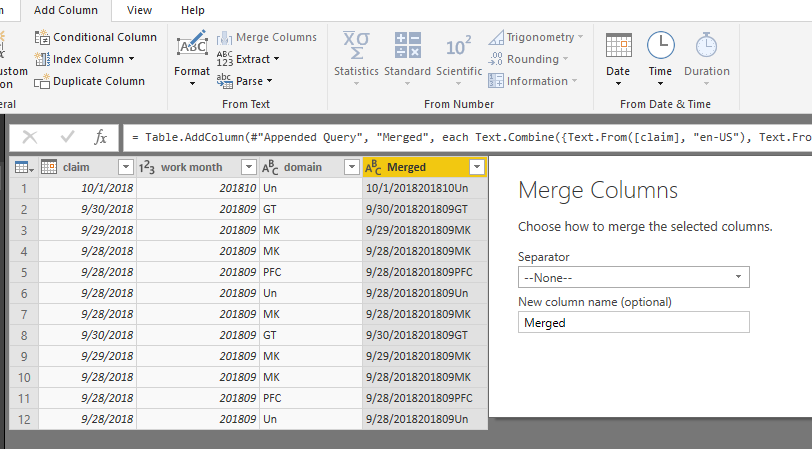
In Edit Queries, after appending,
Add a column to merge all columns into one column
Then remove duplicates
Then you could remove the merged column without reflecting the table
Best Regards
Maggie
Hi @odalistt
In Edit Queries, after appending,
Add a column to merge all columns into one column
Then remove duplicates
Then you could remove the merged column without reflecting the table
Best Regards
Maggie
Go to Edit Queries
Select the Remove Rows dropdown on the Home tab
Select Remove Duplicates
Share feedback directly with Fabric product managers, participate in targeted research studies and influence the Fabric roadmap.
Check out the February 2026 Power BI update to learn about new features.
| User | Count |
|---|---|
| 69 | |
| 59 | |
| 47 | |
| 20 | |
| 16 |
| User | Count |
|---|---|
| 107 | |
| 107 | |
| 39 | |
| 27 | |
| 27 |