Join us at FabCon Atlanta from March 16 - 20, 2026, for the ultimate Fabric, Power BI, AI and SQL community-led event. Save $200 with code FABCOMM.
Register now!Get Fabric Certified for FREE during Fabric Data Days. Don't miss your chance! Request now
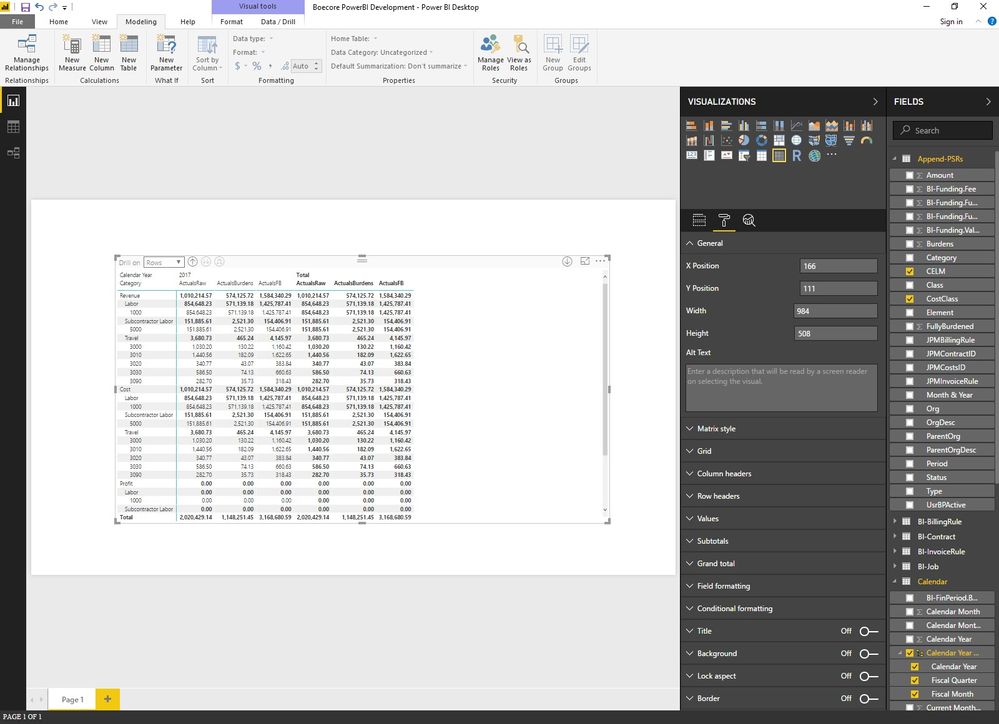
I have seen previous solutions about removing the totals at the bottom of a Matrix Table, but doesn't seem to apply based on recent updates to PowerBI. The solution I have seen refers to chaning the total in the General Pane. The General Pane I have doesn't look the same as what I have seen. Given all the changes in PowerBI over the months and the solution I saw is from mid-2016, it leads me to believe there is a different way to remove the total at the bottom.
Solved! Go to Solution.
Hi @tonyconstantini,
You can turn off 'total' feature at subtotals option.
If you want accuracy control which column shows the total value, you can turn on the 'per row level'/'per column level' option to show the detail column option total setting list.
Regards,
Xiaoxin Sheng
Hi @tonyconstantini,
You can turn off 'total' feature at subtotals option.
If you want accuracy control which column shows the total value, you can turn on the 'per row level'/'per column level' option to show the detail column option total setting list.
Regards,
Xiaoxin Sheng
Thank you for your help
Hi @tonyconstantini,
What is your PowerBi update version?
I am using the last one from November and I Have got the option to remove the Total...
Let us know if you are experiencing this issue...
Ninter.
Thank you
Check out the November 2025 Power BI update to learn about new features.
Advance your Data & AI career with 50 days of live learning, contests, hands-on challenges, study groups & certifications and more!