This time we’re going bigger than ever. Fabric, Power BI, SQL, AI and more. We're covering it all. You won't want to miss it.
Learn moreLevel up your Power BI skills this month - build one visual each week and tell better stories with data! Get started
Hi
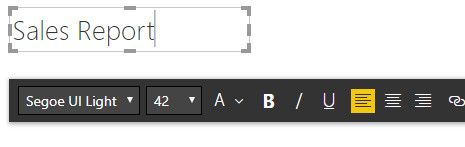
I am using Text box in my report but I see extra white space at the top of text box (highlighted in red in below snap). I want to remove that.
Solved! Go to Solution.
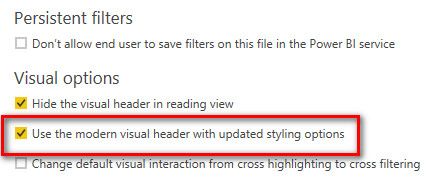
Ok Understood, Since you are using PBIX File from Archive which was saved with older version, you need to small settings.
Goto File->Options&Settings->Options , and Select Current File Settings,
in Report settigng please check the box of use the modern visual header to avoid extra space from the Text Box.
Proud to be a Super User!
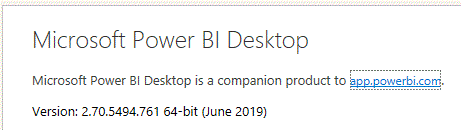
Are you using Latest update of Jun 2019 , I dont see any extract space while adding Text Box
Please use latest version is the solution
Proud to be a Super User!
Yes, I am using latest version. I have downloaded sample pbix file from following location and trying to create some sample reports using the same.
https://www.microsoft.com/en-us/download/details.aspx?id=46801
Ok Understood, Since you are using PBIX File from Archive which was saved with older version, you need to small settings.
Goto File->Options&Settings->Options , and Select Current File Settings,
in Report settigng please check the box of use the modern visual header to avoid extra space from the Text Box.
Proud to be a Super User!
Check out the April 2026 Power BI update to learn about new features.
Sign up to receive a private message when registration opens and key events begin.
If you have recently started exploring Fabric, we'd love to hear how it's going. Your feedback can help with product improvements.
| User | Count |
|---|---|
| 35 | |
| 27 | |
| 26 | |
| 22 | |
| 18 |
| User | Count |
|---|---|
| 67 | |
| 36 | |
| 32 | |
| 26 | |
| 23 |