Join us at FabCon Atlanta from March 16 - 20, 2026, for the ultimate Fabric, Power BI, AI and SQL community-led event. Save $200 with code FABCOMM.
Register now!The Power BI Data Visualization World Championships is back! Get ahead of the game and start preparing now! Learn more
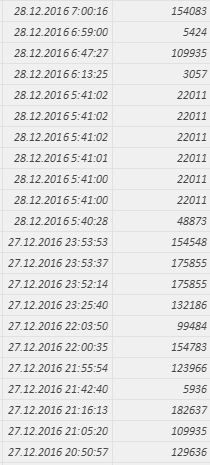
Hi, I'm using Power BI Desktop and I need to remove duplicate values but only on same day. For example:
I need to know only that No. 22011 bought something on 28.12.2016 then on 15.12.2016 something and on 6.11.2016 something. Hope you understand.
Thank you for your help.
Solved! Go to Solution.
Hi @gmmb1,
You could achieve this by Query Editor like this (assume we have 2 columns Date and Id)
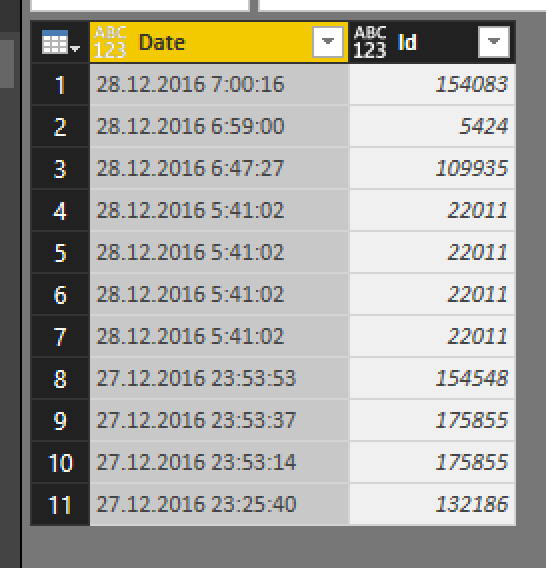
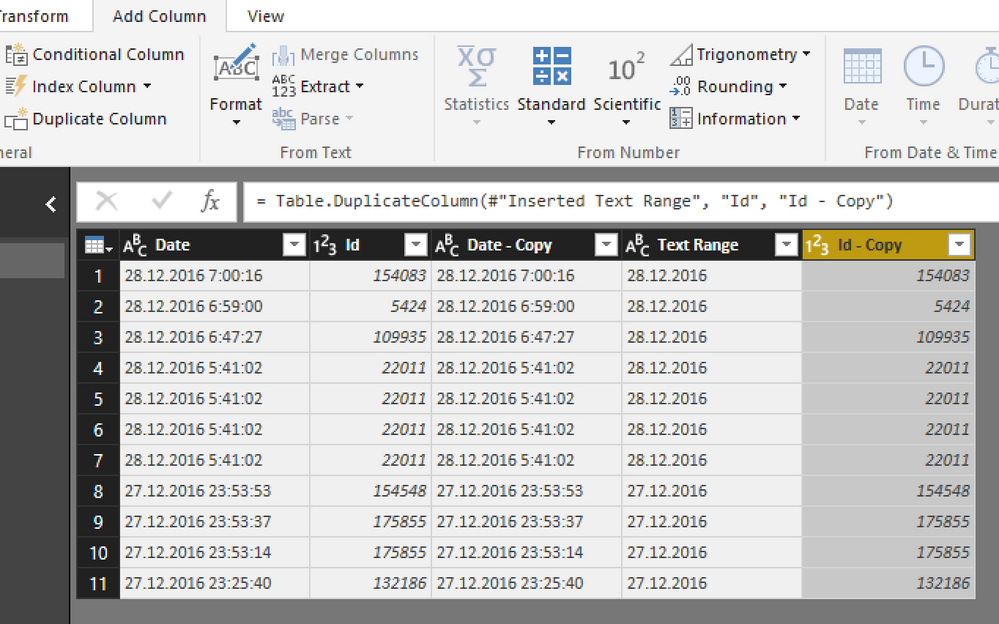
We have 2 columns in dataset
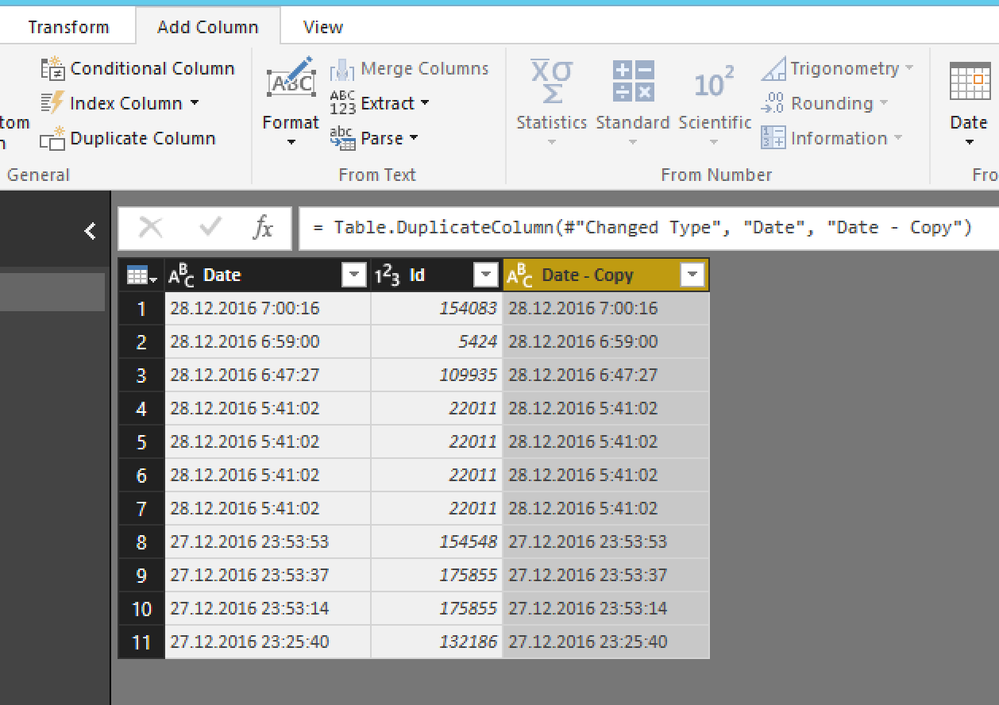
duplicated Date column
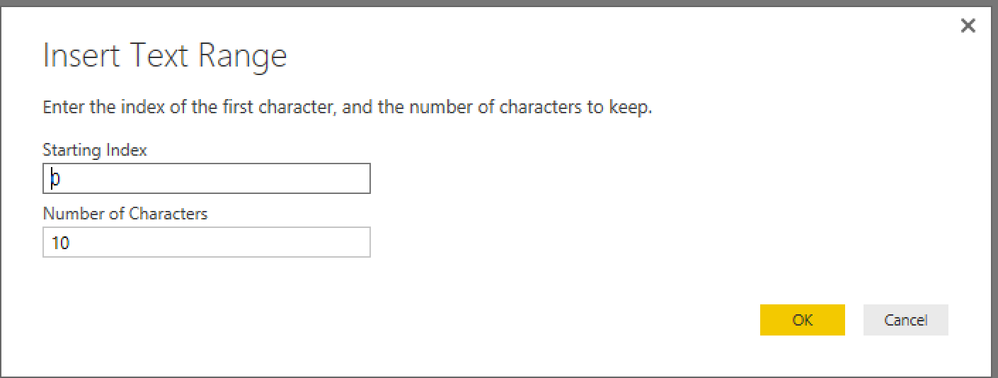
I will select only Date and remove part of time cause you want check there are some orders in that date
10 first characters
duplicated Id column
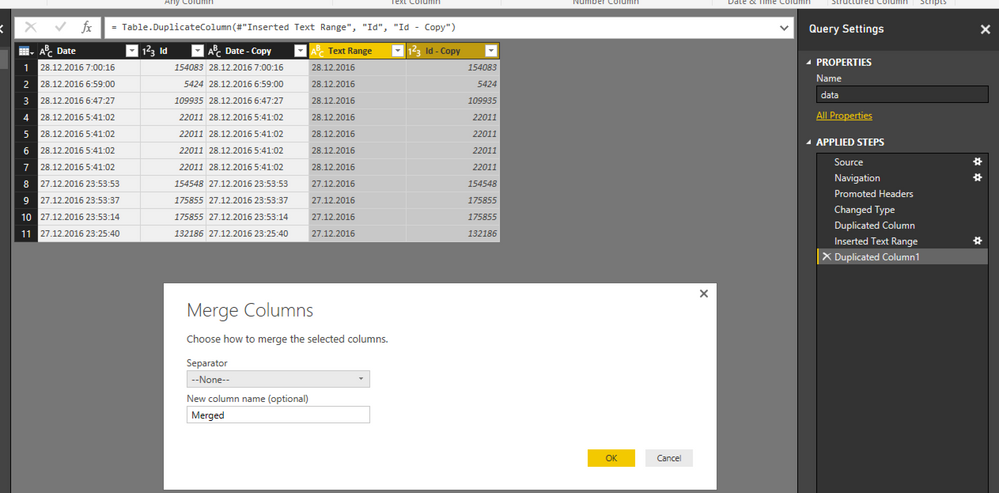
Choose 2 new duplicated columns (Id copy & date copy) to merge column
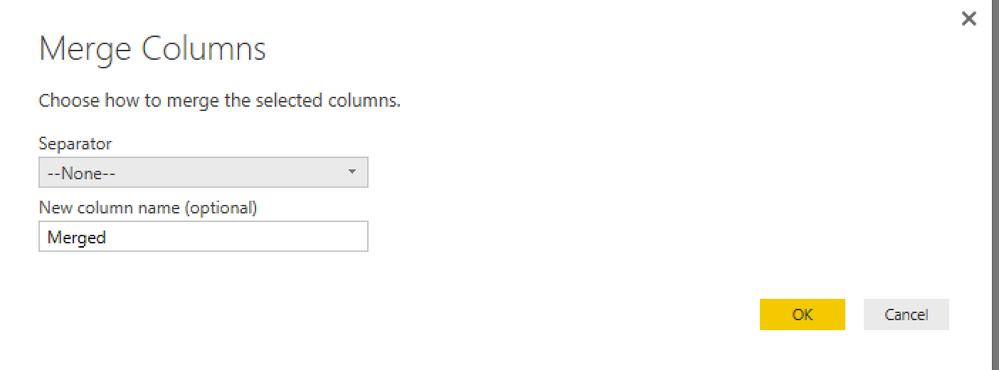
default behavior
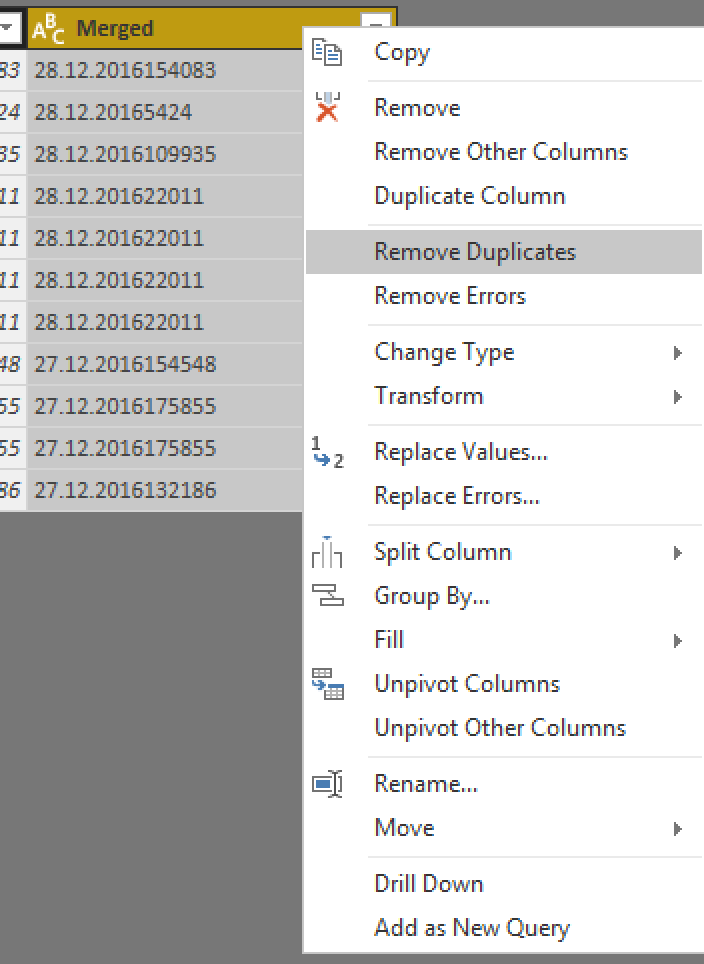
the rest of things is choose Merged column and select Remove Duplicates
Note: If you want to check based on DateTime, you dont need to remove time part (just merge datetime and id, then remove dup on merged column)
If this works for you please accept it as solution and also like to give KUDOS.
Best regards
Tri Nguyen
Hi @gmmb1,
You can simply use DISTINCT function to filter the duplicate records.(it also works on table)
Reference:
Regards,
Xiaoxin Sheng
hi dude ,
cool we can remove the duplicate in multiple ways in power bi. that is not a problem ,
here my question is u have another one column right from that what u want ?
Max , Min , Sum ?
Hi @gmmb1,
You could achieve this by Query Editor like this (assume we have 2 columns Date and Id)
We have 2 columns in dataset
duplicated Date column
I will select only Date and remove part of time cause you want check there are some orders in that date
10 first characters
duplicated Id column
Choose 2 new duplicated columns (Id copy & date copy) to merge column
default behavior
the rest of things is choose Merged column and select Remove Duplicates
Note: If you want to check based on DateTime, you dont need to remove time part (just merge datetime and id, then remove dup on merged column)
If this works for you please accept it as solution and also like to give KUDOS.
Best regards
Tri Nguyen
You can change the format of date to "YYYY : MM : DD" and then select the column and Click one the "remove duplicate".
use this function:
DATE(<year>, <month>, <day>):
<year>= Year (yourdate)
<month>= month(yourdate)
<day>= day (yourdate)
Please let me know if you have any question!
The Power BI Data Visualization World Championships is back! Get ahead of the game and start preparing now!
| User | Count |
|---|---|
| 37 | |
| 36 | |
| 33 | |
| 31 | |
| 29 |
| User | Count |
|---|---|
| 132 | |
| 86 | |
| 85 | |
| 68 | |
| 64 |