cancel
Showing results for 
Search instead for 
Did you mean: 

The Power BI Data Visualization World Championships is back! It's time to submit your entry. Live now!

Reply
jeremyg
Advocate I
Advocate I

Remove custom visual item bug

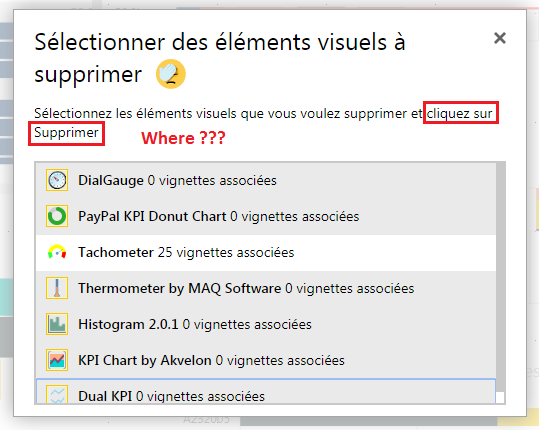
Remove custom visual item interfaceRemove custom visual item interface
Where is remove bouton ?

3 REPLIES 3
v-juanli-msft
Community Support
Community Support

Hi @jeremyg 

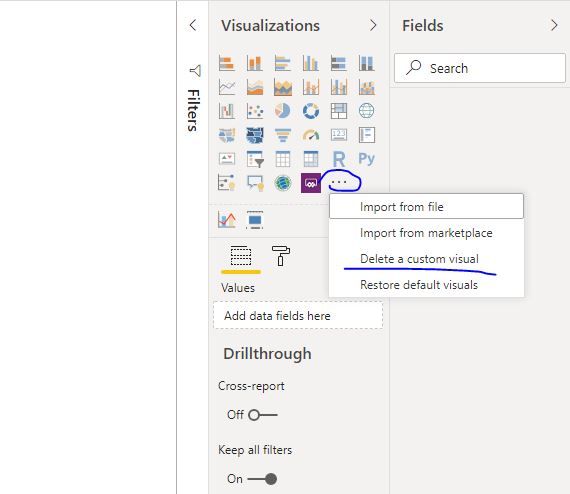
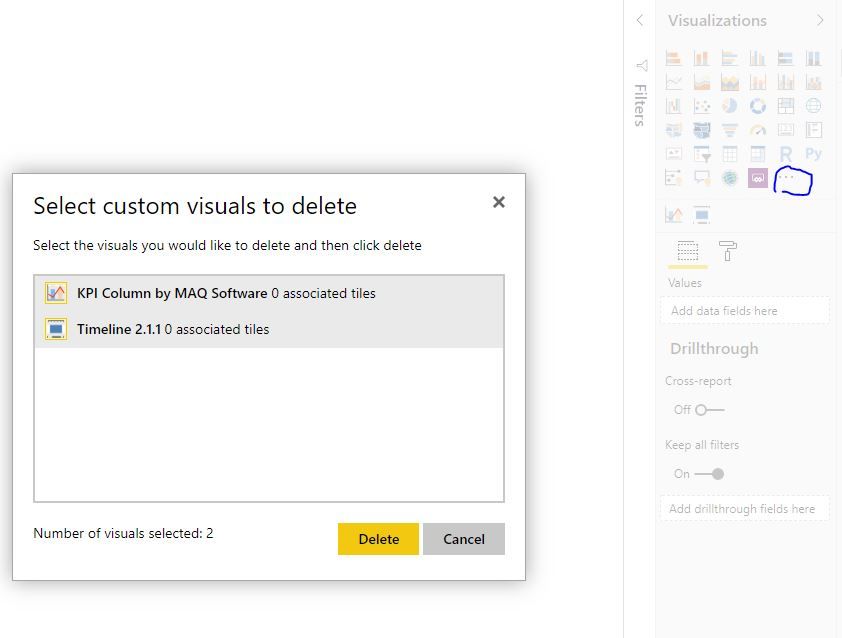
Capture23.JPGCapture24.JPG

Best Regards
Maggie
Community Support Team _ Maggie Li
If this post helps, then please consider Accept it as the solution to help the other members find it more quickly.

Hello,

Looking better at my screenshot, there is no delete button.

The interface of the form is neither updated nor well dimensioned.


When: when you want to "Select the custom visuals to delete", the list is resized in a fixed window.

(Your image shows 2 elements, it's not enough to create this bug)

Solution: Press <Tab Key> several times to move the focus to the Delete button.
This creates an event update displaying the buttons.

Cdt.

same here and thanks

Helpful resources

Announcements
Power BI DataViz World Championships

Power BI Dataviz World Championships

The Power BI Data Visualization World Championships is back! It's time to submit your entry.

January Power BI Update Carousel

Power BI Monthly Update - January 2026

Check out the January 2026 Power BI update to learn about new features.

FabCon Atlanta 2026 carousel

FabCon Atlanta 2026

Join us at FabCon Atlanta, March 16-20, for the ultimate Fabric, Power BI, AI and SQL community-led event. Save $200 with code FABCOMM.