This is best Fabric, Power BI, SQL and AI community event. How do we know? The last event sold out! Save €200 with code FABCMTY200.
Register nowA new Data Days event is coming soon! This time we’re going bigger than ever. Fabric, Power BI, SQL, AI and more. Don't miss out.
Hi Everyone - I've been on trial and error for 3 days & I cannot fix this! Here's the situation:
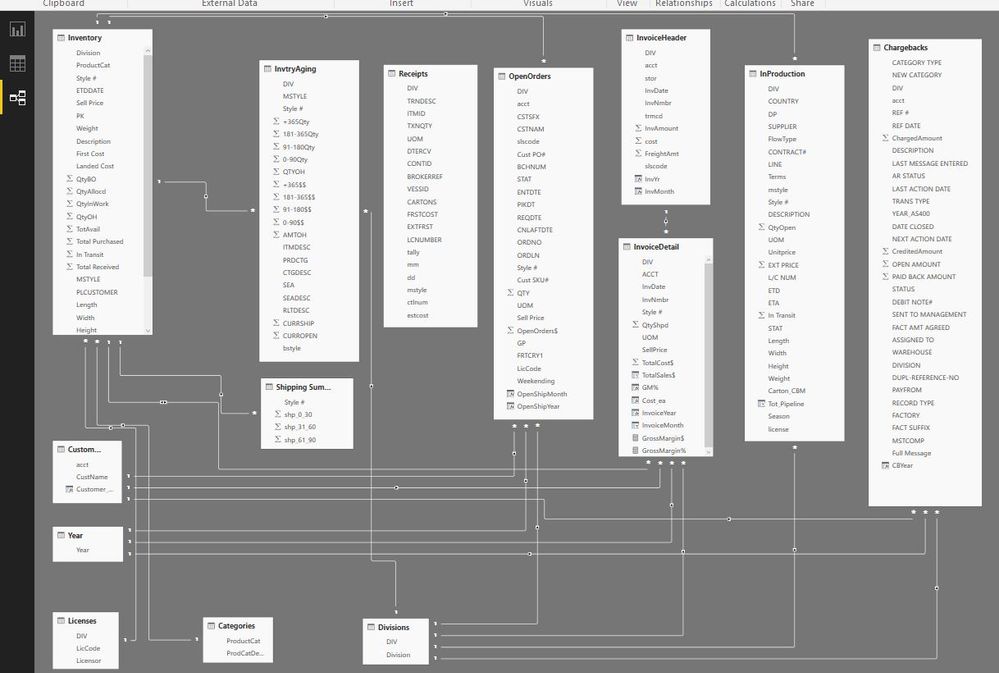
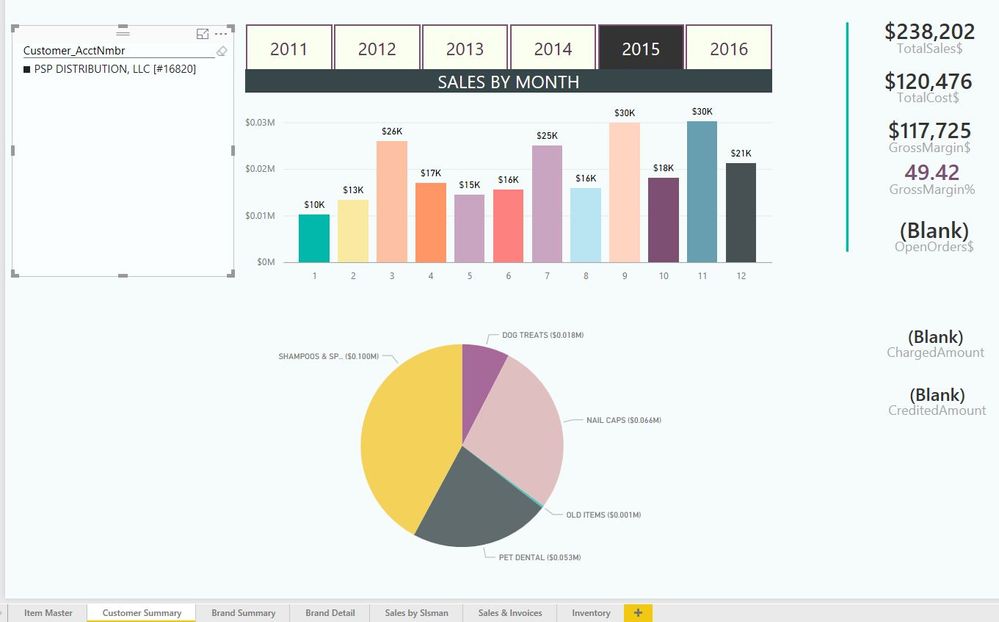
I have 2 divisions in my company and I am trying to track sales, inventory, on order, in production & chargebacks from the customer. I created a table called 'year' that would connect to all the tables to filter out a specific year.
SEE TABLE STRUCTURE & VISUALIZATION BELOW.
The problem is that when I filter out by division or specific customer, the fields from the 'Chargebacks' table go BLANK and I kow they are not blank. There is definitely a relationship issue but I cannot figure it out. Please help!!!!!
If you want to talk by phone let me know. THANK YOU!!!!!!!!!!!!!!!!!!!!!!
Solved! Go to Solution.
Hi,
I may be able to help, but I can't read the text in your model. Can you resend so I can read it please and I will try and help you.
Kind Regards,
Kieran.
Hi,
I may be able to help, but I can't read the text in your model. Can you resend so I can read it please and I will try and help you.
Kind Regards,
Kieran.
I think I figured it out. Thanks!
So what was the issue, and how did you solve it?
Quick tip: Put your lookup tables at the top, your bridge tables in the middle, and the fact tables at the bottom. This will help you visualize how filters flow downhill and allow you a better view to organize your relationships. I also make my lookup tables (or bridge tables) smaller so that I know at a glance which type of table it is. I only offer this advice because that is a massive model.
Proud to be a Super User!
Sign up to receive a private message when registration opens and key events begin.
If you have recently started exploring Fabric, we'd love to hear how it's going. Your feedback can help with product improvements.
| User | Count |
|---|---|
| 33 | |
| 26 | |
| 21 | |
| 20 | |
| 15 |
| User | Count |
|---|---|
| 63 | |
| 44 | |
| 28 | |
| 24 | |
| 22 |