Don't miss your chance to take the Fabric Data Engineer (DP-700) exam on us!
Learn moreThe FabCon + SQLCon recap series starts April 14th at 8am Pacific. If you’re tracking where AI is going inside Fabric, this first session is a can't miss. Register now
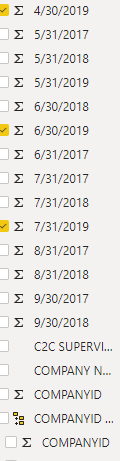
1. I am having trouble putting this data into a line graph. I want the X axis to be my dates and the Y to be the values. My data is set up as shown below in the photo. I am hoping to not have to change the way my data is ordered.
Values are under the date
data is set up this way. Need date on X axis
2. I need to order my data values to go in a different order. How can I do this?
,Need to re-order
I really appreciate any help.data to re-order is set up this way
Hi alwayslearning1,
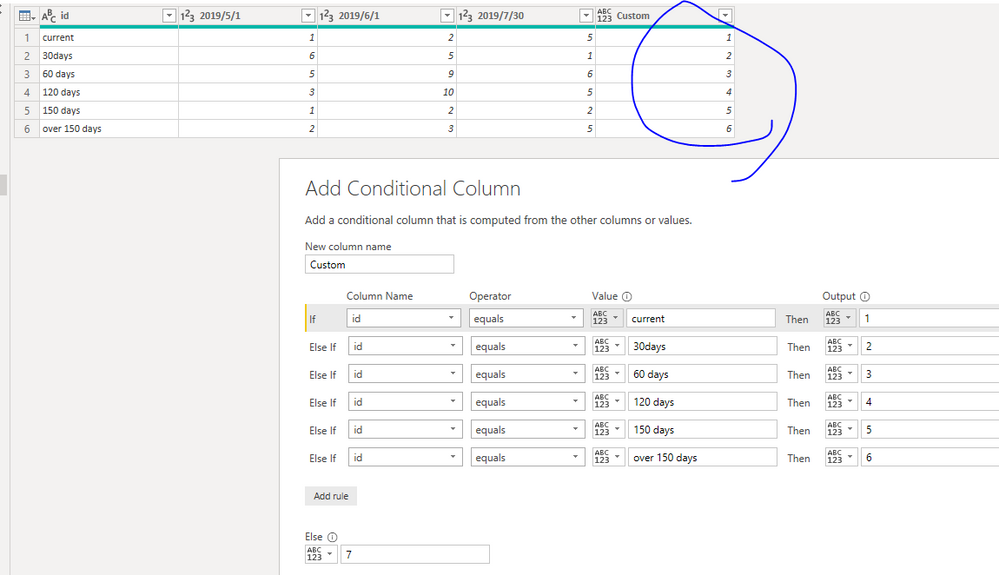
Is your sample similar to below(if your sample is not like below, please correct me and inform me your sample data)
| id | 2019/5/1 | 2019/6/1 | 2019/7/30 |
| current | 1 | 2 | 5 |
| 30days | 6 | 5 | 1 |
| 60 days | 5 | 9 | 6 |
| 120 days | 3 | 10 | 5 |
| 150 days | 1 | 2 | 2 |
| over 150 days | 2 | 3 | 5 |
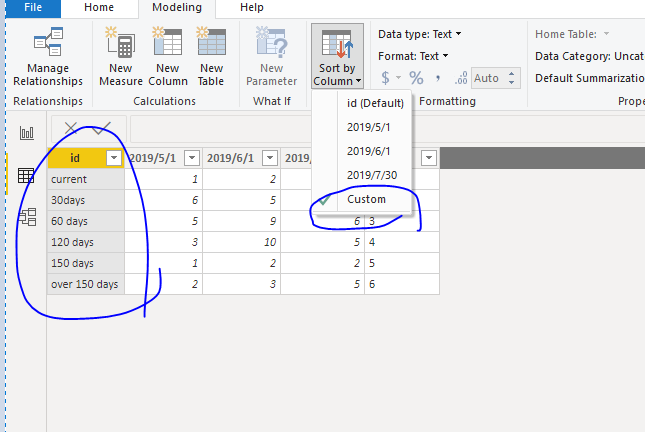
You could try to create a costom column like below, then sort id column based on custom column
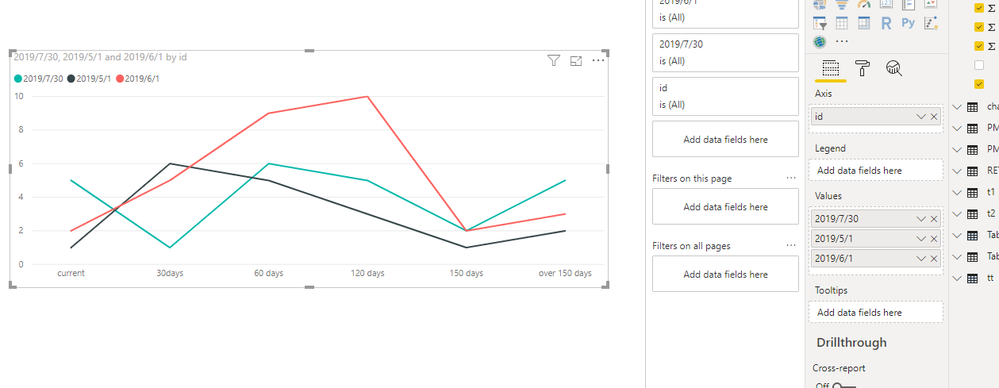
Then when you add this in chart, it will show like below
Best Regards,
Zoe Zhi
If this post helps, then please consider Accept it as the solution to help the other members find it more quickly.
If you have recently started exploring Fabric, we'd love to hear how it's going. Your feedback can help with product improvements.
A new Power BI DataViz World Championship is coming this June! Don't miss out on submitting your entry.
Share feedback directly with Fabric product managers, participate in targeted research studies and influence the Fabric roadmap.
| User | Count |
|---|---|
| 50 | |
| 44 | |
| 44 | |
| 19 | |
| 19 |
| User | Count |
|---|---|
| 71 | |
| 70 | |
| 34 | |
| 33 | |
| 31 |