Join us at FabCon Atlanta from March 16 - 20, 2026, for the ultimate Fabric, Power BI, AI and SQL community-led event. Save $200 with code FABCOMM.
Register now!The Power BI Data Visualization World Championships is back! Get ahead of the game and start preparing now! Learn more
Hi,
I Have data like below : and am want to RLS to filter data as per the user access. Now the requirement is only for emplyee id '1234' I need to get complete details in access like he could able to see all the values in access column using RLS. Plz suggest
| Useremail | employee_id | Department1 | Department2 | access |
| kuamr@gmail.com | 1234 | abc | def | us |
| xyz@gmail.com | 5678 | xyz | ghi | europe |
Thanks
kumar
Hi @Santosh19 ,
Could you tell me if your problem has been solved? If it is, kindly Accept it as the solution. More people will benefit from it.
Best Regards,
Eyelyn Qin
Hi @Santosh19 ,
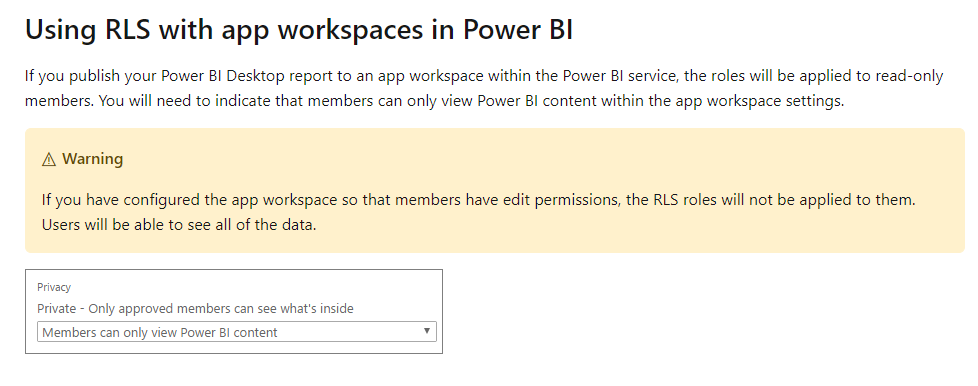
If you want someone to see all the values when the dataset has been applied RLS, you could assign him editpermission.
You can make this change by logging in to app.powerbi.com (as a group admin), and using the left nav to choose the App Workspace (group) and then Edit Workspace.
Best Regards,
Eyelyn Qin
If this post helps, then please consider Accept it as the solution to help the other members find it more quickly.
@Santosh19 - See https://community.powerbi.com/t5/Quick-Measures-Gallery/Dynamic-Hierarchical-Row-Level-Security/m-p/...
Basically, you need to create a rule where [Useremail] = USERPRINCIPALNAME()
The Power BI Data Visualization World Championships is back! Get ahead of the game and start preparing now!
| User | Count |
|---|---|
| 38 | |
| 37 | |
| 34 | |
| 31 | |
| 27 |
| User | Count |
|---|---|
| 136 | |
| 99 | |
| 73 | |
| 66 | |
| 65 |