This time we’re going bigger than ever. Fabric, Power BI, SQL, AI and more. We're covering it all. You won't want to miss it.
Learn moreJoin the FabCon + SQLCon recap series. Up next: Power BI, Real-Time Intelligence, IQ and AI, and Data Factory take center stage. All sessions are available on-demand after the live show. Register now
Hi,
I Have data like below : and am want to RLS to filter data as per the user access. Now the requirement is only for emplyee id '1234' I need to get complete details in access like he could able to see all the values in access column using RLS. Plz suggest
| Useremail | employee_id | Department1 | Department2 | access |
| kuamr@gmail.com | 1234 | abc | def | us |
| xyz@gmail.com | 5678 | xyz | ghi | europe |
Thanks
kumar
Hi @Santosh19 ,
Could you tell me if your problem has been solved? If it is, kindly Accept it as the solution. More people will benefit from it.
Best Regards,
Eyelyn Qin
Hi @Santosh19 ,
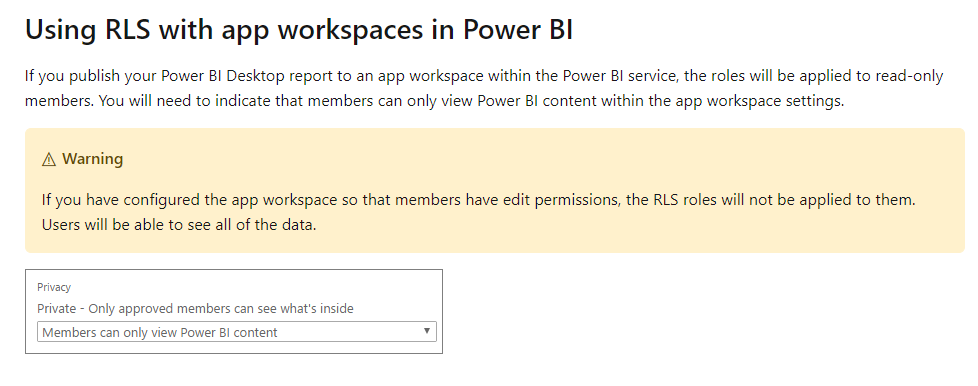
If you want someone to see all the values when the dataset has been applied RLS, you could assign him editpermission.
You can make this change by logging in to app.powerbi.com (as a group admin), and using the left nav to choose the App Workspace (group) and then Edit Workspace.
Best Regards,
Eyelyn Qin
If this post helps, then please consider Accept it as the solution to help the other members find it more quickly.
@Santosh19 - See https://community.powerbi.com/t5/Quick-Measures-Gallery/Dynamic-Hierarchical-Row-Level-Security/m-p/...
Basically, you need to create a rule where [Useremail] = USERPRINCIPALNAME()
Check out the April 2026 Power BI update to learn about new features.
If you have recently started exploring Fabric, we'd love to hear how it's going. Your feedback can help with product improvements.
A new Power BI DataViz World Championship is coming this June! Don't miss out on submitting your entry.
| User | Count |
|---|---|
| 39 | |
| 37 | |
| 31 | |
| 23 | |
| 15 |
| User | Count |
|---|---|
| 76 | |
| 59 | |
| 32 | |
| 31 | |
| 26 |